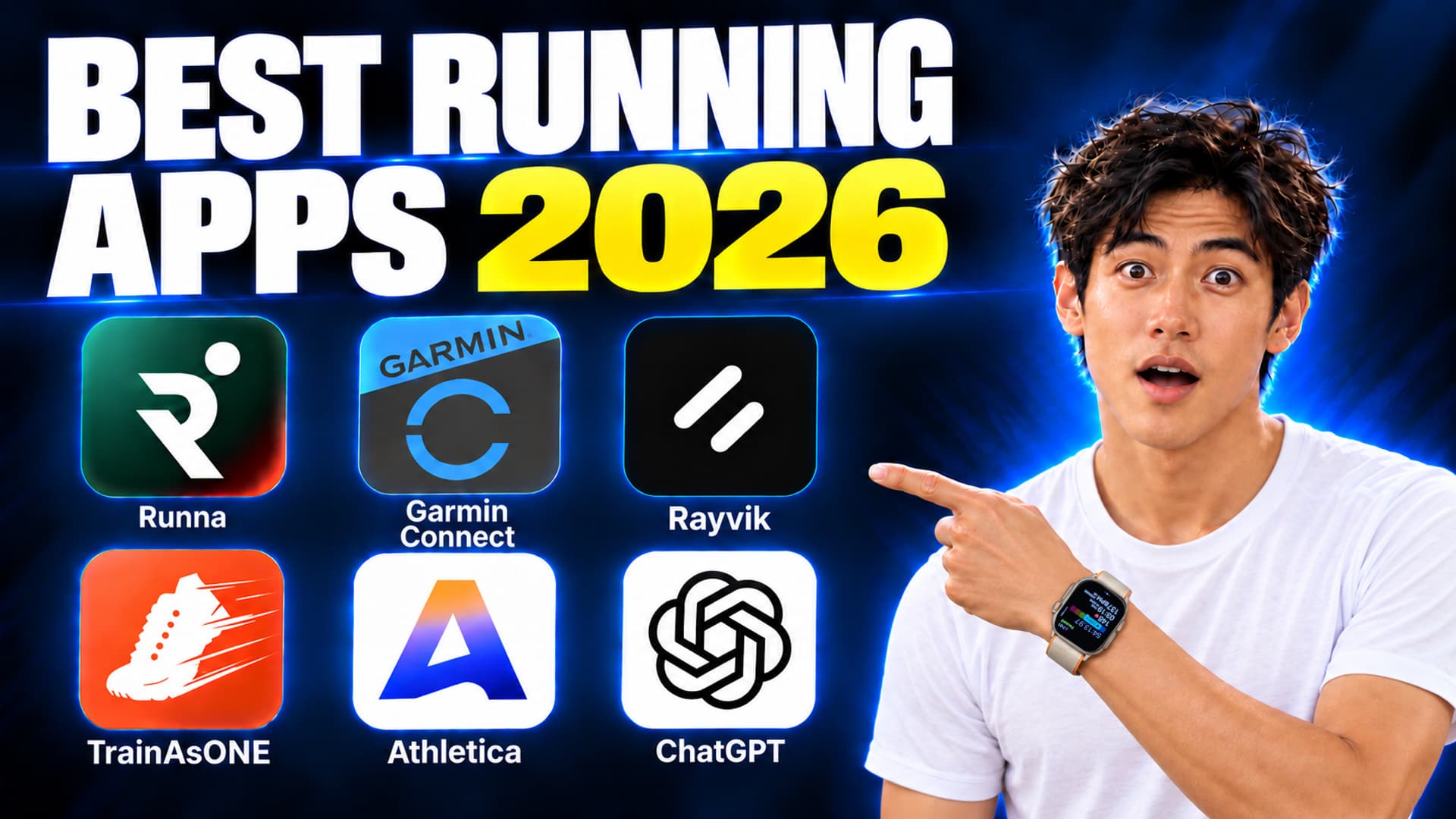
The best AI running coach apps in 2026
Six coaches, compared by the question that matters: what actually changes after a hard run, a missed session or a bad night of sleep? I'm Kai, a runner and Rayvik's founder. These are the trade-offs I found while using these tools, alongside their documented features and other runners' feedback.
The short answer
There is no honest single best AI running coach.
- Want a structured race plan. Runna made a good first impression: clear sessions and targets to follow on the watch. Changing the week still required me to find the right tools.
- Already own a compatible Garmin. Start with Run Coach before adding another subscription. The automatic adjustments are useful, but I wanted clearer explanations and more say in the decision.
- Know your training and want more control. Consider Athletica, or ChatGPT if you are happy to supply context and check the advice. Both ask you to stay involved.
- Want ongoing conversation with less data entry. Rayvik is our beta for iPhone and Apple Watch runners. Apple Health provides the recorded context; you add goals, how you feel and what has changed.
TrainAsONE has broad device support and some satisfied long-term users, but my first experience did not earn enough trust for a personal recommendation. Choose by the help you need in an ordinary training week, including how much effort you are willing to spend keeping the system useful.
The dividing line is simple: a plan shows what was scheduled; a coach decides whether it still makes sense today. Pay for the decisions you want the product to carry, not for the number of charts it asks you to manage.
| COACH | PRIMARY FIT | WHAT ADAPTS | PRICE | MAIN LIMIT |
|---|---|---|---|---|
| Runna | Polished race plans | Performance, paces, schedule | $19.99/mo or $119.99/yr (US) | Recovery metrics are not its central daily input |
 Rayvik (ours) Rayvik (ours) | A coach that feels like messaging | Runs, recovery, injuries, schedule and conversation | Free in beta | Currently focused on iPhone + Apple Watch |
 TrainAsONE TrainAsONE | Algorithm-first runners and broad device support | Future plan from completed training | Free; subscription $9.99/mo or $101.99/yr (US App Store) | My first experience lacked useful explanations |
| Garmin Run Coach | Compatible Garmin owners | Daily workouts, missed/extra sessions, health load | Included with compatible watch | Powerful but complex software experience |
 Athletica Athletica | Experienced endurance athletes | Fitness, fatigue and schedule | $19.90/mo or $189/yr; 2-week free trial | Browser handoffs and failed answers in my trial |
| ChatGPT | Experienced runners who want to discuss and refine training | Changes you discuss with it | Free; Plus $20/mo | You still need to check the context and advice |
Prices checked on October 2, 2026 against official pricing pages and listings. Local pricing and compatible devices can differ. We do not use affiliate links.
Watch the hands-on comparison
In the video, I walk through these six tools and the everyday decisions behind this comparison, including Rayvik's Apple Health connection, coaching conversation and post-run feedback. Watch the full review or jump to an app below.
How we evaluated them
I used Runna's setup and training plan, Garmin's training features, TrainAsONE and Athletica's onboarding, and ChatGPT for my own running. For Rayvik, I walked through a new account using my Apple Health records. Those experiences help judge usability; they are not a controlled comparison of race results. The screenshots below distinguish my accounts from official store previews.
- Initial personalization. Does onboarding establish a useful athlete baseline?
- Performance adaptation. Do completed runs change paces, volume or future sessions?
- Recovery adaptation. Can sleep, HRV, resting heart rate, stress or fatigue change the day?
- Schedule repair. What happens after a missed workout, extra run or disrupted week?
- Explanation and restraint. Does the coach explain a change, and can it prescribe less?
- Practical fit. Price, watch support, lock-in and whether you will actually use it.
6 AI running coaches, honestly compared
I start with a plan-first workflow, then a conversational one, followed by specialist tools. This order compares approaches; it is not a ranking of training effectiveness.
Runna — the polished plan-first benchmark
The praise is deserved, especially for the marathon. Runna turns months of training into a plan that feels manageable: each week is easy to scan, prescribed paces are clear, live workouts arrive neatly on the watch, and strength sessions sit beside the running. It supports Apple Watch, Garmin, COROS, Suunto and Fitbit. Its US App Store price is $19.99 month to month or $119.99 annually.
Runna does let you change the plan. Its Not Feeling 100% feature can temporarily reduce training, and in-app support is available. My frustration was finding the right feature and choosing the adjustment myself. I wanted to say, “I'm sick this week—how should we adjust?” and work through the decision together. The coaches' faces were visible, but that ongoing conversation was less present in my experience.
The injury question in my setup also stopped sooner than I wanted: it asked whether I had an injury, without exploring where it hurt or how it affected running. And after finishing setup and paying, I was sent back to create my plan again. That was frustrating after already answering the questions. It is what happened in my signup, rather than a claim that every subscriber must repeat it.
Some experienced runners also find its mix of intervals, tempo and fast long-run work aggressive; that is a reason to inspect the week, not proof that the plans are universally unsafe. If you want a polished marathon training app, Runna belongs on the shortlist. I would use the trial to see whether its structure keeps saving you effort once your week changes. See our deeper Runna replacements for recovery and life-context gaps.
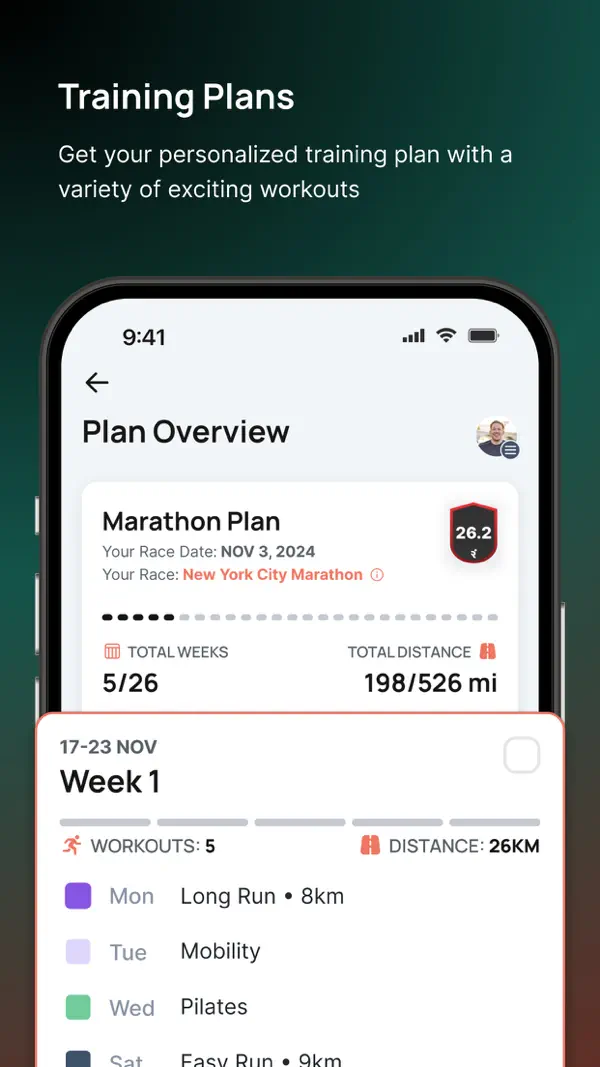
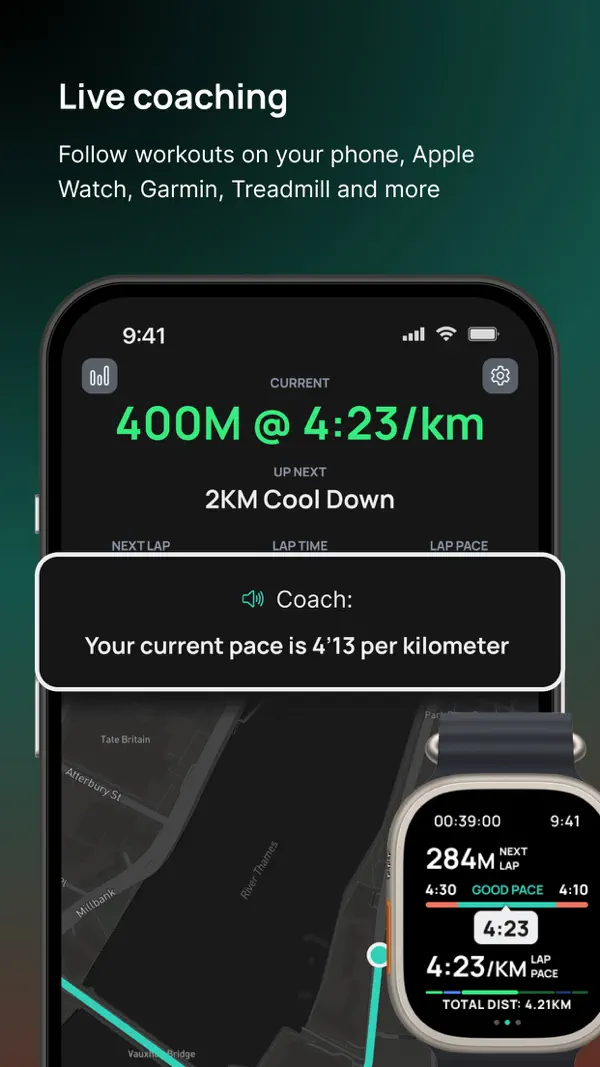
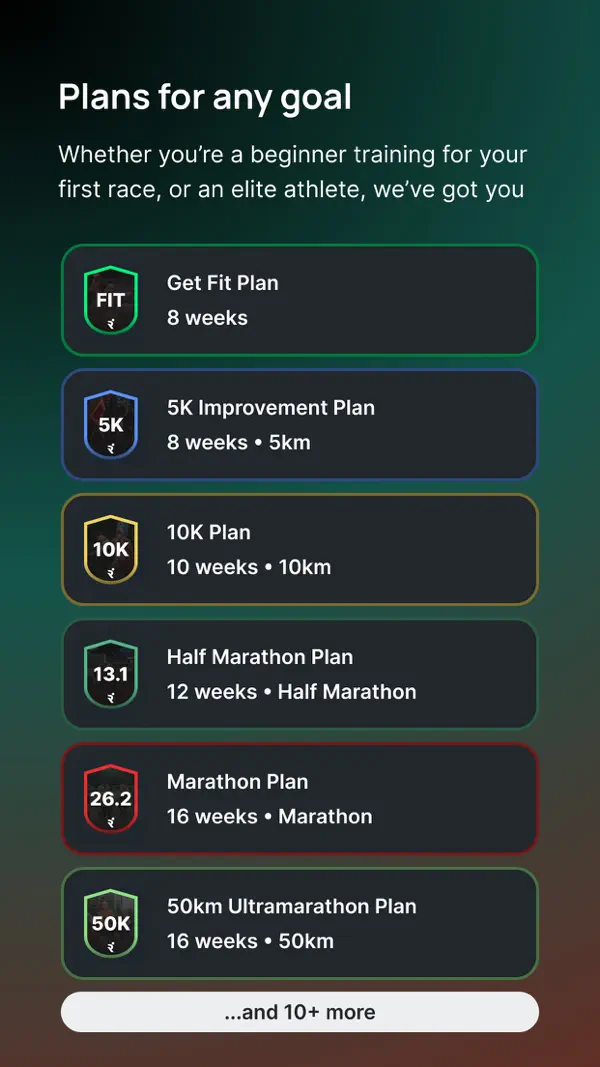
- Clear race structure and workout targets made a good first impression.
- Broad race-distance, strength-training and device support.
- Tools to reduce training or rearrange a week, plus in-app support.
- When life disrupts the week, adaptation can still feel like managing settings and a calendar.
- Recovery, injury and conversational context are less central than performance and scheduling.
- My signup sent me back through plan setup after paying.
Rayvik — for runners who want a coach, not a dashboard
We build Rayvik around a coaching interface that feels as familiar as iMessage or WhatsApp: tell it that your calf is tight, work exploded or you are flying tonight, then get a clear training decision without first learning the vocabulary of exercise physiology. Talk to the AI coach in whatever language feels natural.
In the new account I set up for the video, I connected Apple Health. Avery, the AI coach I chose, picked up my recent 30 km long run and the training recorded over the previous three months, then asked what I was working toward and how the long run felt. I did not have to type out that training history first. I still add what the watch cannot know: my goals, injury history and available time. The available sleep, HRV and resting-heart-rate records also inform the recovery view; they give the conversation more context than a run's pace and distance alone.
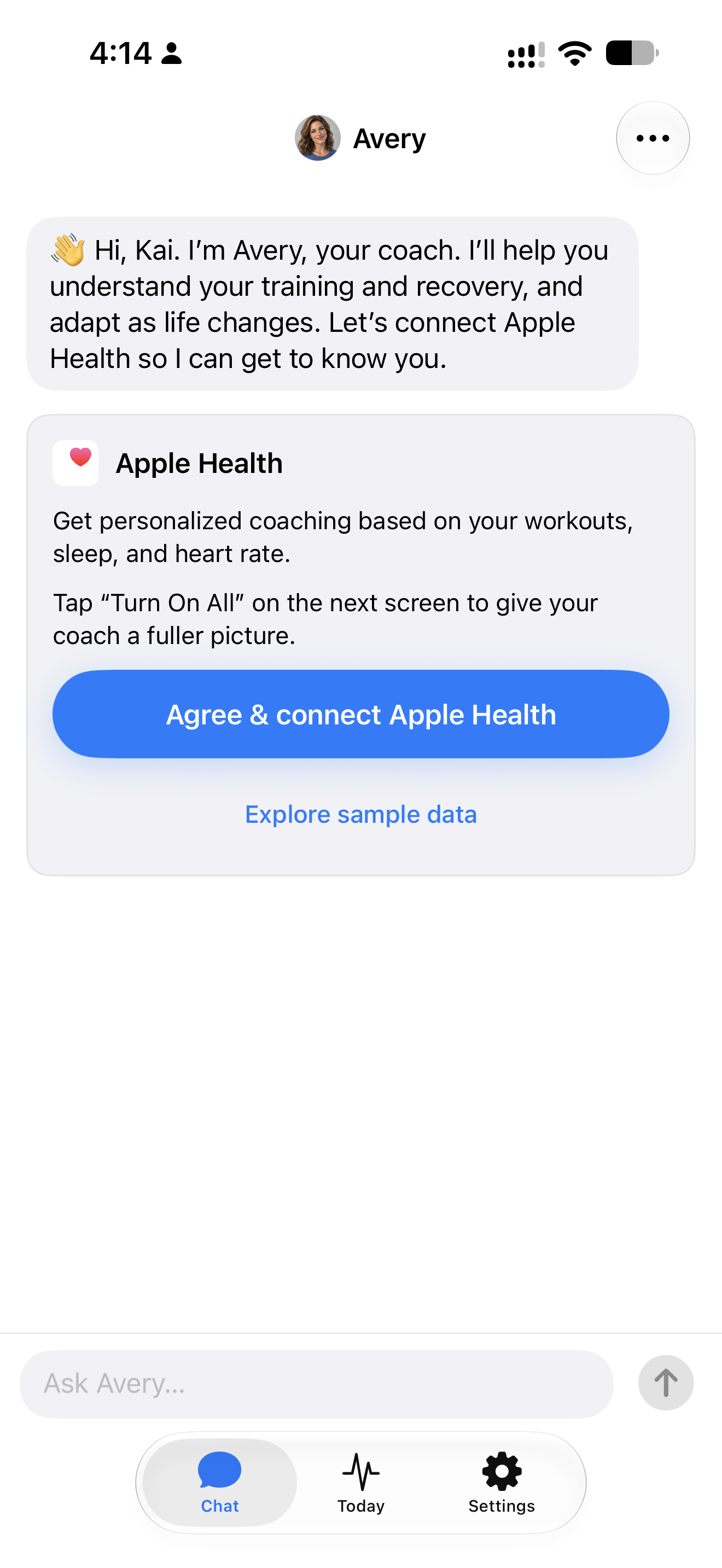
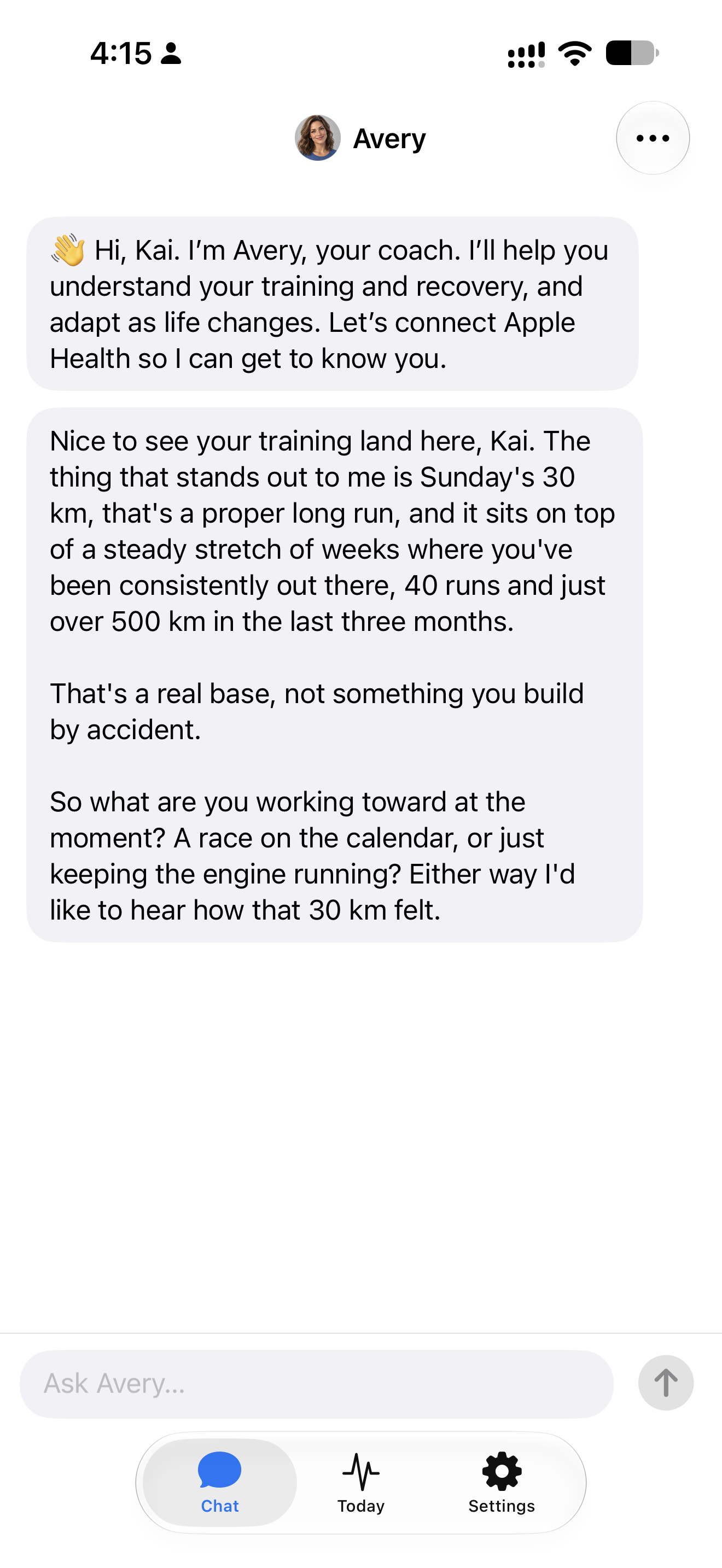
Rayvik remembers the goals, injury history, training preferences and schedule changes you share, so later coaching conversations can build on them. It can remember that hill repeats tighten your calf, that you respond better to volume than intensity, and that next week includes work travel. Those details help the coach discuss what comes next without asking you to start your story over. Connected records provide part of the picture; what you tell the coach adds the context those records cannot capture.
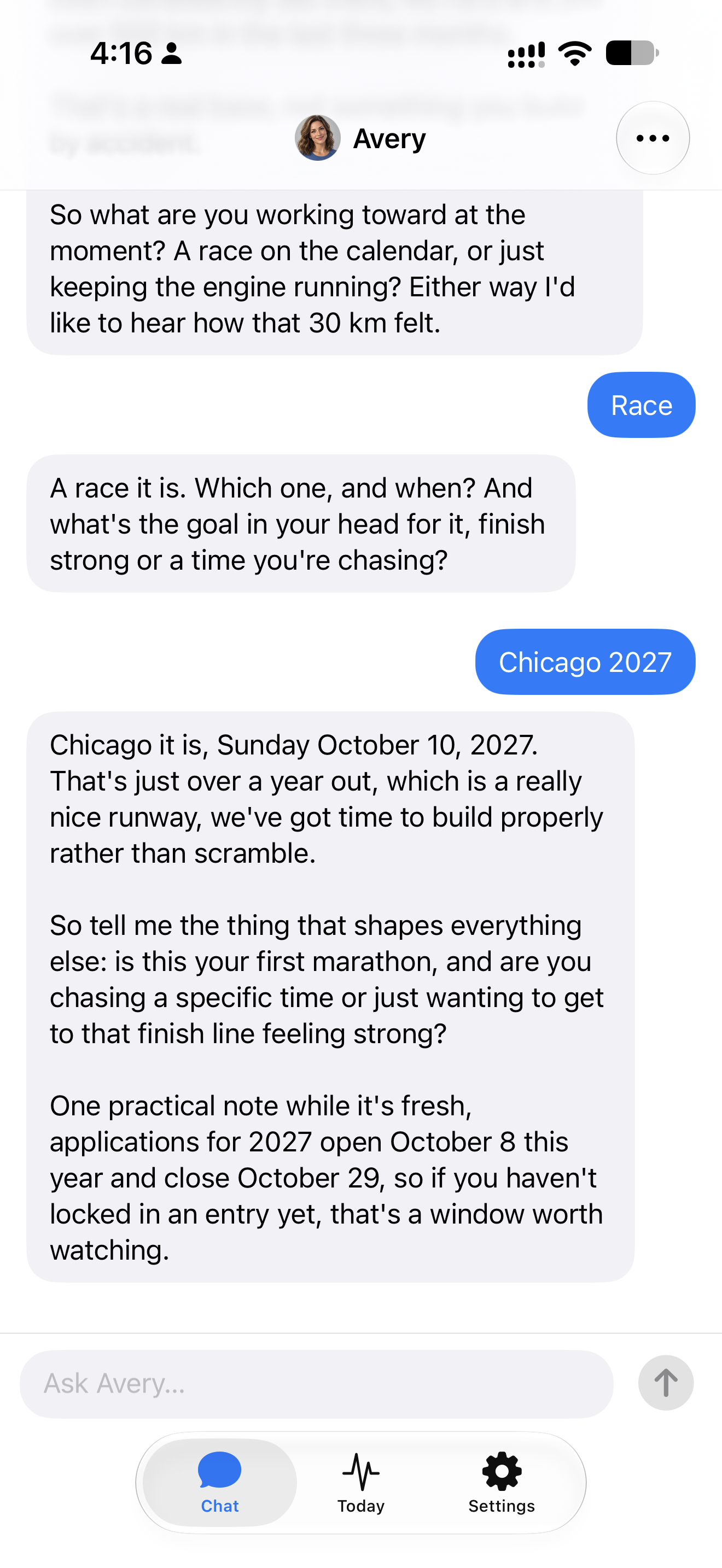
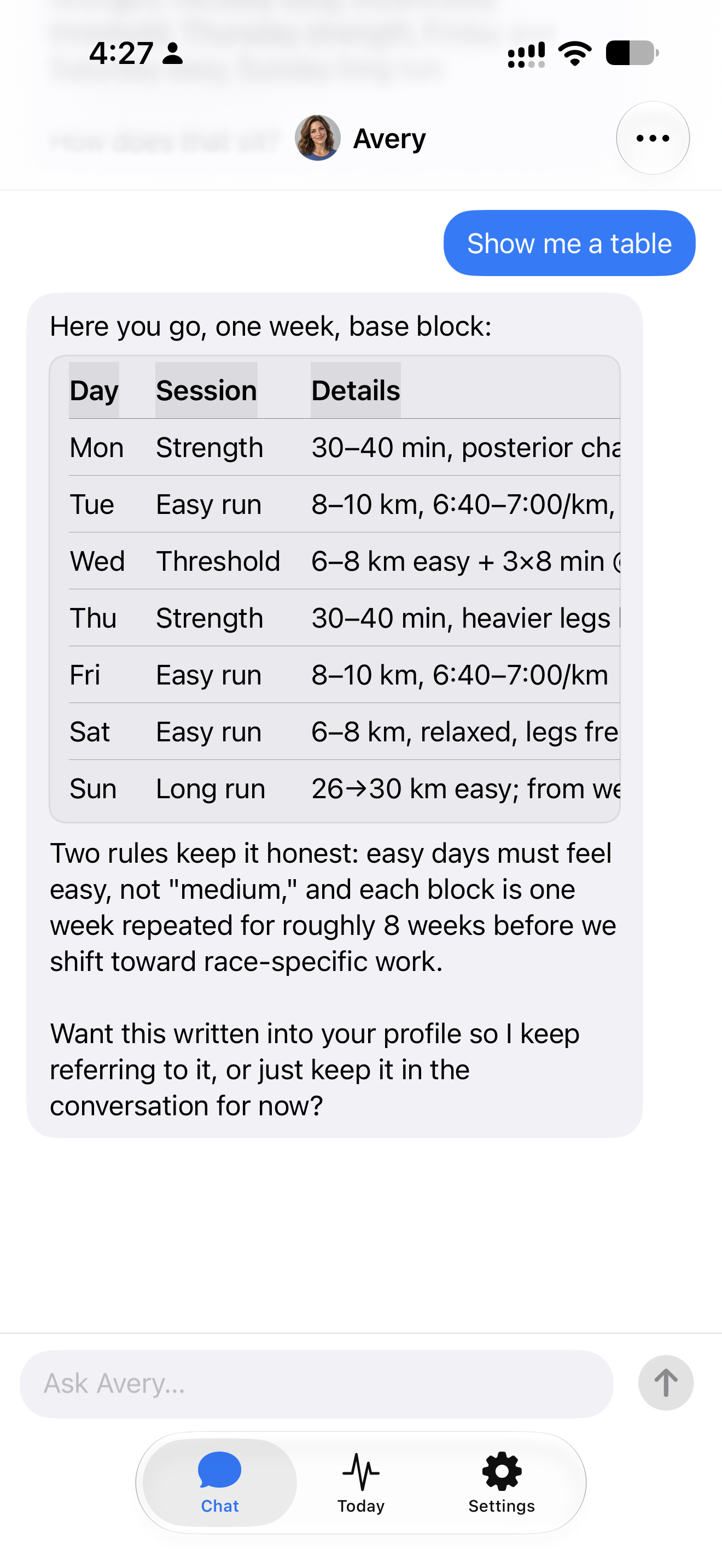
When I typed “Chicago 2027”, the coach found the race details and brought up the application window. When I proposed 3:45, it called that a stretch and asked for my recent race result. That estimate is not a validated race prediction; what I valued was the question before treating my target as a ready-made prescription. We then built a weekly training plan in the conversation: strength sessions, easy runs, threshold work and a long run. The table below is the actual base-block week Avery gave me, with session types, distances and workout details.
Today gives me a recovery view and a short suggestion, with a quick view of the Recovery, Sleep and Strain rings on Apple Watch before I lace up. I can add the scores to compatible watch faces and tap a ring to check the assessment in the Watch app. Our Apple Watch recovery-ring guide shows how to set them up.
You do not need Apple's native Readiness feature to use Rayvik's Recovery view. Compatible older watches can provide the Apple Health data it needs; my SE 2 is one example. Rayvik calculates its own estimate, so availability depends on the data and permissions, rather than whether the watch supports Apple Readiness. See our Apple Watch Readiness compatibility guide for the difference and options for older models.
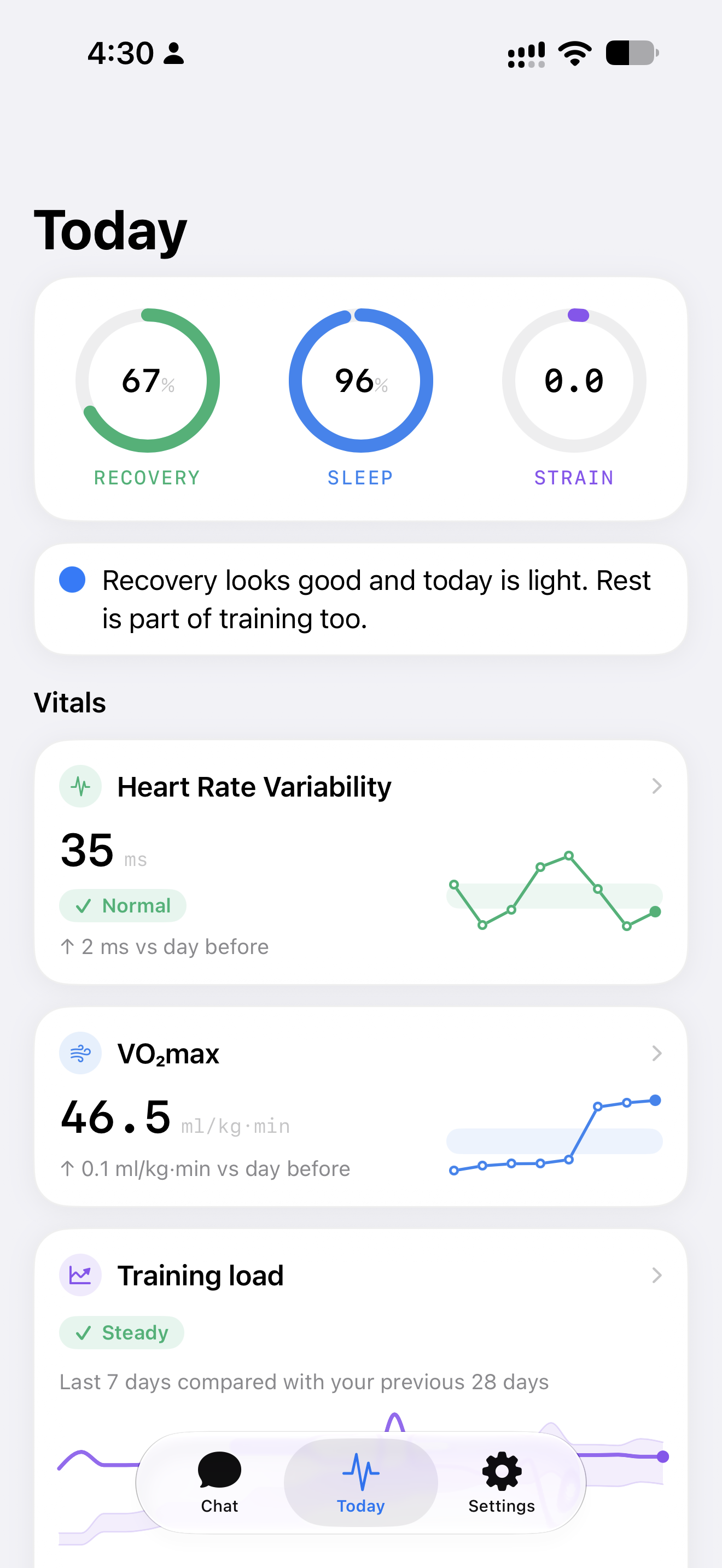
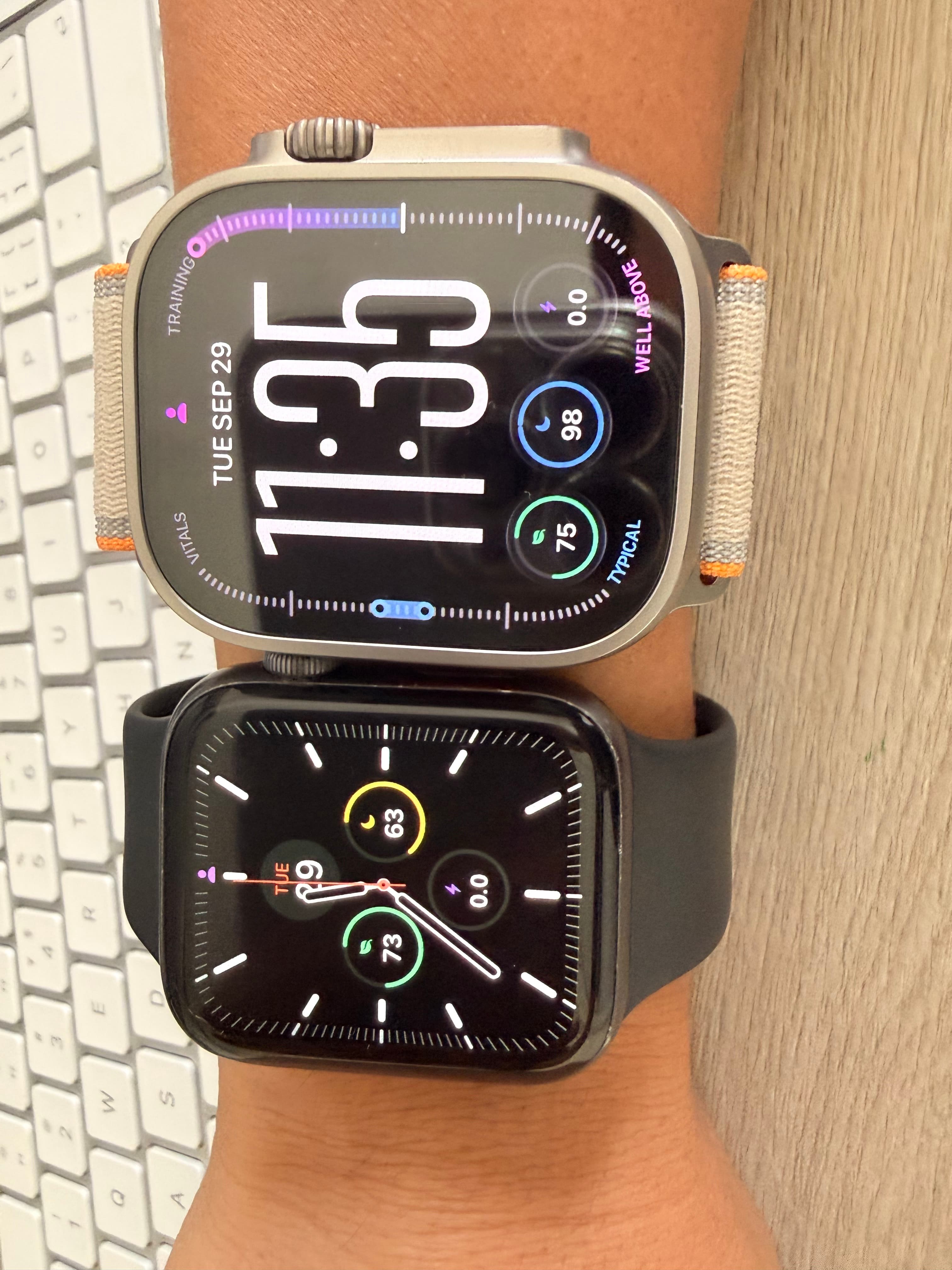
Recovery, Sleep and Strain, right on the watch face.
SE 2 on the left; Ultra 4 on the right. Both show Rayvik's own scores.
A run that syncs to Apple Health can receive automatic feedback in the conversation. With notifications enabled, that feedback can reach me right after a run; I do not have to upload a screenshot or ask for the review first. I can add how it felt without starting the explanation from scratch.
I also tried saying my right knee did not feel well. The coach asked about the discomfort and when it happened before discussing the session. That is the interaction I want: explain what I feel in ordinary words and work through the next step, rather than reduce an injury history to a single checkbox.
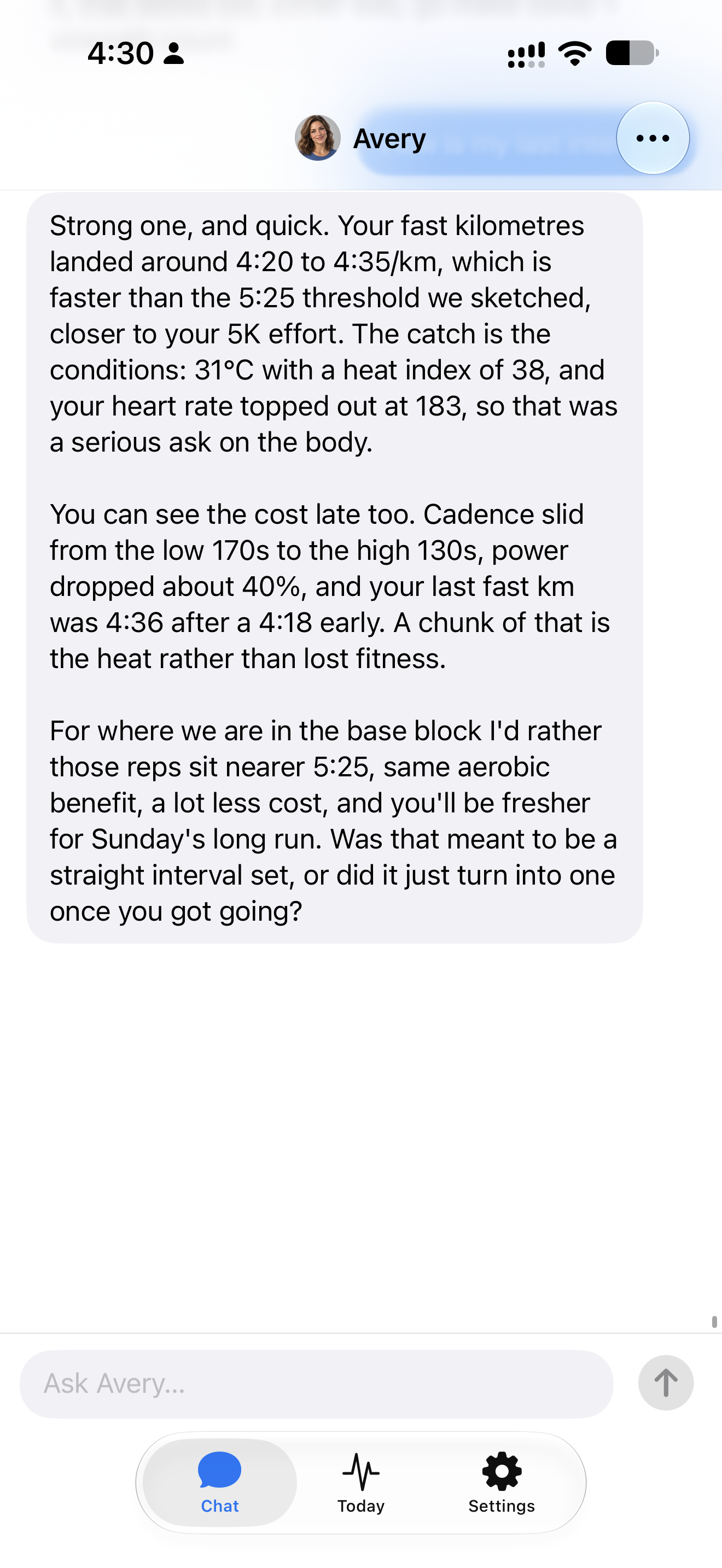
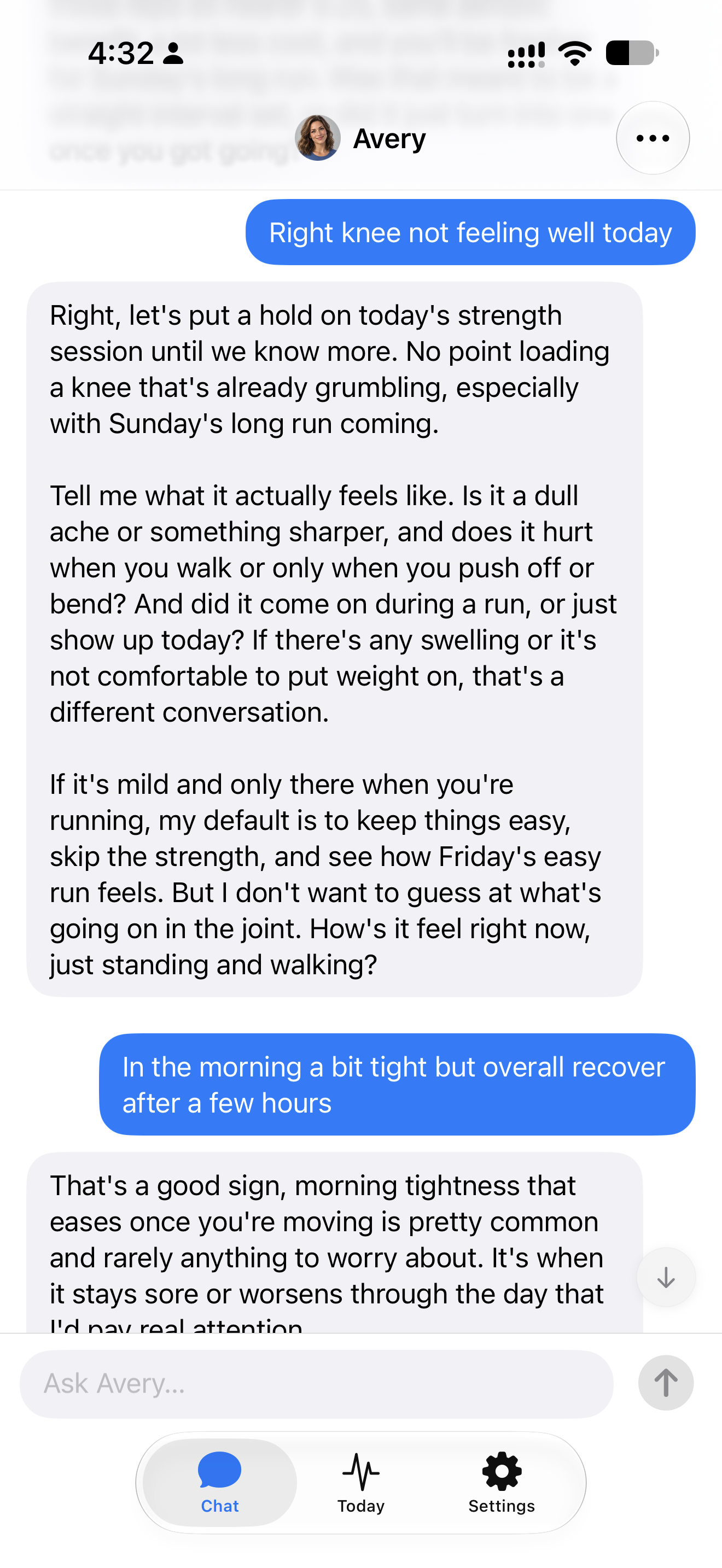
Rayvik currently focuses on iPhone and Apple Watch, and we plan to add more device integrations. For now, this is the experience runners can try: training, recovery and conversation in one place, with beta access free while we keep refining it with runners.
- Feels like iMessage or WhatsApp: ask naturally and get one clear decision in the language you use.
- Combines runs and recovery with injuries, work, travel and communication preference.
- Designed to remember context, follow up after runs and choose both push and hold-back days.
- Currently built for iPhone and Apple Watch; more device integrations are planned.
- Available through beta access rather than a broad public release.
- Built for clear coaching decisions rather than dense dashboards or multisport analytics.
TrainAsONE — the established algorithm-first specialist
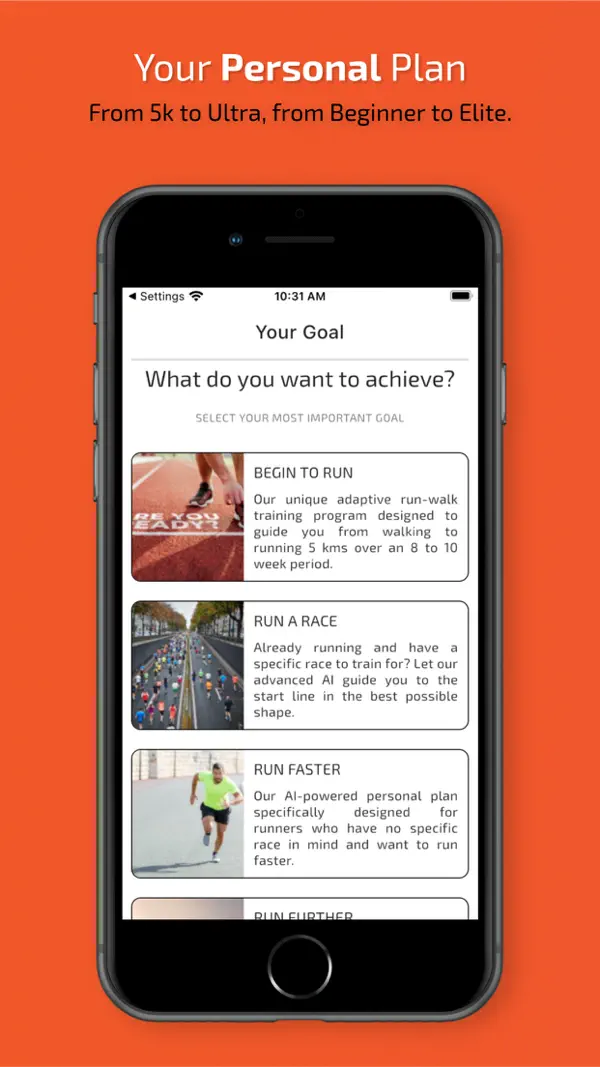
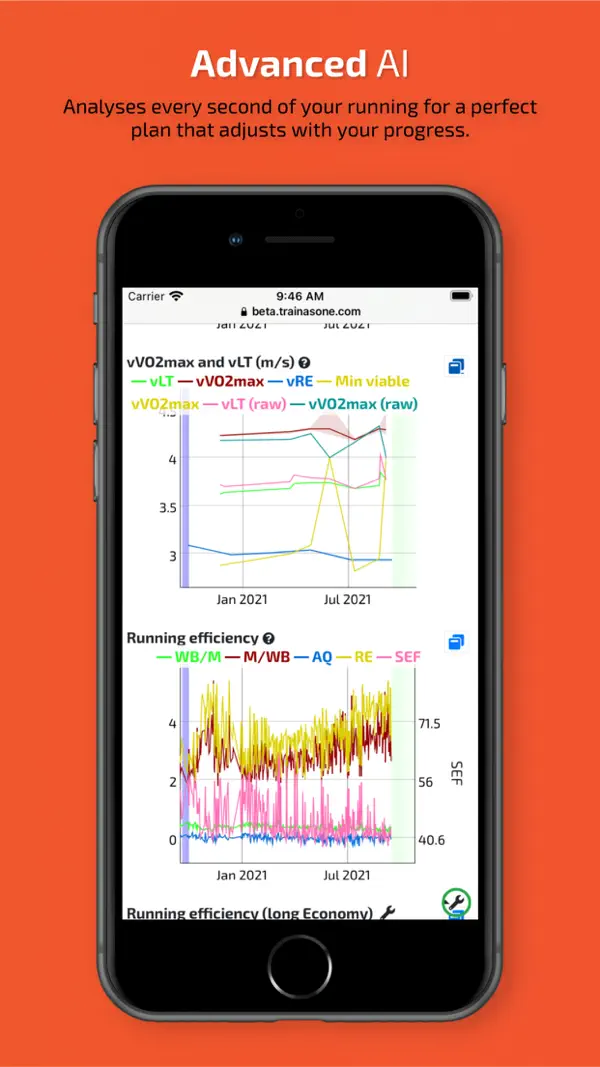
TrainAsONE has built adaptive running plans longer than most products now using the AI label. It analyzes completed training and keeps recalculating what comes next, accommodates multiple goals and lets runners declare when and how long they can train. Its official listing says missed and off-plan runs trigger plan changes. It connects to a broad range of devices and the core app can be used free. Its US App Store listing shows subscriptions for advanced post-activity analysis at $9.99 per month or $101.99 per year. For Apple Watch and Wear OS, Watchletic is a separate route for importing and following its structured workouts. That makes the device support useful in practice, but adds another app and its own feature and subscription requirements.

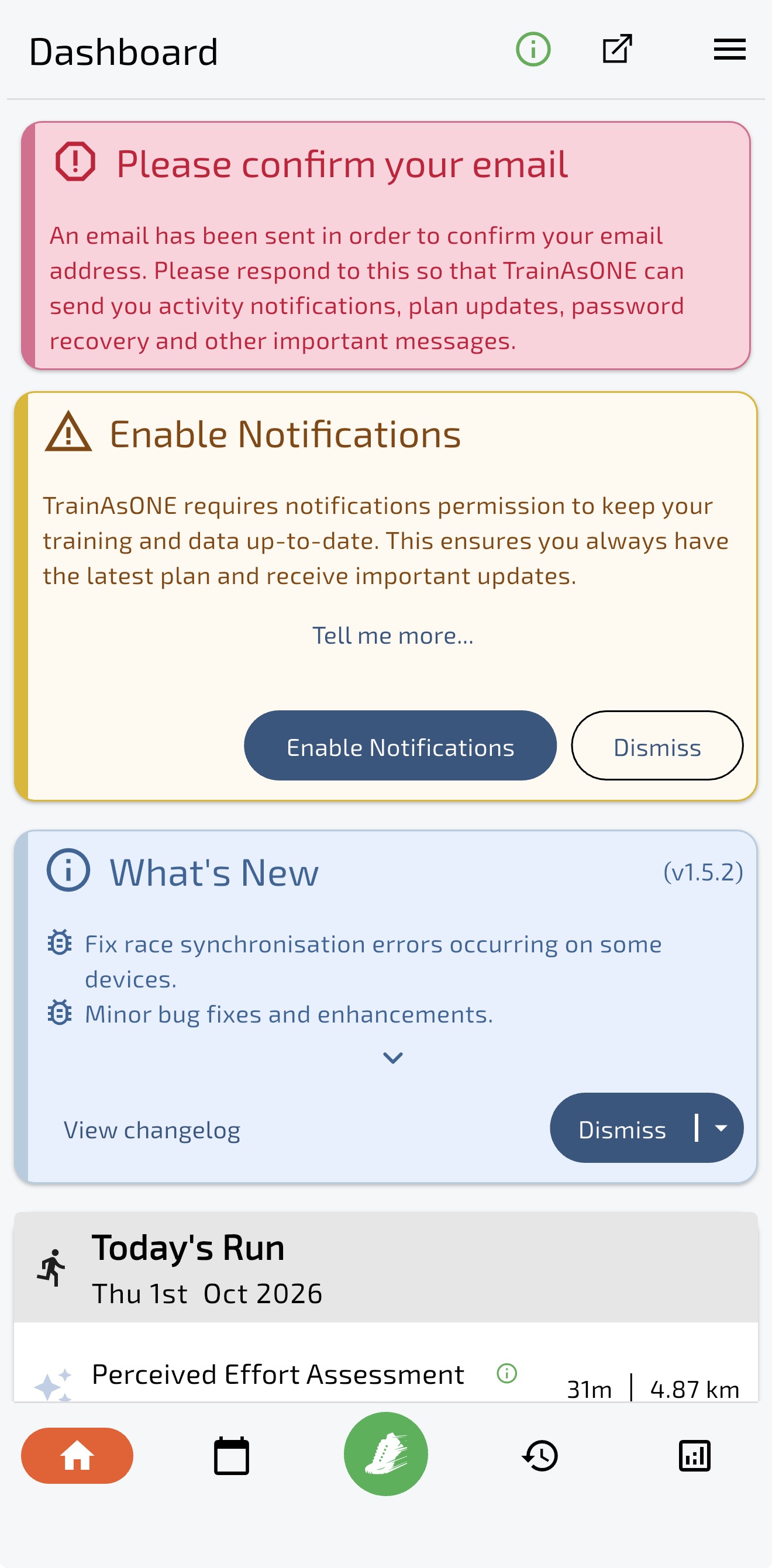
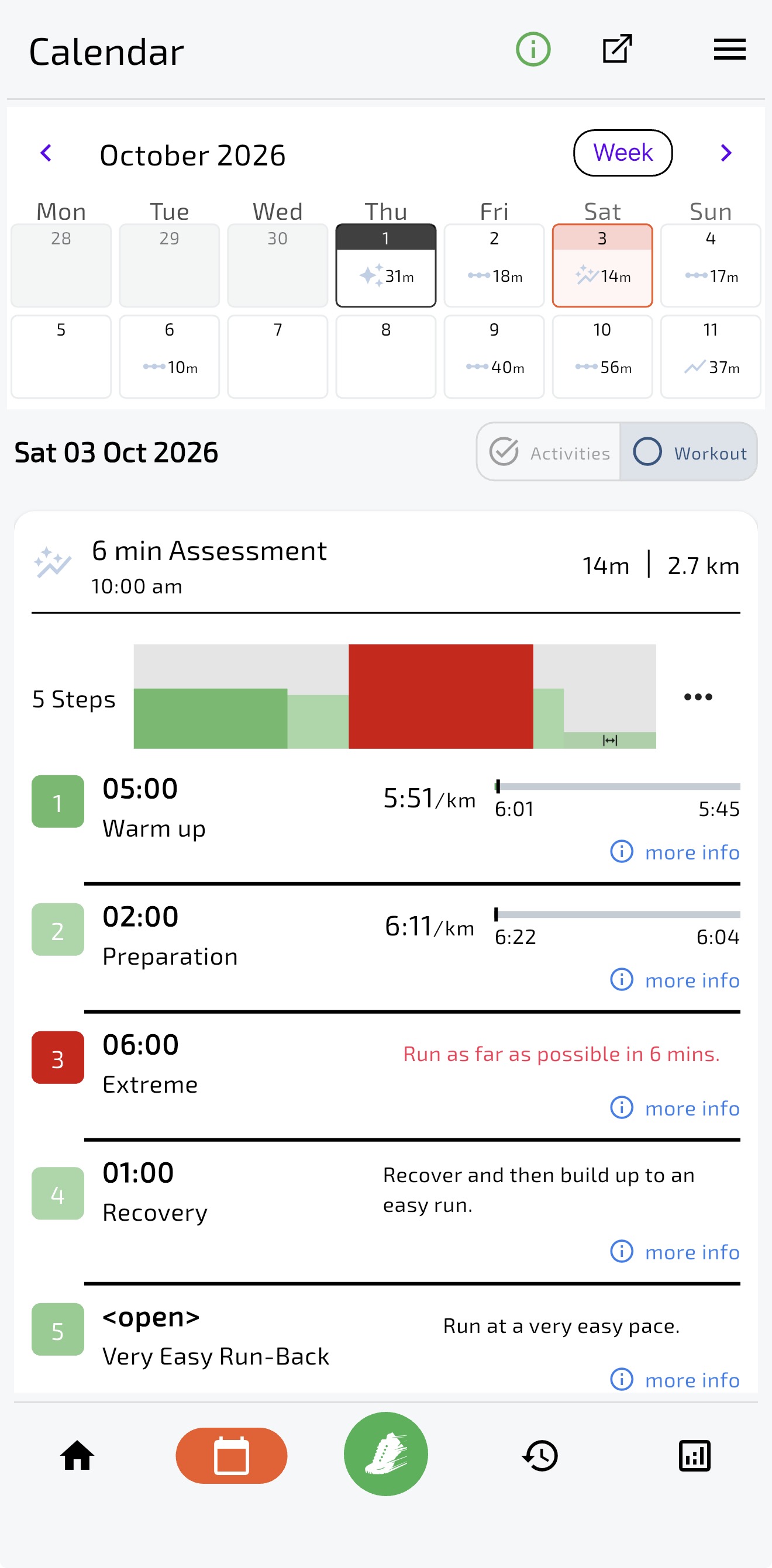
After signup, my dashboard opened with email confirmation, notification permissions and a release-notes card; the day's run sat underneath them. That made the first interaction feel like a list of things to dismiss. I had also done intervals the previous day, then received an interval assessment. A test may have a purpose, but I did not get the explanation I needed to understand that sequence.
Some long-term runners value its changing workouts and report good race results. My shorter trial cannot settle its training effectiveness. It can still be worth investigating if algorithmic replanning and device flexibility are your priorities; I would want it to explain surprising sessions before trusting the schedule.
- Continuous plan recalculation is the product, not a decorative AI summary.
- Supports multiple goals, irregular availability and a broad device ecosystem.
- A usable free tier makes a real trial possible before paying for analysis.
- The interface and vocabulary feel technical and visually dated.
- Frequent algorithmic changes can be hard to trust when the explanation is thin.
- The runner may still need another source to translate scores into a simple decision.
Garmin Run Coach — start here if you own the watch
Garmin Run Coach is stronger than older comparisons suggest. On compatible watches it creates daily personalized workouts, adjusts after missed or extra activities, and can use sleep, recovery, stress and training-load information. It supports 5K, 10K, half marathon, marathon and custom distances up to 1,000 miles. On supported models, the watch can also update maximum-heart-rate and lactate-threshold estimates from training. Those changing estimates are a useful part of the watch experience, separate from a chat-style coach.
That makes it the logical first trial for an existing Garmin owner. The problem is not what Garmin knows; it is how much software the runner must learn to discover what Garmin knows. Guidance is spread across menus, scores and coaching surfaces. The plan can make a sensible automatic change without explaining one clear, human-readable decision, and you cannot simply drag a Run Coach workout to another day.
My marathon prediction went from 4:30 to 3:53 in about a month. It was encouraging, but I questioned whether my preparation had changed that much. I also saw a workout change after a poor sleep reading when I felt good that morning. I wanted my own feedback included in the decision. That is a trust question about my experience, not evidence that every prediction or recovery adjustment is wrong.
Garmin gives data-loving runners an impressive instrument panel. But if the question is simply “I slept badly and my calf feels tight—what should I do today?”, studying the instrument panel becomes part of the workout. Rayvik is built around the opposite interaction: tell the coach what happened, let it carry the context, and get one clear next step. Check the current Garmin Run Coach documentation and supported-watch list.
Connect+'s Active Intelligence is a separate paid insights feature, not the included Run Coach. In my use, its summaries mostly repeated numbers I could already see. That did not give me the explanation I wanted for my next run; it also does not cancel the value of the watch's workout guidance.
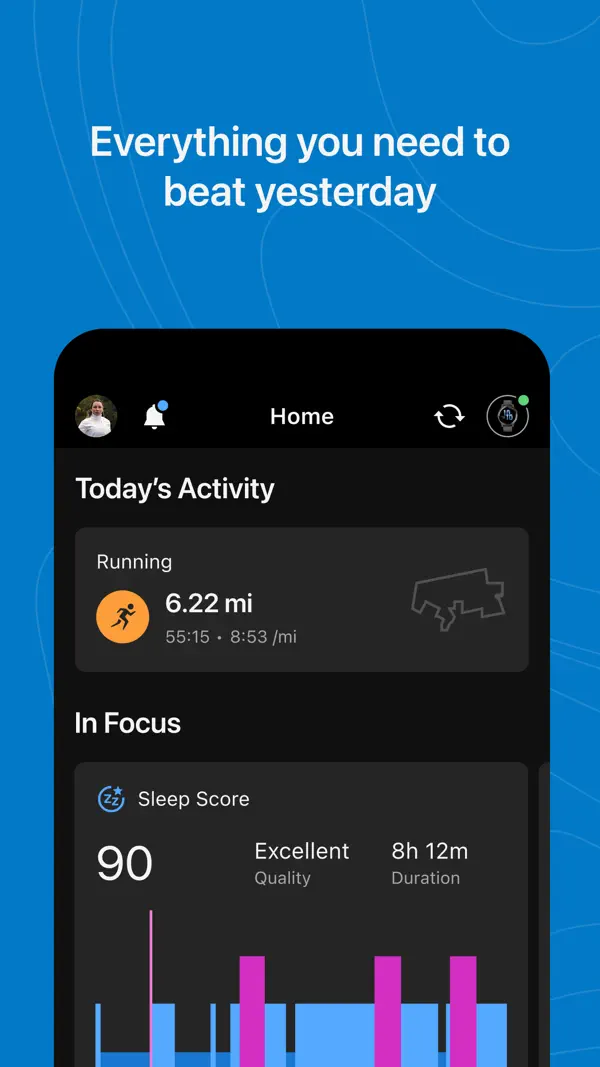
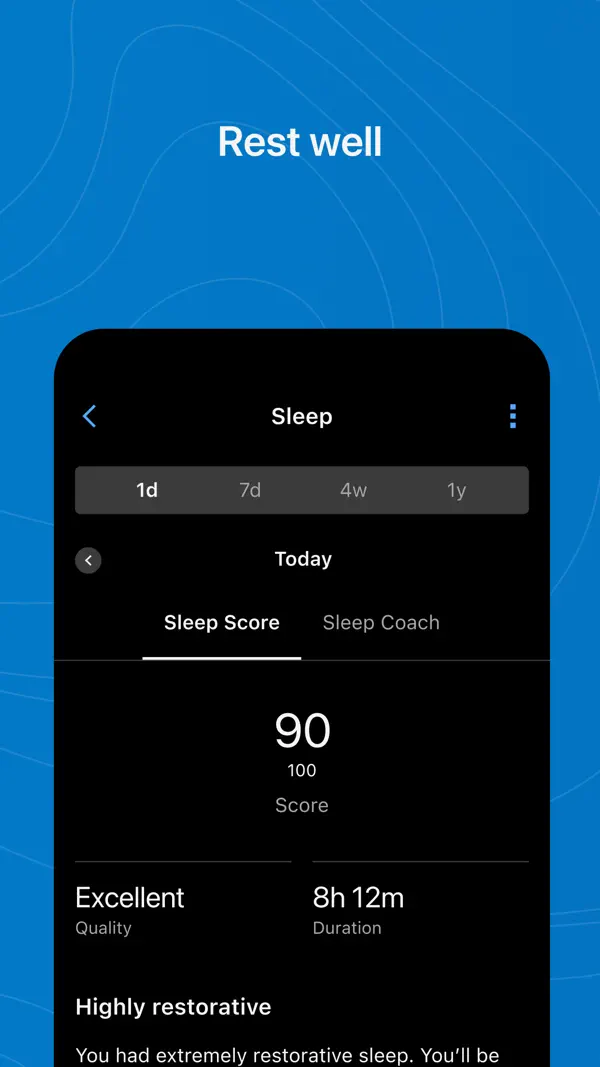
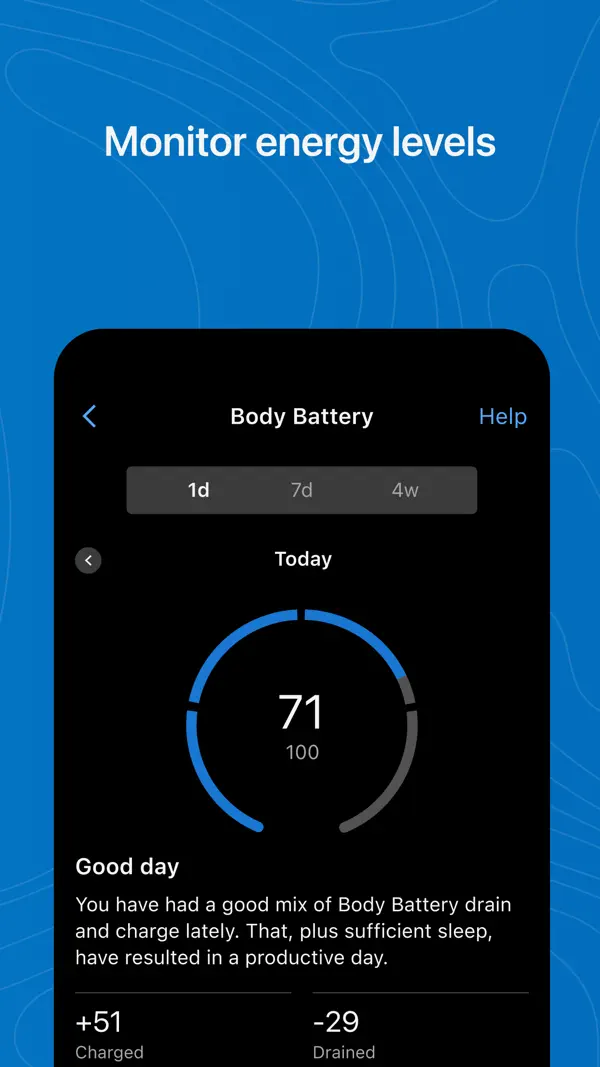
- Uses performance, sleep, stress, recovery and training-load data on compatible watches.
- Automatically repairs the plan after missed or extra training.
- Included with supported Garmin hardware instead of adding another subscription.
- Requires a compatible Garmin and near-continuous wear to get the full benefit.
- Dense menus, scores and coaching surfaces turn powerful data into a steep learning curve.
- Automatic decisions can be useful, but the human-readable why often feels secondary.
Athletica — a science-first endurance platform
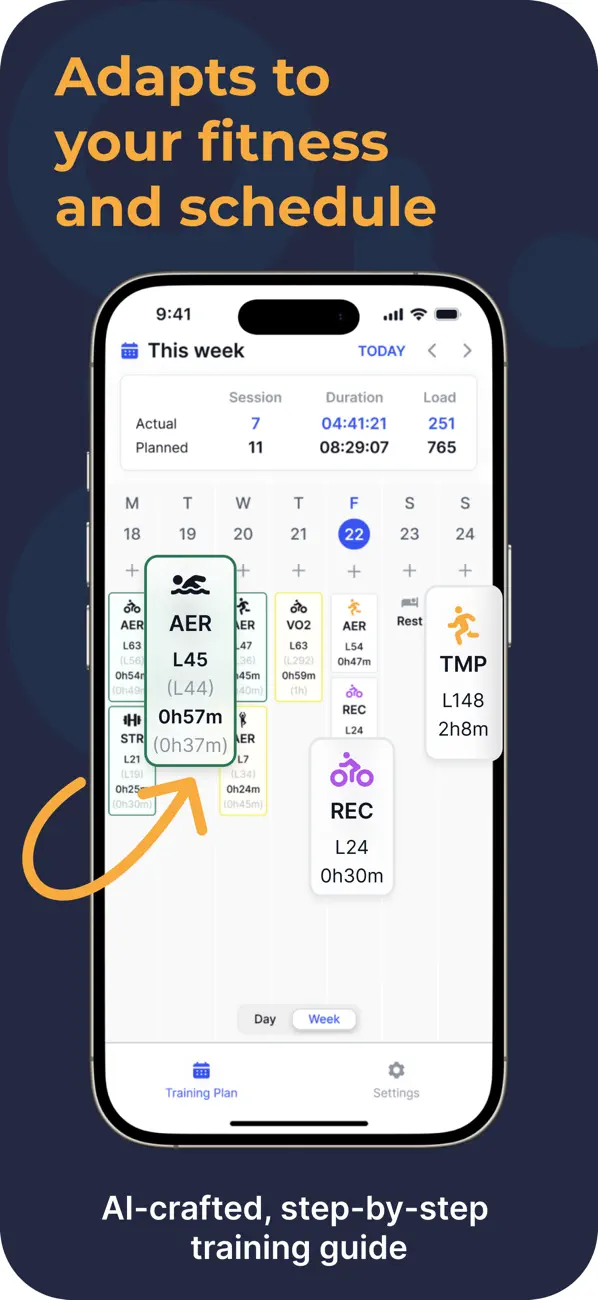
Athletica is an adaptive endurance system rather than a running-only consumer app. Its app supports drag-and-drop weekly planning, pre-workout objectives, post-workout analysis, RPE logging and AI feedback. That makes it a natural fit for runners who also cycle, swim, row or train for multisport goals. It exposes more of the fitness, fatigue and load model than a plan-first running app.
The test week was the part I appreciated most: establish a starting point before setting targets. Being able to specify weekly training time and adjust availability also suits someone who understands their training but does not want to schedule everything alone. Its Workout Wizard also offers shorter or easier alternatives to a planned session. If Saturday suddenly shrinks to 45 minutes, there is a tool for reshaping the workout, rather than only moving it. Its pricing page lists $19.90 monthly, $99 for six months or $189 yearly, with a two-week free trial. Use that trial to test these adjustments.
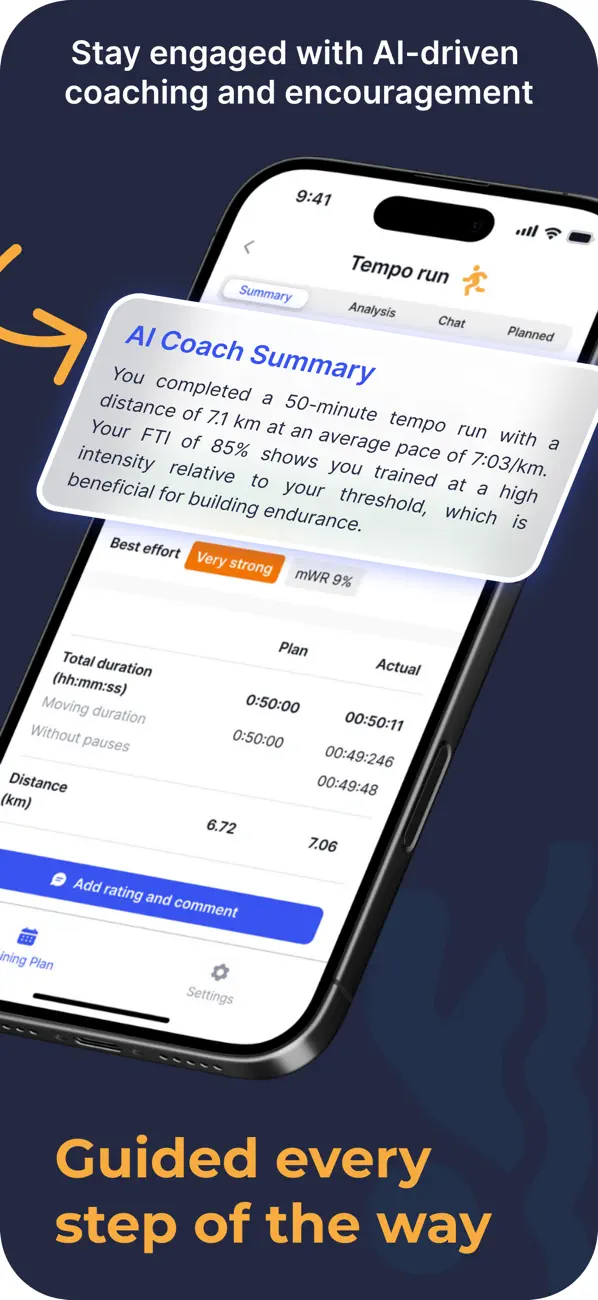
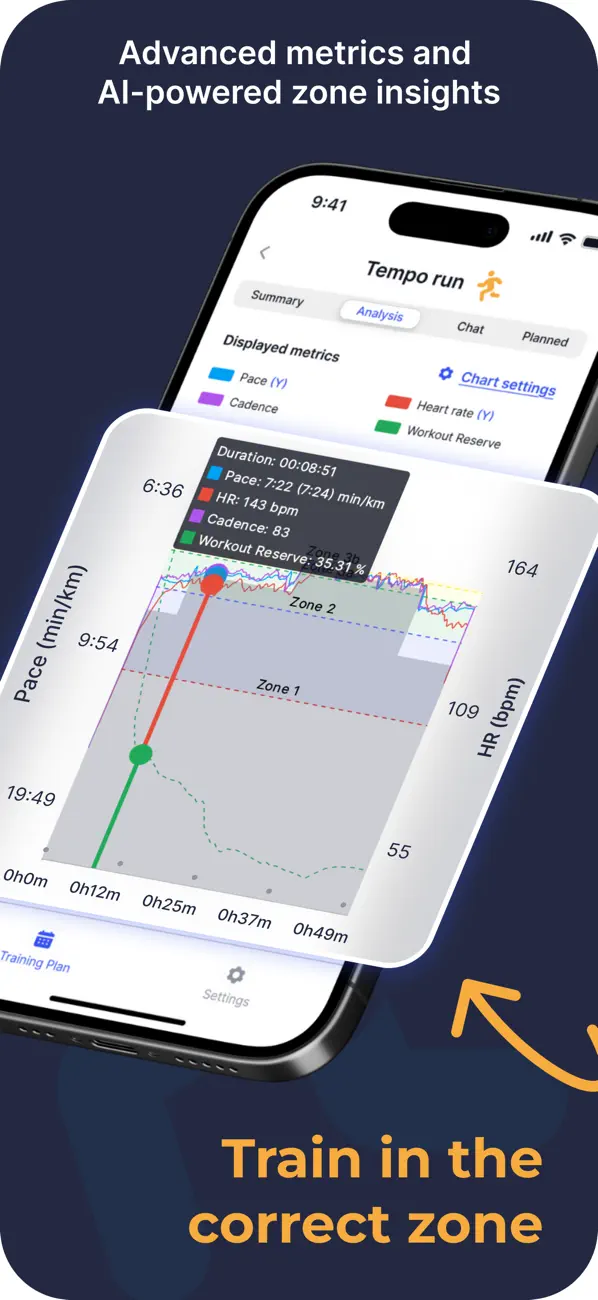
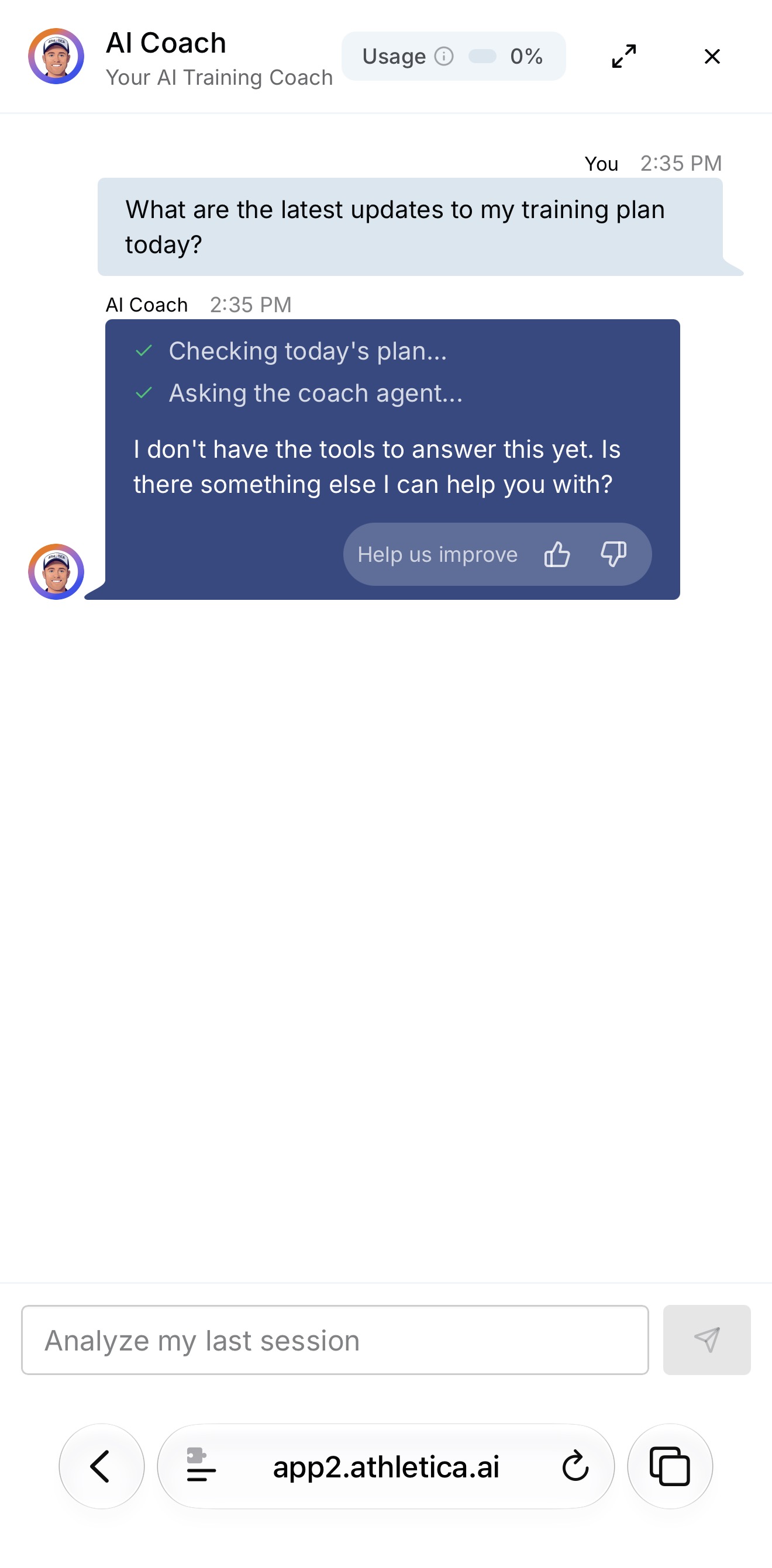
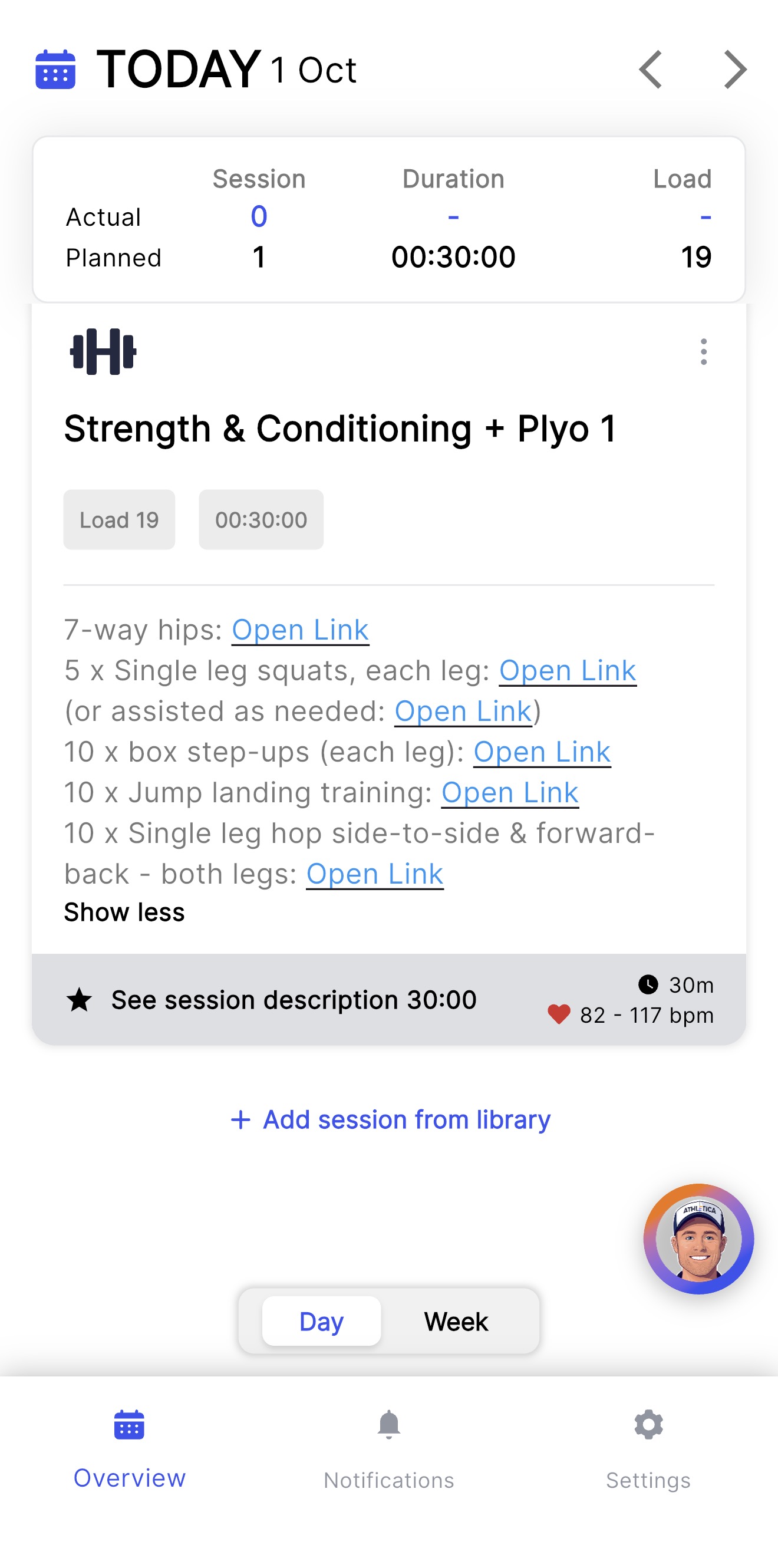
Using the AI coach was less convincing. I had to leave the app for the browser, where I asked what had changed in my plan that day. After saying it was checking, it replied that it did not have the tools to answer. The strength session linked out to YouTube, and some videos would not open for me. These specific failures made my trial feel buggy; they do not show that every athlete has the same experience. I would use its trial to check both the training framework and the everyday interactions.
- Strong endurance-science framing across running and multisport training.
- Combines planning, workout analysis, athlete feedback and schedule changes.
- A test week to establish the starting point and training targets.
- More platform than most beginner runners need.
- My AI coach opened in a browser and could not answer a basic plan-update question.
- Some externally linked exercise videos did not open during my trial.
ChatGPT — a flexible assistant, not an automatic coach
I have watched YouTube videos where experienced runners give ChatGPT detailed prompts and get impressively complete training plans. Reading those prompts, though, made me realize how much running knowledge I was missing. They knew which details to supply and what a sensible plan should include. Those were exactly the gaps I wanted a coaching app to help me fill, without having to learn everything before I could ask for help.
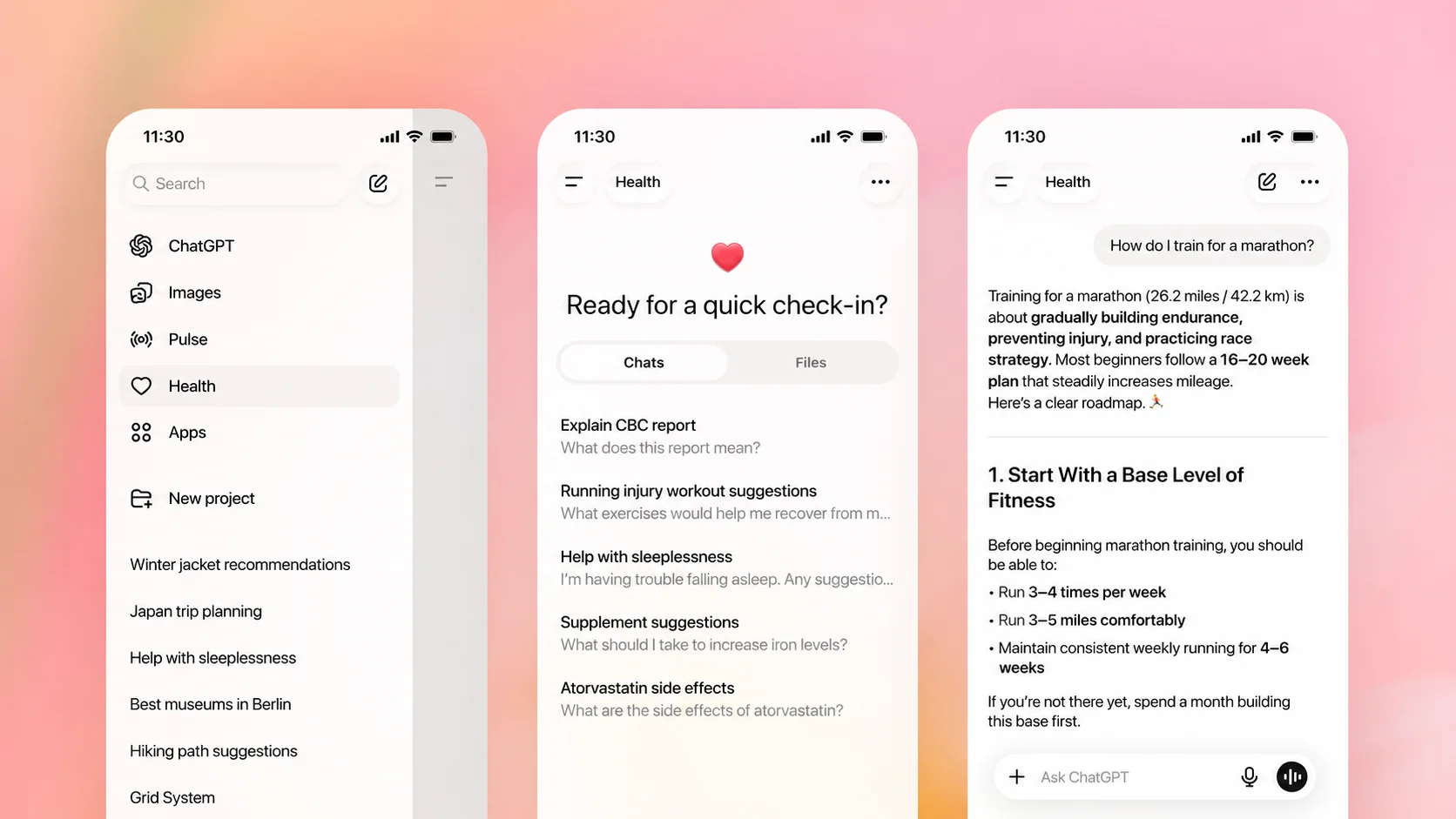
If you already have that training framework, ChatGPT becomes much more useful. You can ask it to refine a week, explain a session or work around travel and missed runs, then check the answer yourself. Share a Strava screenshot, add how the run felt and keep the discussion going. For an experienced runner who already subscribes, that is a convenient way to get more from a tool they have.
My first marathon showed me the other side. My half-marathon time was 1:47. I repeatedly asked ChatGPT not to be too aggressive and, as I remember it, it suggested a target of about 4:15. I followed that target, blew up around 26 km, cramped and finished in more than five hours. Looking back, I was running less than 150 km per month and doing almost no strength training. I had not given it enough of that context, but it had not asked about those gaps before recommending the target either. I cannot blame the whole race on ChatGPT; the target was too ambitious for the preparation I actually had.
Reddit feedback shows why some runners still value it. In one detailed marathon account, the runner kept feeding back pace, effort, heart rate, soreness and schedule changes, then used the conversation to adjust future sessions. His emphasis was on that ongoing exchange, rather than a one-off plan. That is a useful example of how to use it, not proof that ChatGPT caused his improvement.
Its memory is improving, but in my actual use I still sometimes have to re-explain information from other conversations, including injury history. I keep correcting it and topping up the context. Eventually I felt like I was babysitting the AI rather than being coached by it. A runner in a Reddit post about that same frustration described repeatedly supplying injury history, goal pace and schedule after long conversations. He was also promoting his own app, so I treat that as one personal account, not an independent verdict on the product.
If you are starting out or do not yet know what to check in a training plan, double-check ChatGPT's advice before treating a polished answer as a plan you can safely follow. I wanted it to spot what I did not know to mention. For a mature runner who can supply that context and question the result, I would recommend it; for someone in my position before that first marathon, I would be much more cautious.
Data access is improving too. OpenAI's current Health documentation describes Apple Health connections for eligible US users on iPhone. That can reduce the work of supplying records, but I would still check that a recommendation reflects my goals, training and injury history. More detail in our guide to ChatGPT as a running coach.
- Easy to discuss goals, a changing week and the reasons behind a session.
- Useful for plan critique, race debriefs and translating technical concepts.
- Free to try, and especially good value for experienced runners who already subscribe.
- You need enough training knowledge to spot missing context and question the plan.
- I still had to repeat context and injury history, especially across conversations.
- It recommended a race target before asking enough about my preparation.
The AI running coach adaptation ladder
“Personalized” and “adaptive” are not binary. Compare a running AI coach by the highest feedback loop it completes reliably. Higher is not automatically better: a stable plan can beat a clever plan that changes without earning trust.
The adaptation ladder
Ask one question during a trial: what changes after a bad run, a missed Tuesday and a four-hour night of sleep? If the answer is different in each case—and the product can explain why—you are looking at a deeper loop than onboarding personalization.
What is an AI running coach?
An AI running coach is software that uses information about a runner to recommend training and updates future recommendations as new information arrives. The useful test is the feedback loop: observe what happened, update the picture of the runner, then change what happens next.
Three broad types share the name. Fixed templates provide a starting schedule. General chat assistants discuss changes using the context you supply or connect. Adaptive coaching systems ingest ongoing training—or training plus recovery—and update recommendations as the athlete changes. Data access and automatic follow-up are separate capabilities: check both during a trial.
Choose by the work you want the app to do
This page answers how deeply each coaching system adapts. If your decision is specifically about surviving a full marathon build—long-run progression, taper, race-week execution and the cost of a broken week—use our guide to choosing an app for a complete marathon training cycle.
- Own a compatible Garmin. Try Garmin Run Coach before adding a subscription.
- Want a polished plan-first calendar. Choose Runna.
- Know training and want more control. Consider Athletica, checking its plan and the interactions you will use most.
- Already subscribe to ChatGPT and can judge the advice. Keep a conversation going with recent runs, how they felt and changes to your availability.
- Want recorded context and ongoing conversation. Try Rayvik's beta if you have an iPhone and Apple Watch. Apple Health supplies the available records; you explain your goals and how you feel.
AI running coach FAQs
What is the best AI running coach?
There is no single best choice. Runna suits runners who want a structured race plan; Garmin Run Coach is a good first trial for compatible Garmin owners. Athletica is worth considering for experienced endurance athletes, and ChatGPT can help runners who know training principles and keep its context up to date. Rayvik is our beta for iPhone and Apple Watch runners who want ongoing conversation and post-run feedback.
Is there a free AI running coach?
Garmin Run Coach is included for owners of compatible Garmin watches, and the TrainAsONE app can be used without a subscription. Nike Run Club provides free guided plans but is not an adaptive AI coach. ChatGPT offers free access for planning conversations; data connections depend on eligibility, and you should check the training context. Rayvik is free while in beta.
Which AI running coach works best with Apple Watch?
Runna is worth considering if your priority is structured workouts on Apple Watch. Rayvik is our beta option for ongoing coaching informed by Apple Health, with Recovery, Sleep and Strain scores on the watch, a daily suggestion and feedback after runs. Its Recovery estimate is separate from Apple's native Readiness: compatible older models, including my SE 2, can use it even without that Apple feature, provided the required health data and permissions are available. Choose by whether you mainly need workout delivery or help understanding recovery and adjusting your training.
Which AI running coach works best with Garmin?
Start with Garmin Run Coach if your watch supports it: it uses Garmin performance and health metrics, adapts after missed or extra workouts, and supports goals through the marathon and beyond. Runna and TrainAsONE are alternatives if you prefer their plan style. Check exact watch compatibility before choosing.
Is ChatGPT a good running coach?
I would recommend it to an experienced runner who understands a reasonable training structure, can spot missing information and is willing to keep the conversation updated. It is especially good value if you already subscribe. You can share a Strava screenshot, explain how the run felt and discuss the next session. Eligible ChatGPT Health users can also connect Apple Health, but I would still check that the advice reflects my goal, recent training and injury history.
Can an AI running coach replace a human coach?
For many recreational runners, software can provide structure, routine adjustments and pacing support at a lower cost. A good human coach still has an advantage in technique, complex injury context, race psychology and accountability. The fairest comparison is often AI coaching versus self-coaching with a static plan.
For Apple Watch setup and model support, see our Recovery, Sleep and Strain guide and Readiness compatibility guide.
Sources & notes
I build Rayvik, which is included in this comparison. This update adds the experiences discussed in my video and screenshots from my accounts. Prices and the linked product information were checked on October 2, 2026. We use no affiliate links.
References: Runna, TrainAsONE US listing, Garmin Run Coach, Athletica, ChatGPT pricing, ChatGPT Health. Corrections: hey@rayvik.app.