Your training plan, now in your calendar
Bring your Rayvik plan into the calendar you already use. When your week changes, talk it through with your coach and your calendar follows.

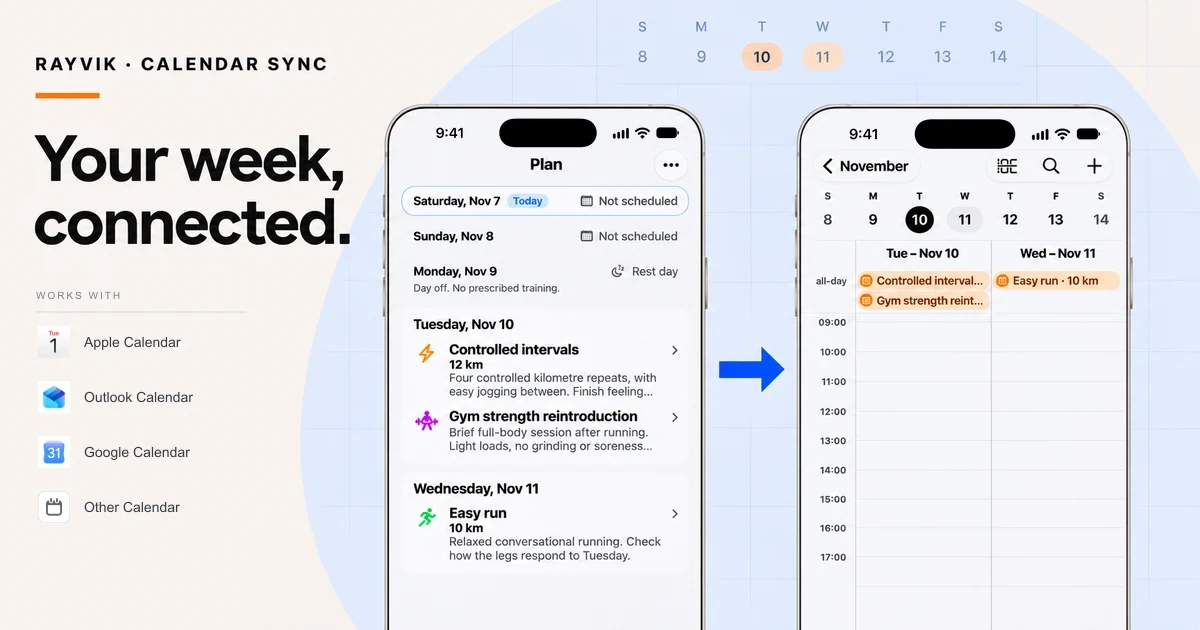
Intervals. An easy run. Two short gym sessions. A long run on Sunday. A training week has to fit into the rest of your week.
Your saved training sessions can appear in a supported calendar, alongside the rest of your week.
Start with the training you’re actually doing
Ben is preparing for the 2027 Philadelphia Marathon. Three months after his last marathon, he’s recovered and rebuilt to around 70 km a week.
He tells his coach what that looks like: “Six days, usually 22 km on Sunday. I still do Tuesday intervals. I’d like to add two short strength sessions.”
Ben and his coach work out the details in chat. Gym access. Previous strength experience. Tuesday and Friday availability. Monday off. Effort-based running, without pace targets.
His coach saves a 70 km week with controlled intervals, easy and aerobic running, a 22 km Sunday long run, and two short gym sessions. Tuesday’s strength includes squats, Romanian deadlifts, calf raises and trunk work; Friday’s session is lighter.
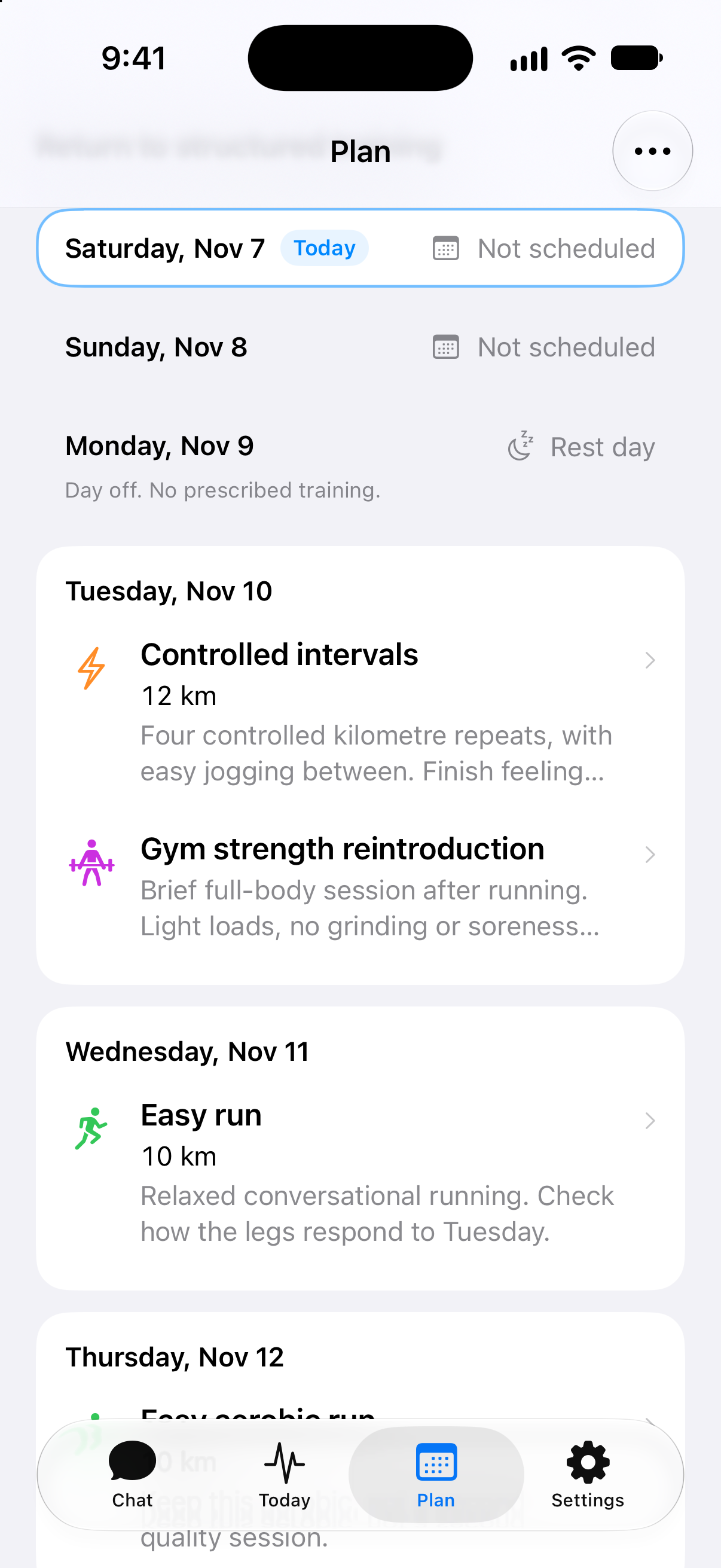
Bring the week into Apple Calendar
Open Plan, tap the three dots in the top right, then choose Sync to Calendar → Apple Calendar. Confirm the subscription in the system calendar flow.
You can also configure calendar sync in Settings → Devices & Apps → Calendars.
Your sessions appear in a dedicated Rayvik calendar. In Apple Calendar’s two-day view, Ben can see Tuesday’s intervals and gym session beside Wednesday’s easy run.
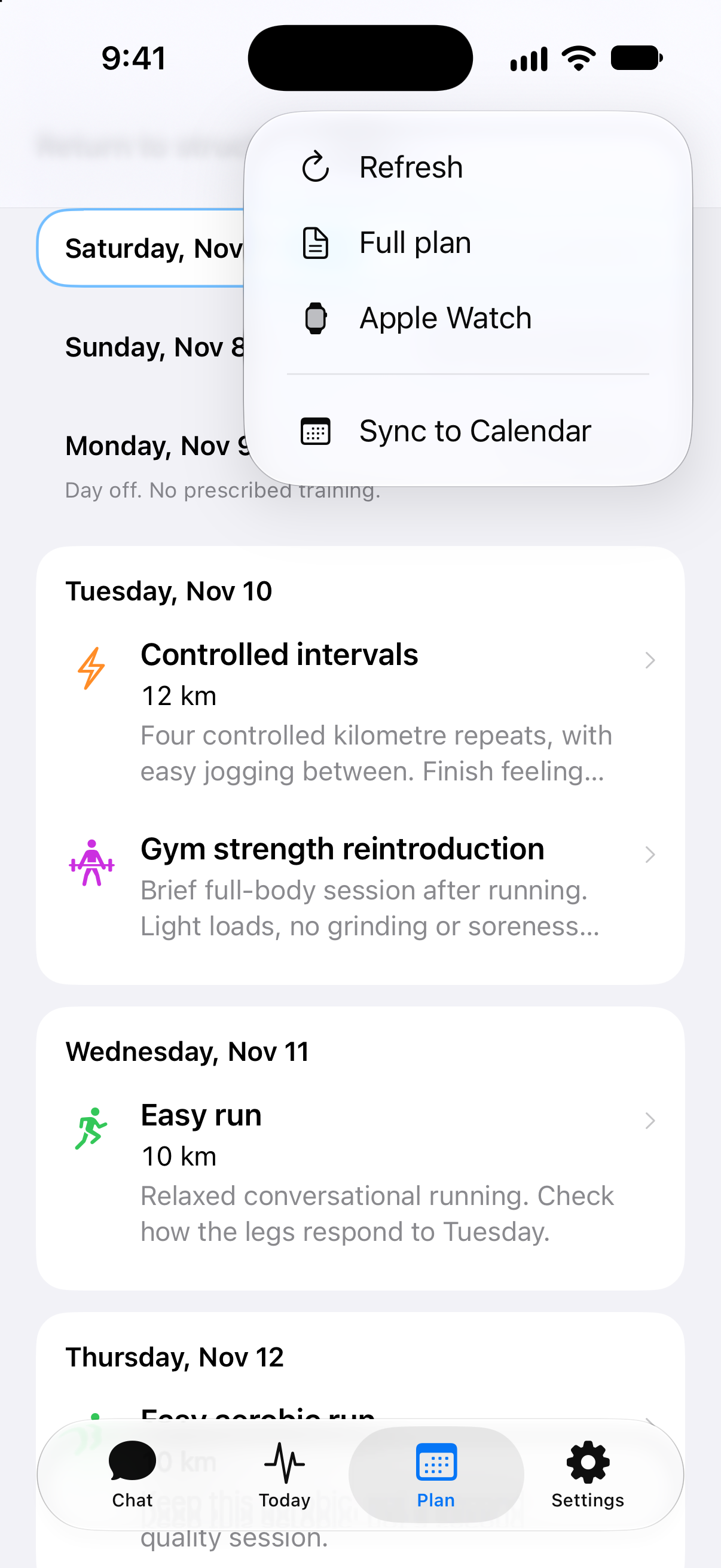
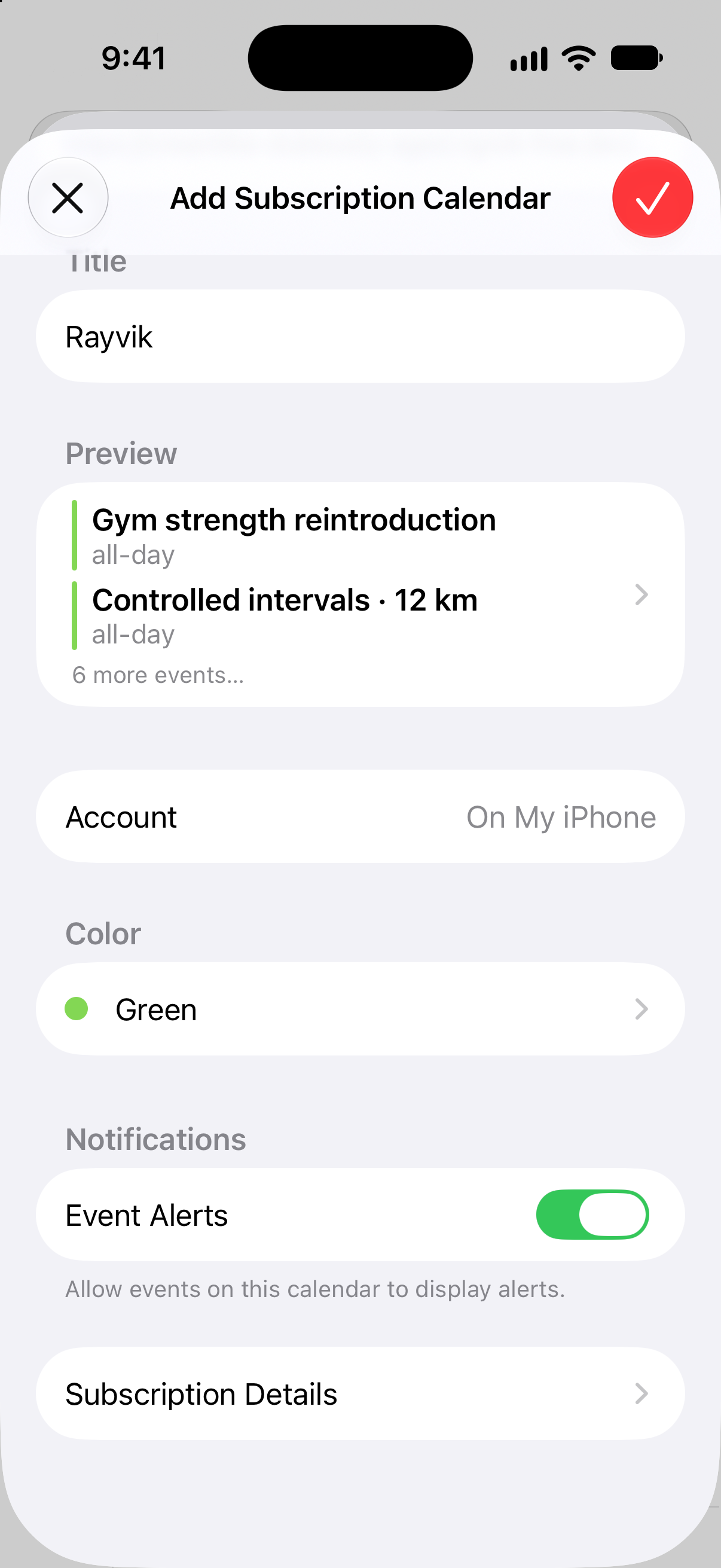
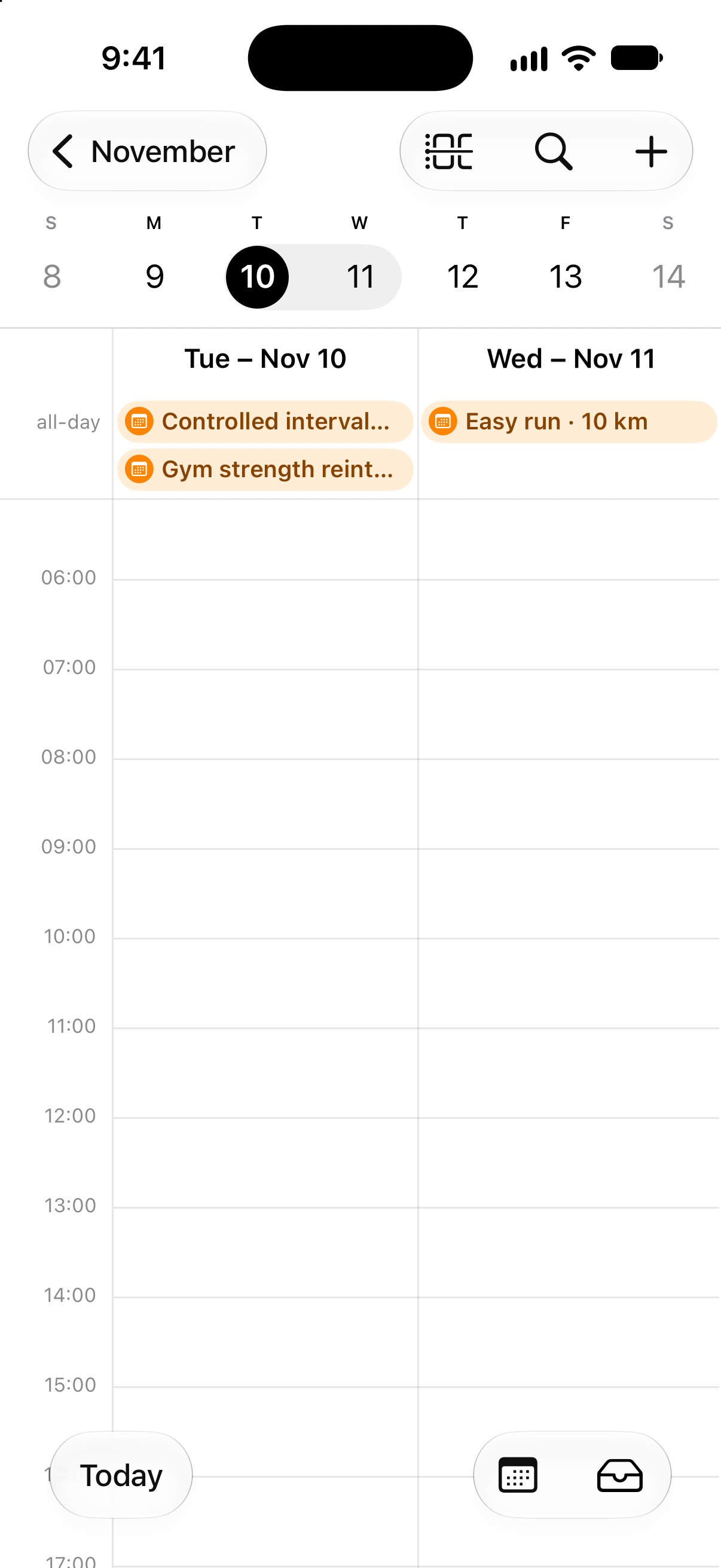
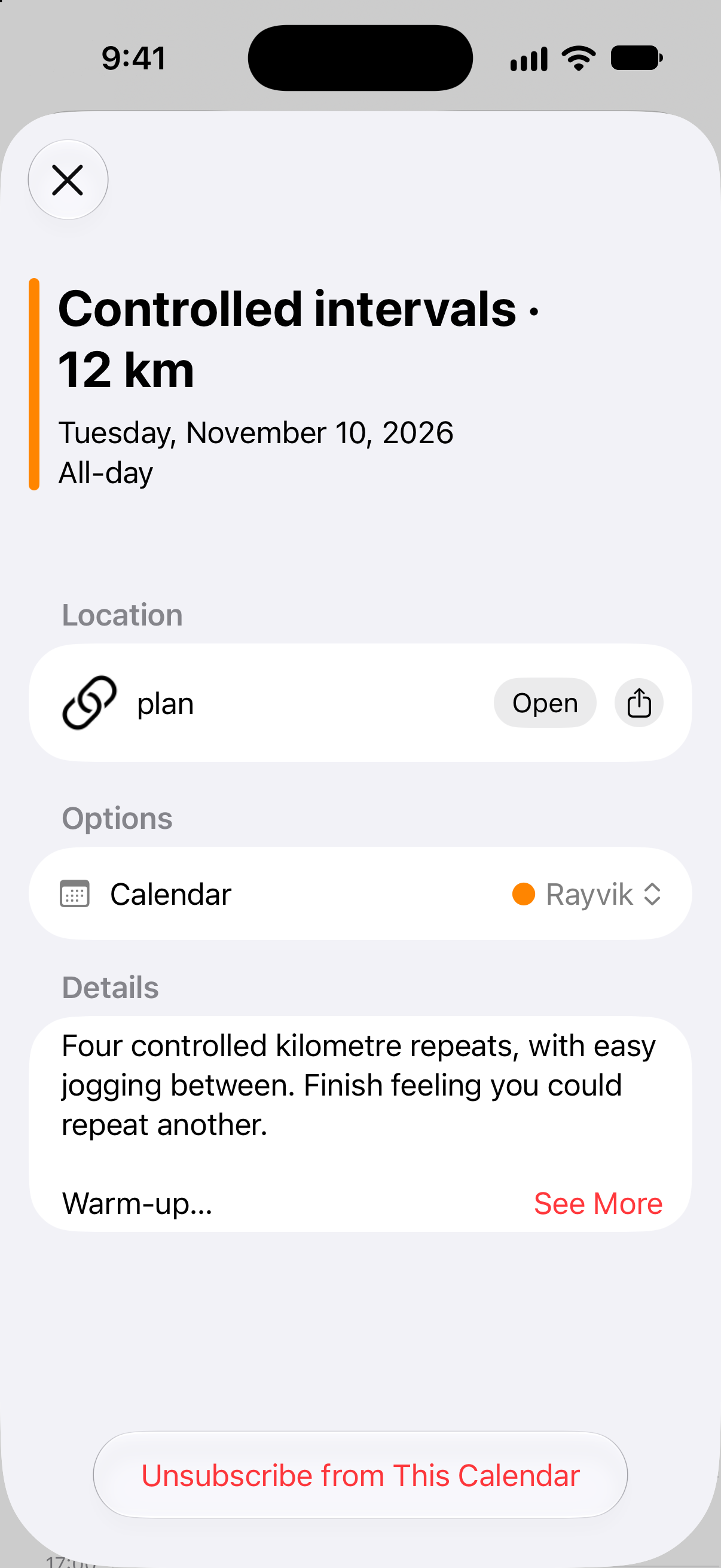
Sessions appear as all-day events. Open one to see the distance, workout instructions and effort guidance.
When Tuesday stops working
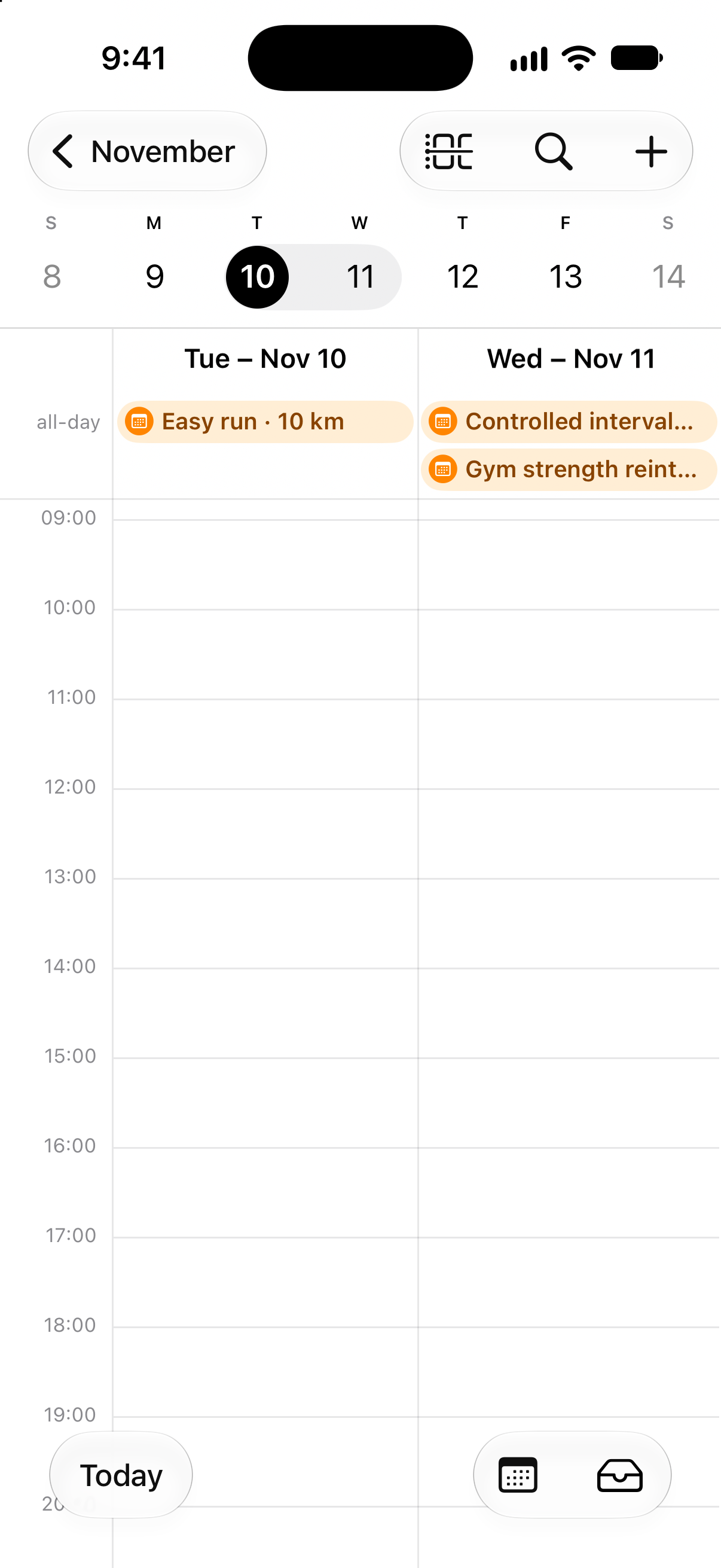
Then the week changes. Tuesday is packed, so Ben asks his coach to swap Tuesday and Wednesday, including the gym.
The coach saves the change. Tuesday now has the easy 10 km run. Wednesday has the intervals followed by strength. After Apple Calendar refreshes the subscription, the same two-day view reflects the new arrangement. There’s no need to export the week again.
And when a session needs to go
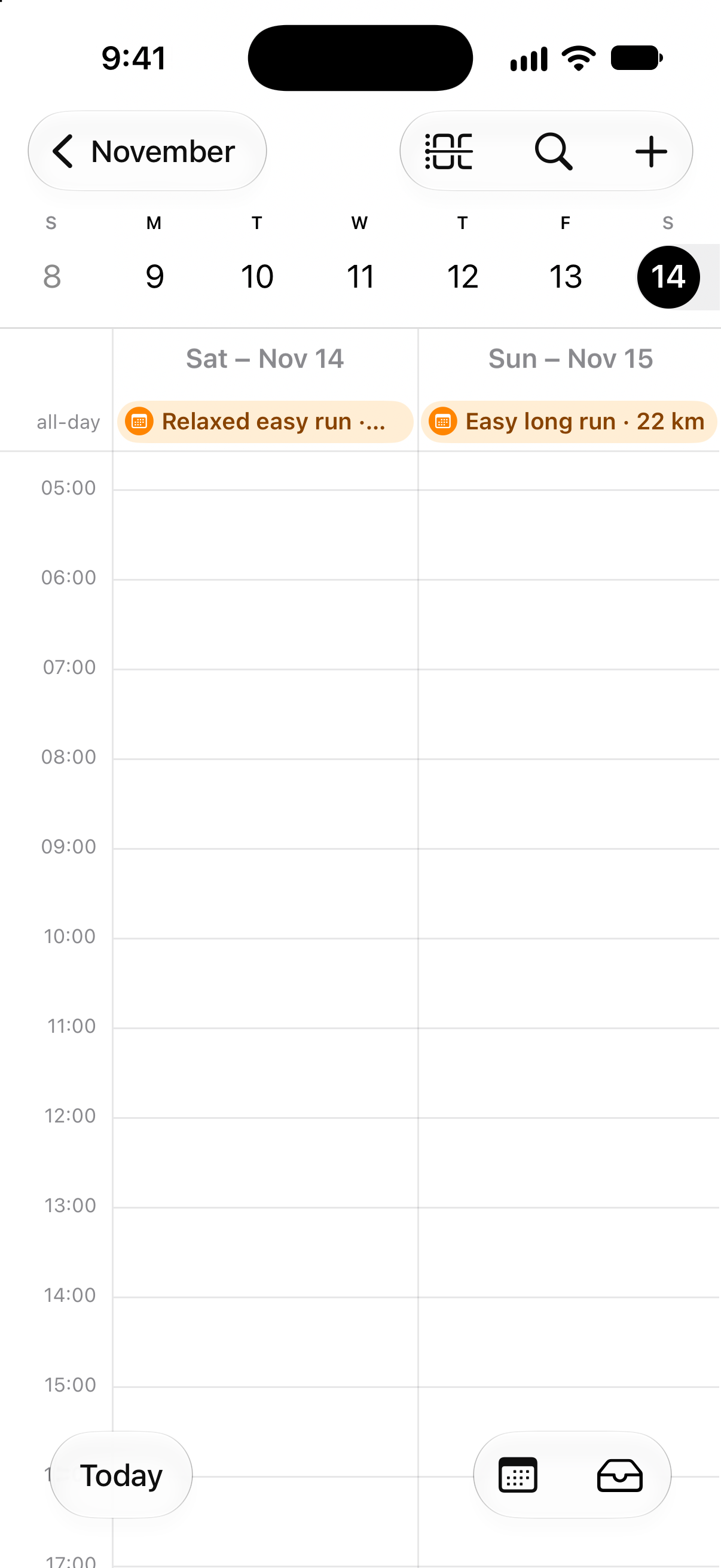
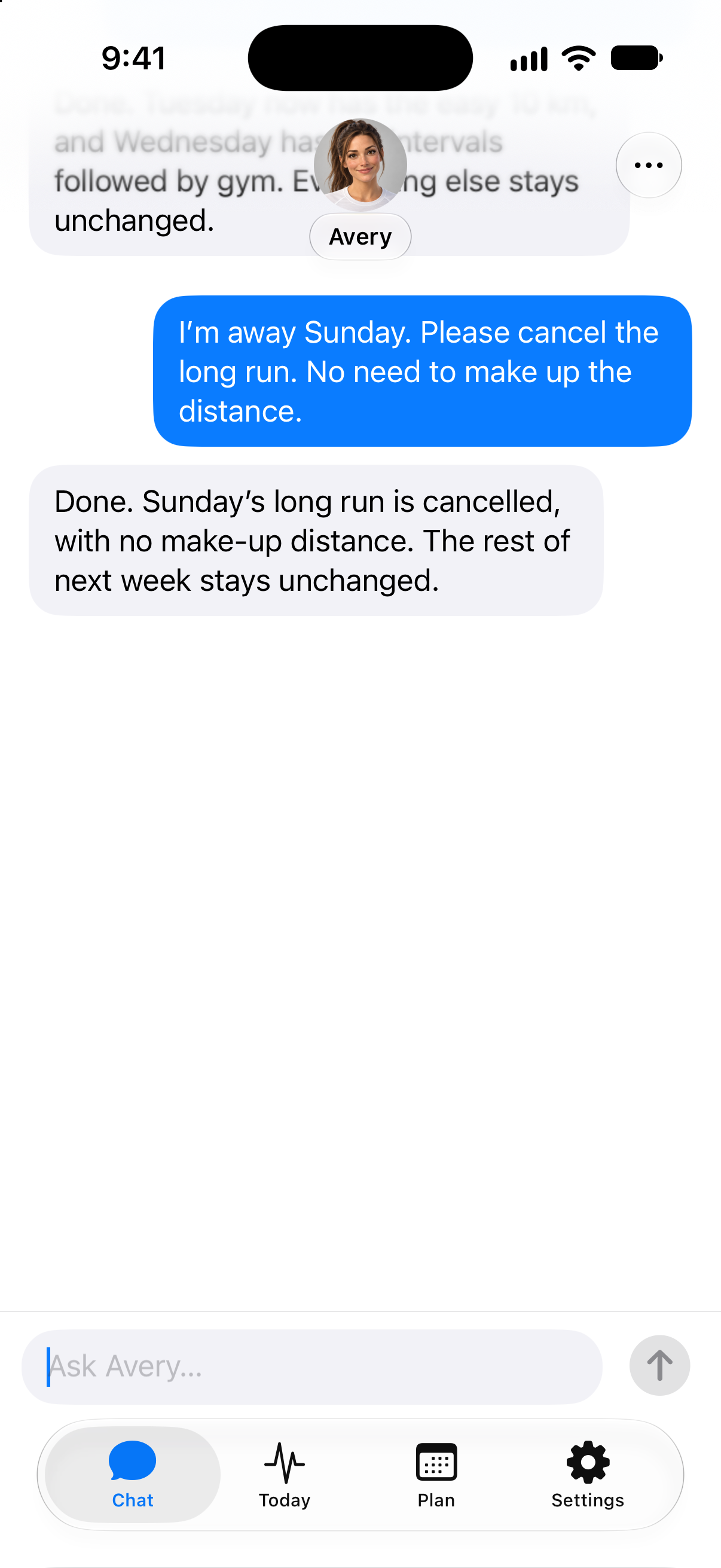
“I’m away Sunday. Please cancel the long run. No need to make up the distance.”
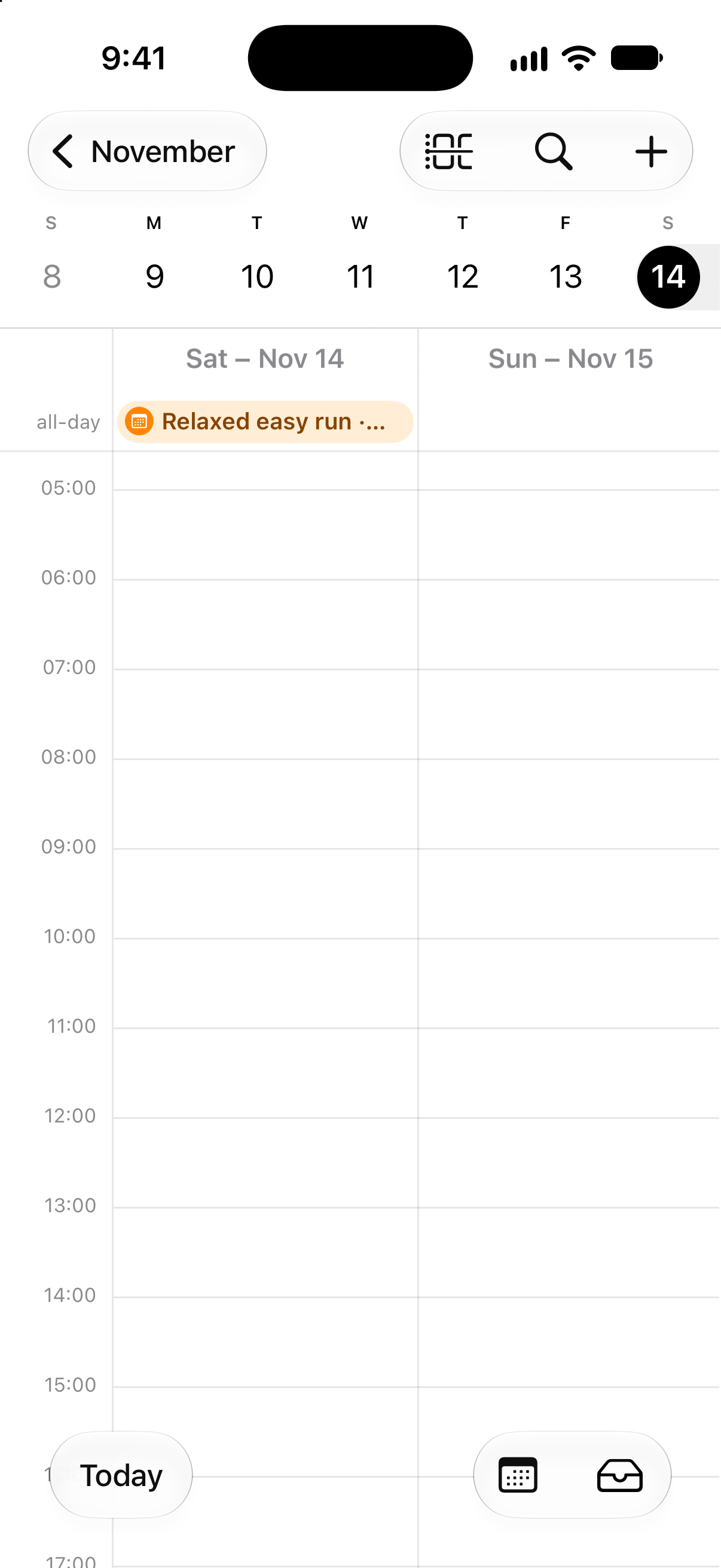
The coach cancels Sunday’s long run and saves the updated plan. The rest of the week stays in place. When the calendar refreshes, the long run disappears too.
Open any screenshot to see it at full size.
One connection for an evolving plan
Google Calendar, Outlook Calendar and other apps that support calendar subscriptions are also supported. Choose your provider from Sync to Calendar and follow the setup instructions.
Make training changes with your coach in Rayvik; your calendar follows the saved plan. Refresh timing is controlled by your calendar app, so changes may take time to appear. For a last-minute change, check Plan in Rayvik.
The subscription shows a rolling window covering the previous 14 days and the next 14 days.
Give your training a place in your calendar
Open Plan → Sync to Calendar to get started.
Already testing Rayvik? Get in touch if you need help connecting your calendar.