Meet Plan, your training week in one place
Build a training plan with your Rayvik coach, see what’s coming up, and take your running sessions to Apple Watch.
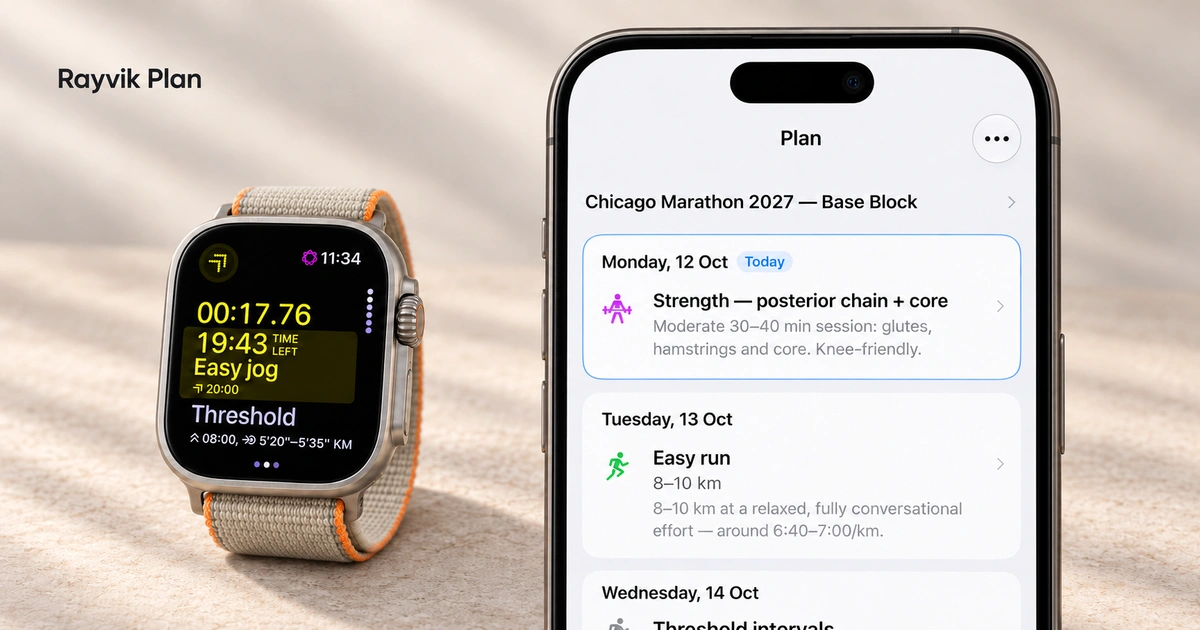
You can now open Plan to see the training you’ve agreed with your coach. Today is highlighted, the next sessions are easy to find, and each workout opens into the instructions you need to follow it.
Plan is starting to roll out to selected Rayvik beta testers. Here’s how a conversation with your coach becomes a plan you can follow on your phone and Apple Watch.
Start with your goal and the week you can make time for
Tell your coach what you’re working towards and how training fits into your life. That might be a race, a return to running, or simply getting out a couple of times this week. Your available training history and what you share in conversation help shape the plan.
Here, Avery starts with the recent long run, then asks about the goal: Chicago 2027. The conversation settles on strength at home on Monday and Thursday, with Saturday kept free before the long run. Those choices carry through into the saved plan.
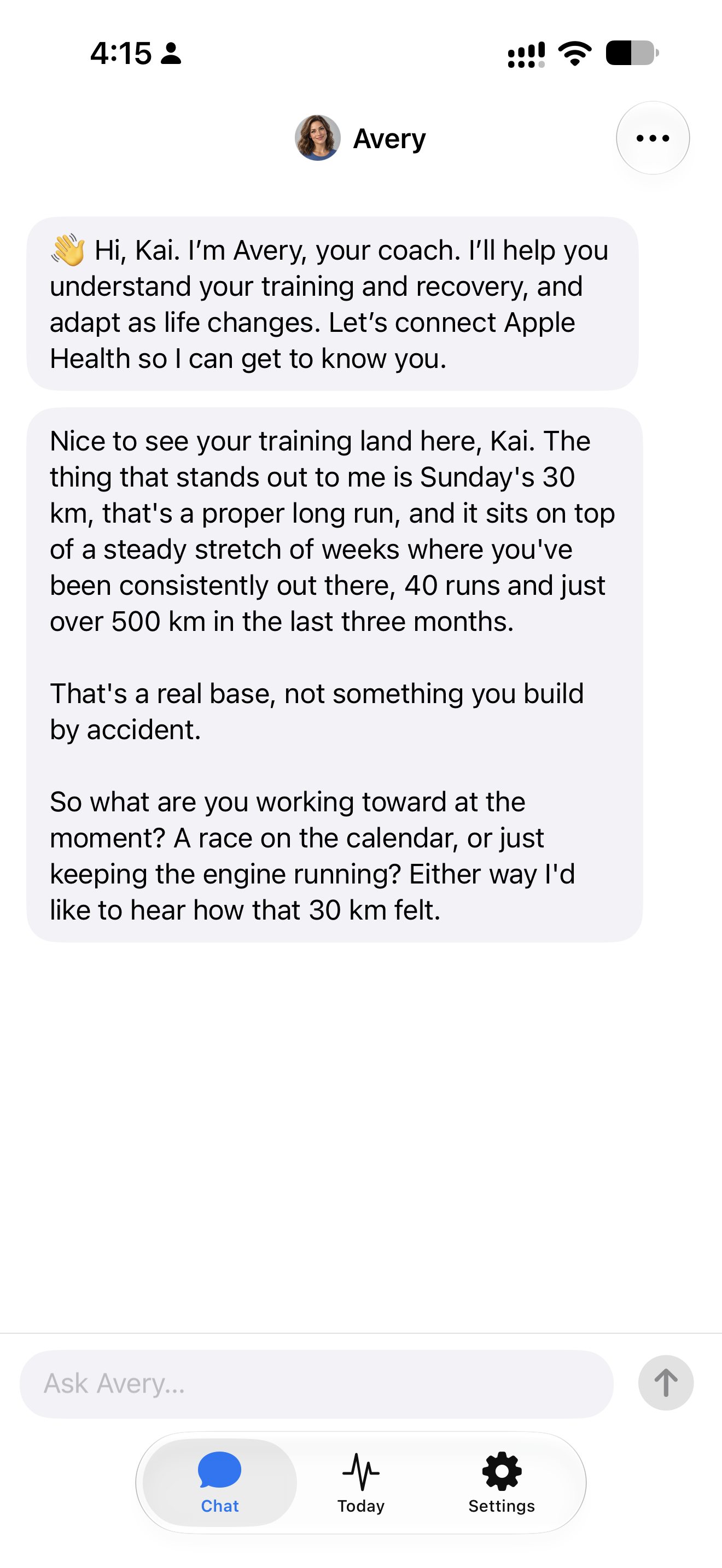
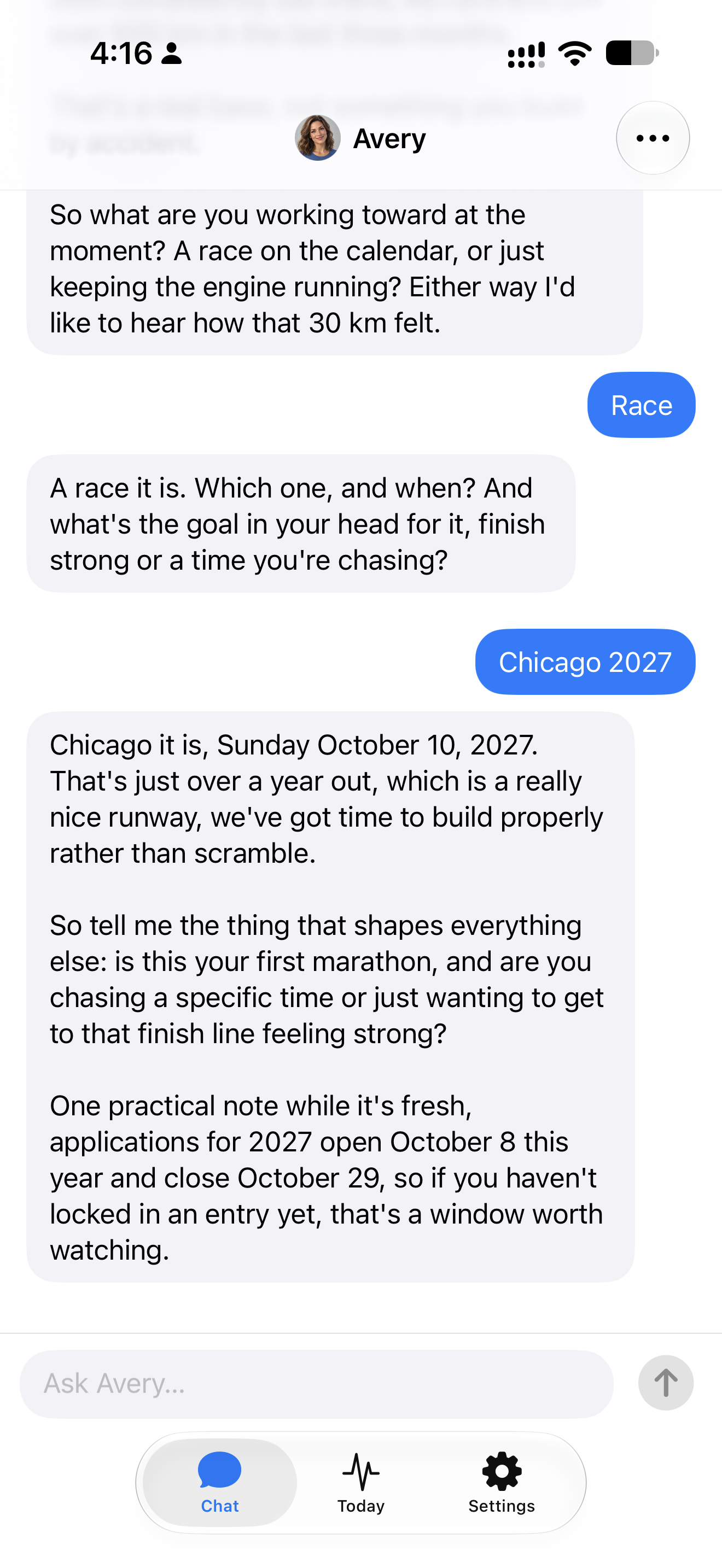
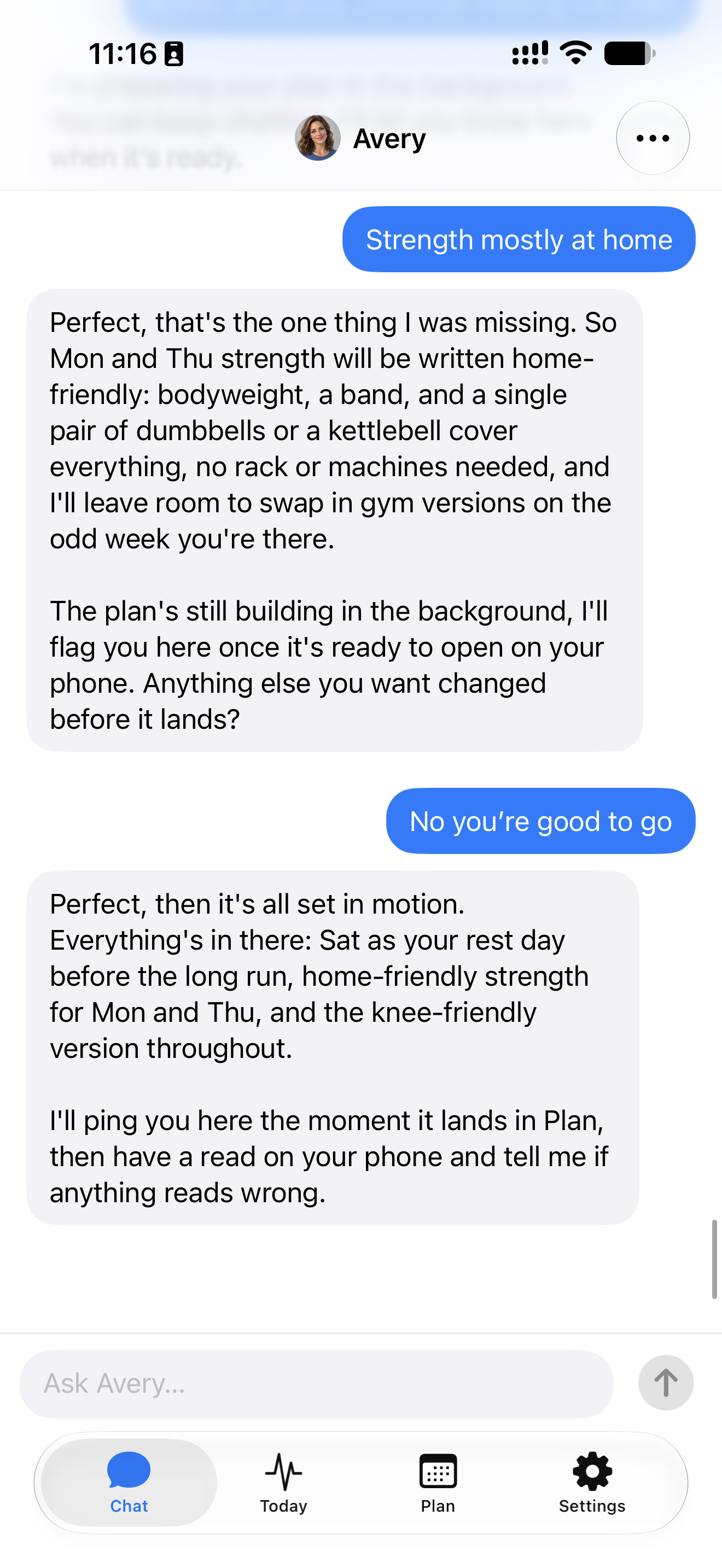
Open any screenshot to read the full conversation.
See what’s next without searching the chat
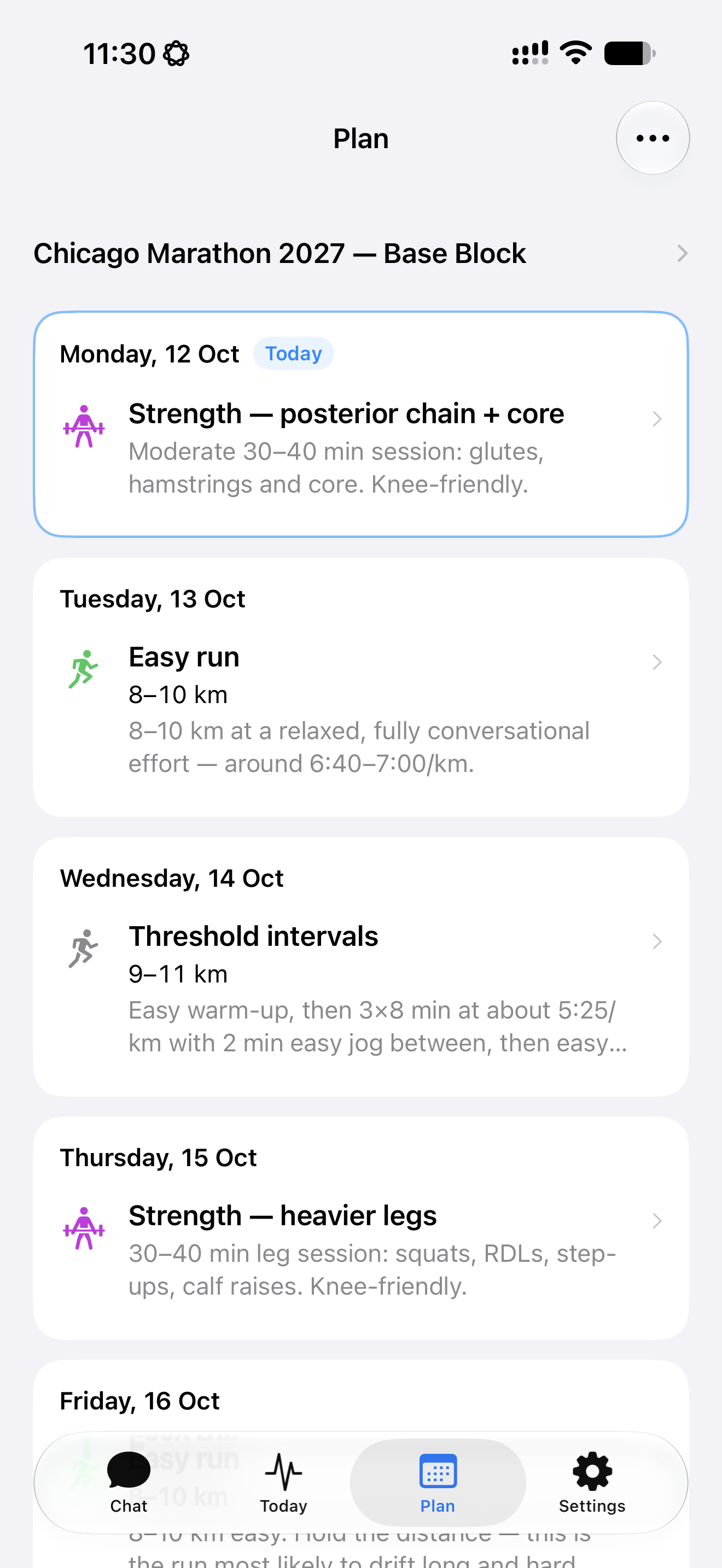
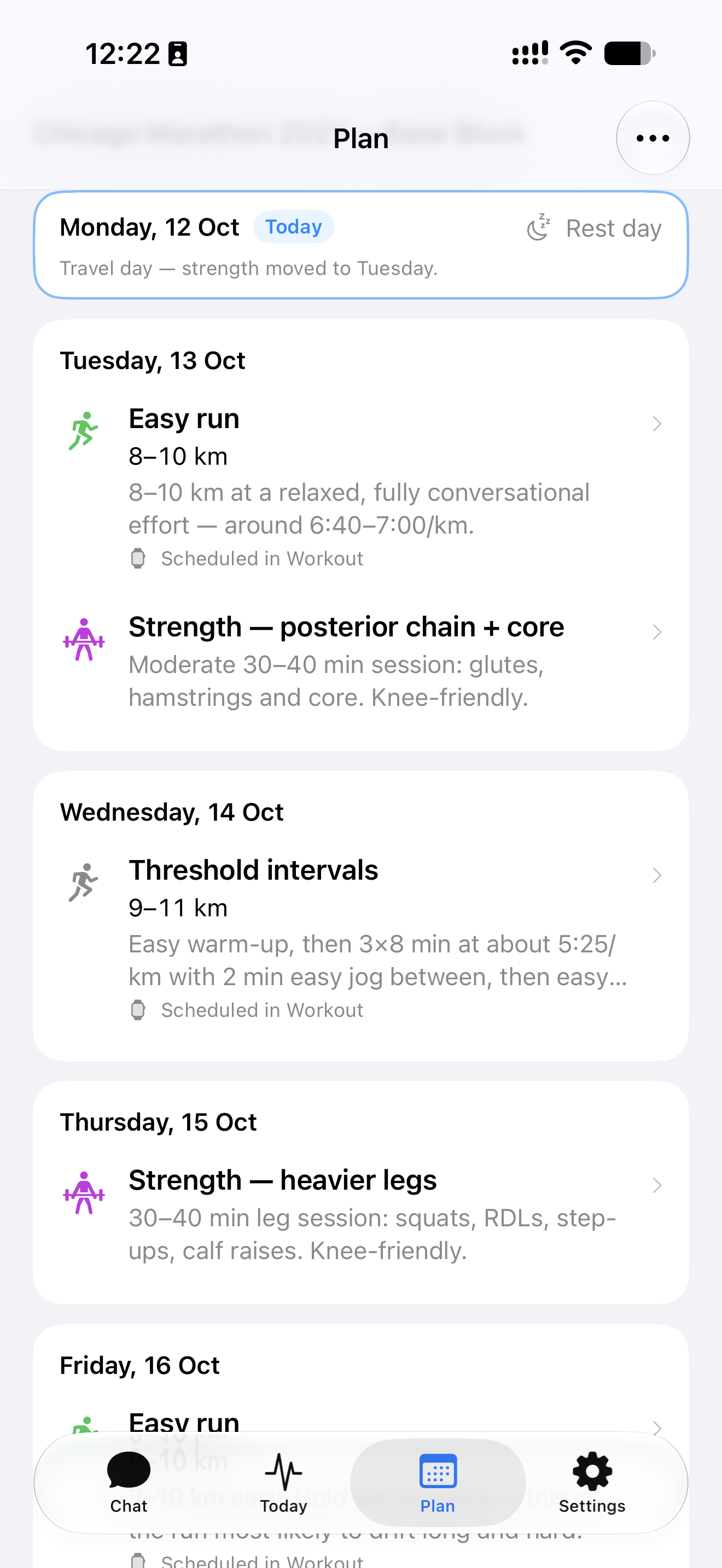
Open Plan when you want to know what’s coming up. The dated list brings running, strength and rest days together. Distance-based sessions keep their kilometres; time-based sessions keep their duration.
You can also scroll back to earlier days and see recorded activity alongside your planned training. The broader plan is there when you want a longer view. For everyday use, the next few sessions are close at hand.
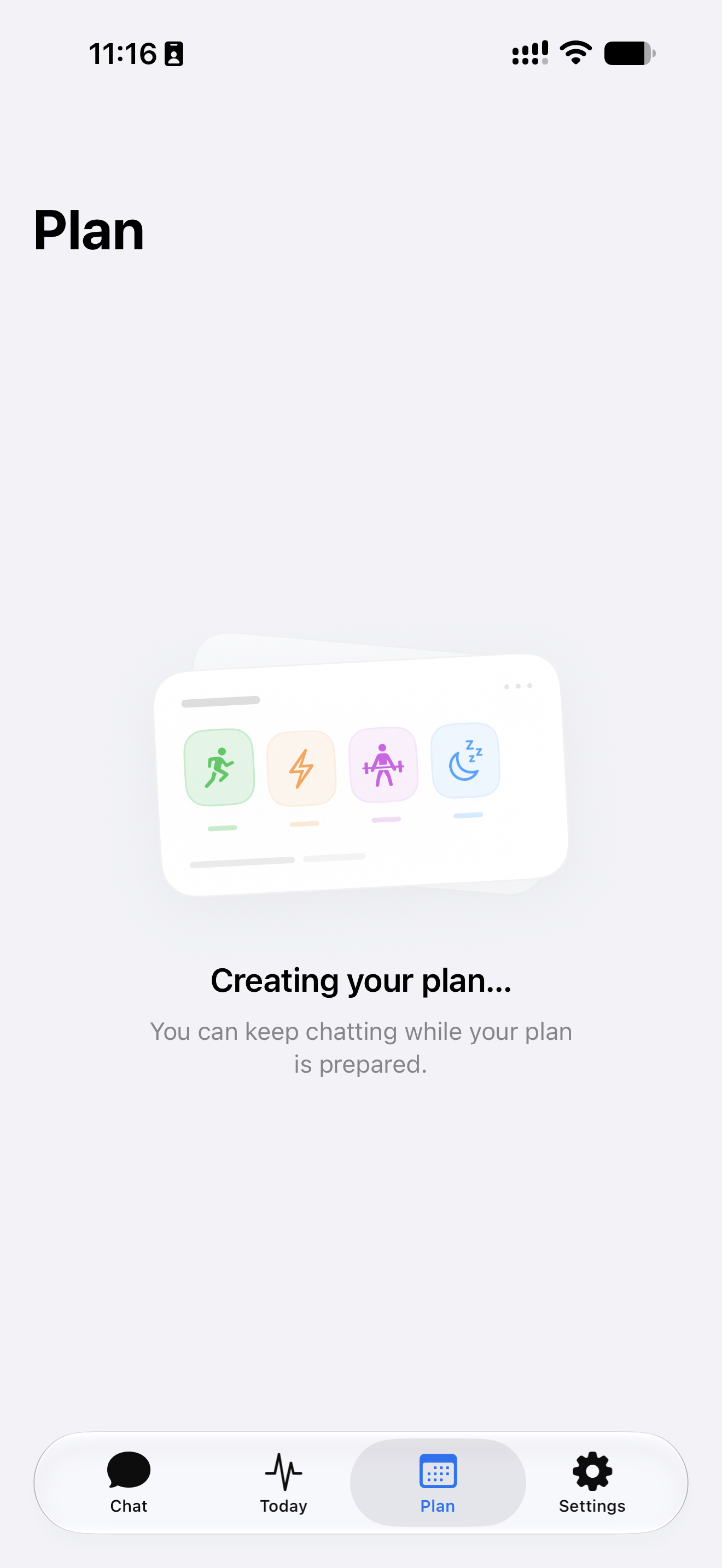
While your plan is being prepared, you can keep chatting. Once it’s ready, the week is there to open and follow.
Know what to do when you start
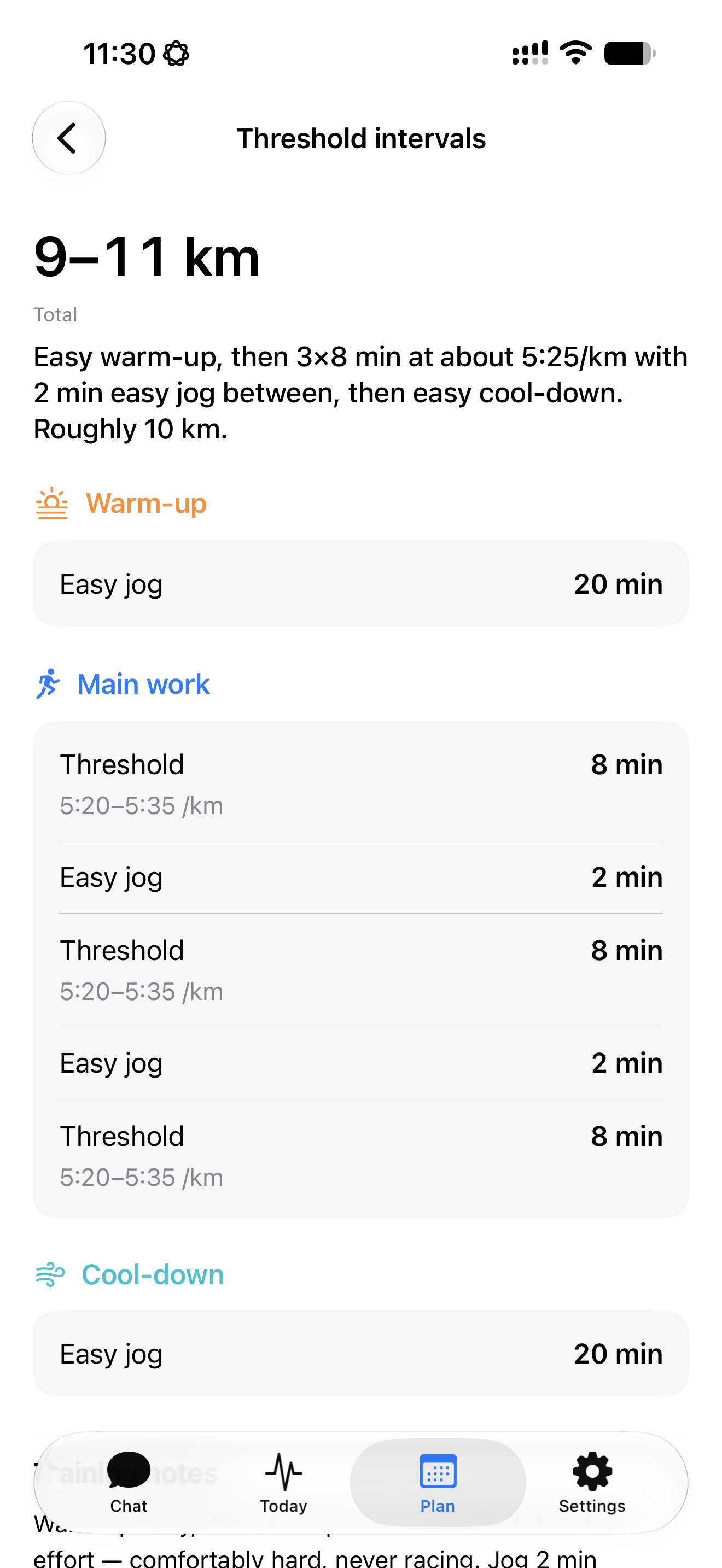
Tap a session to see how it’s put together. Running workouts separate the warm-up, main work and cool-down, with pace targets and recovery steps where they apply.
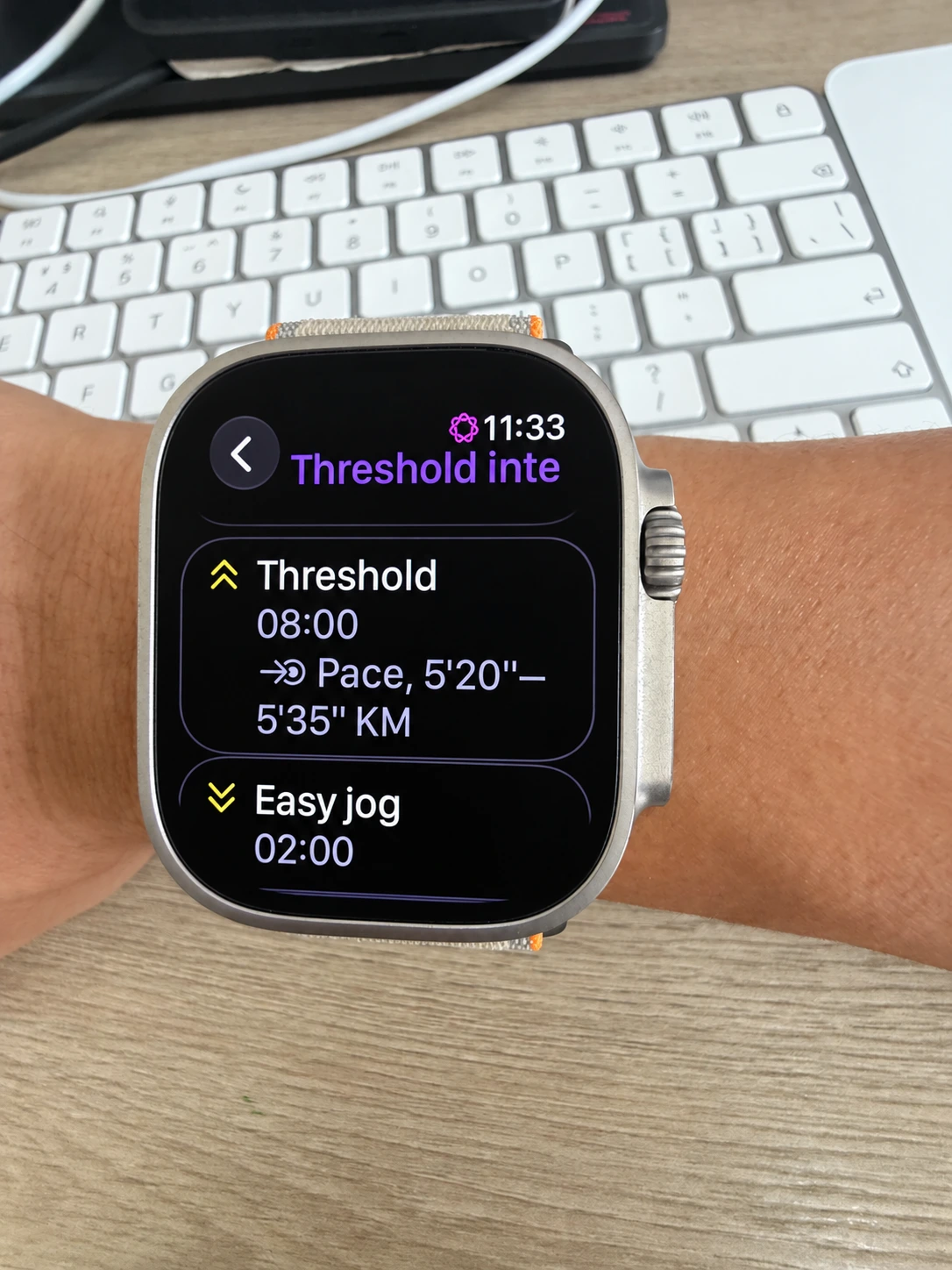
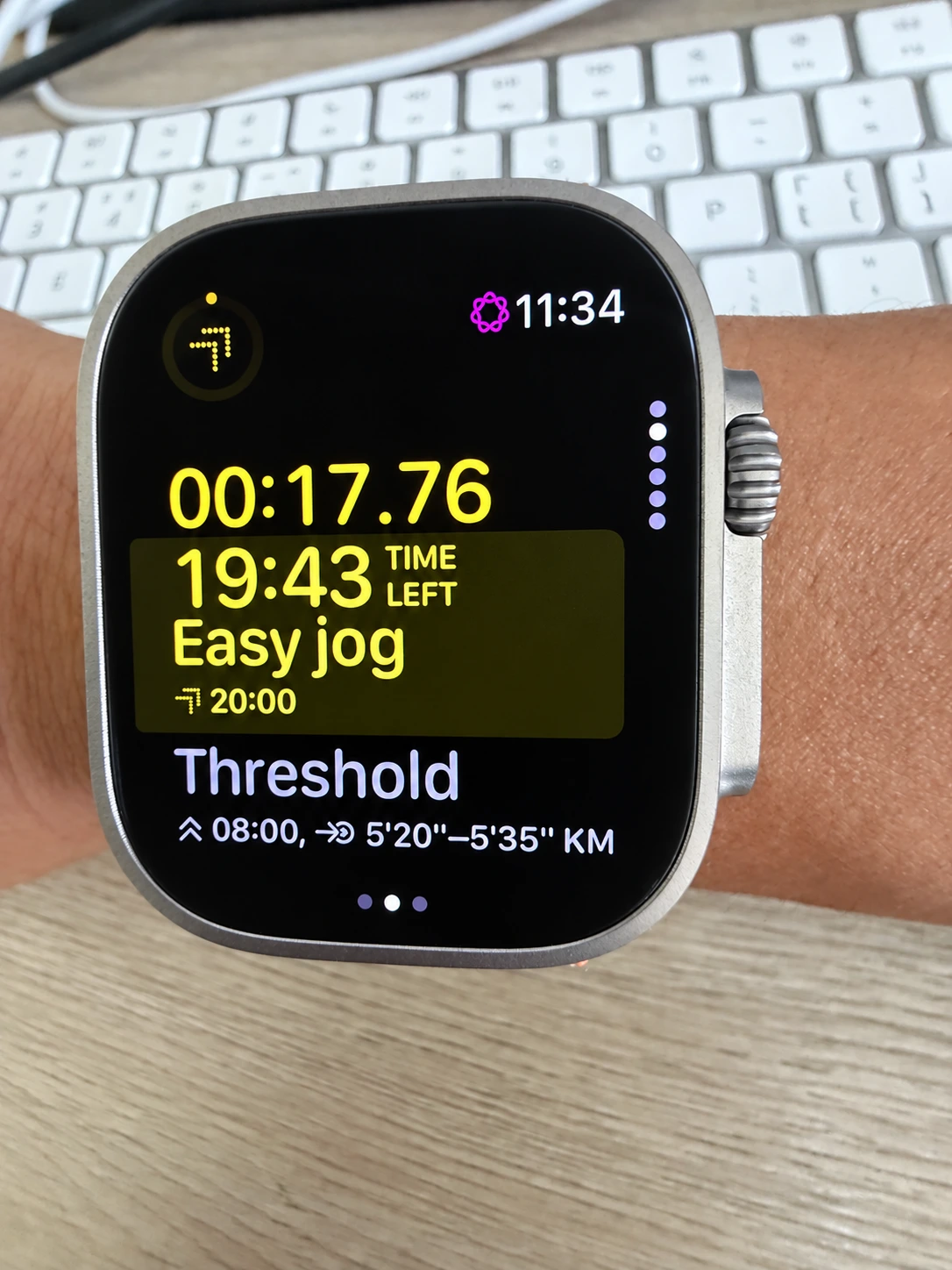
The interval session shown here has three eight-minute efforts at 5:20 to 5:35 per kilometre, with two minutes of easy jogging between them. You can see the sequence before heading out.
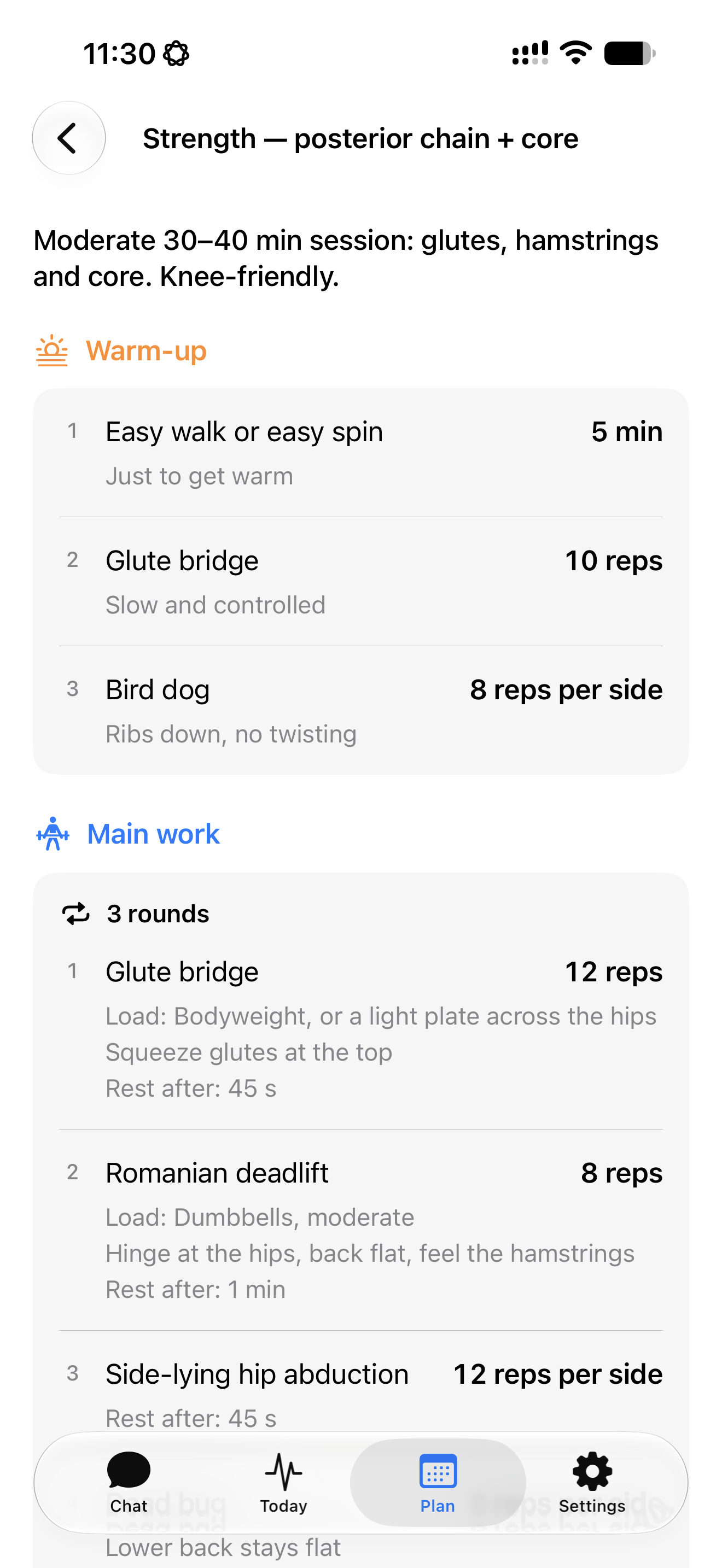
Strength sessions have their own structure. The example below shows three rounds, the repetitions for each exercise, and the rest between movements, with notes on how to perform them.
Take your running sessions to Apple Watch
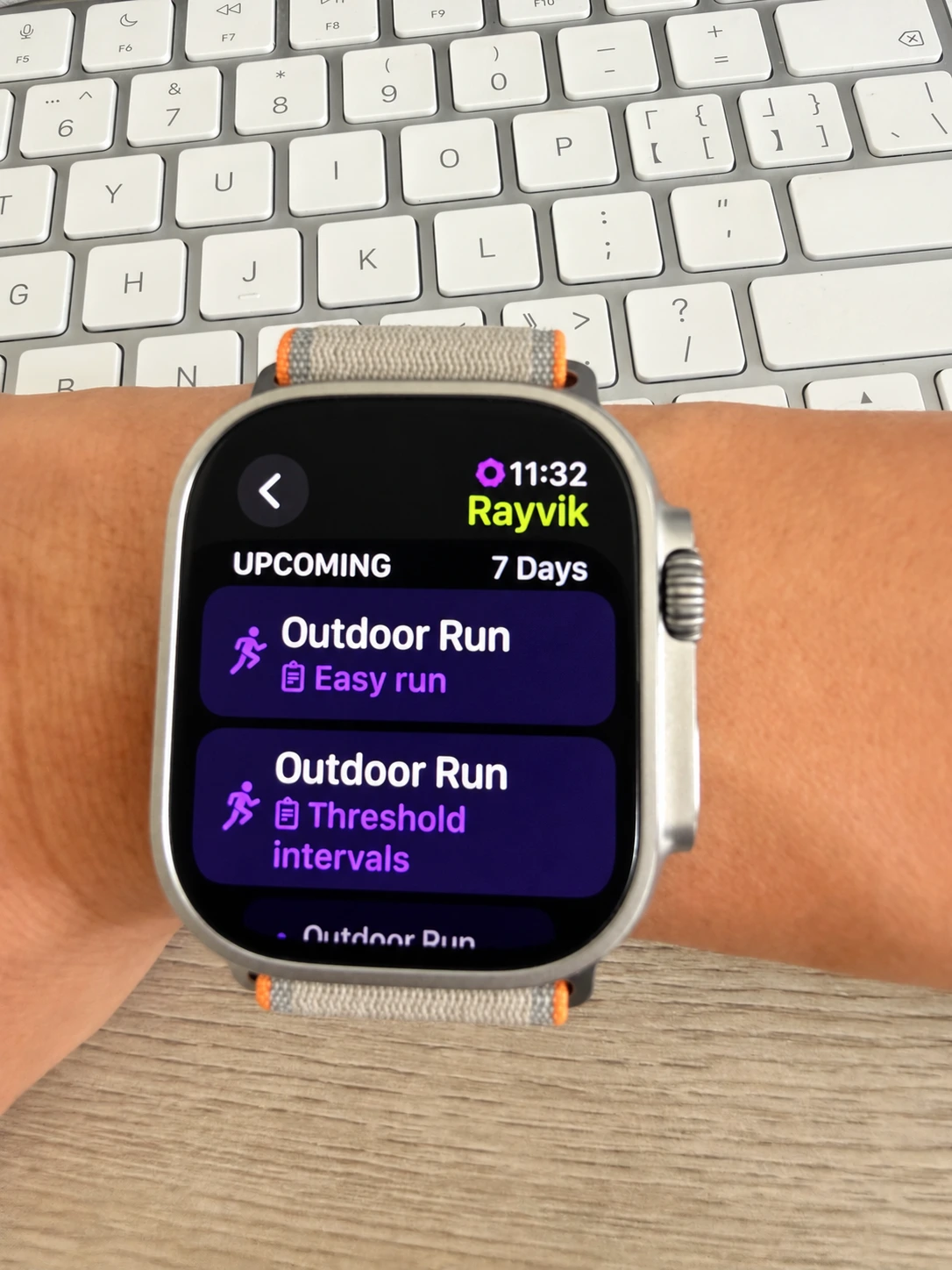
In Plan, tap the three dots at the top right, choose Apple Watch, then turn on “Sync running workouts” and allow access when prompted. Your next seven days of running sessions appear in Apple’s Workout app on your watch.
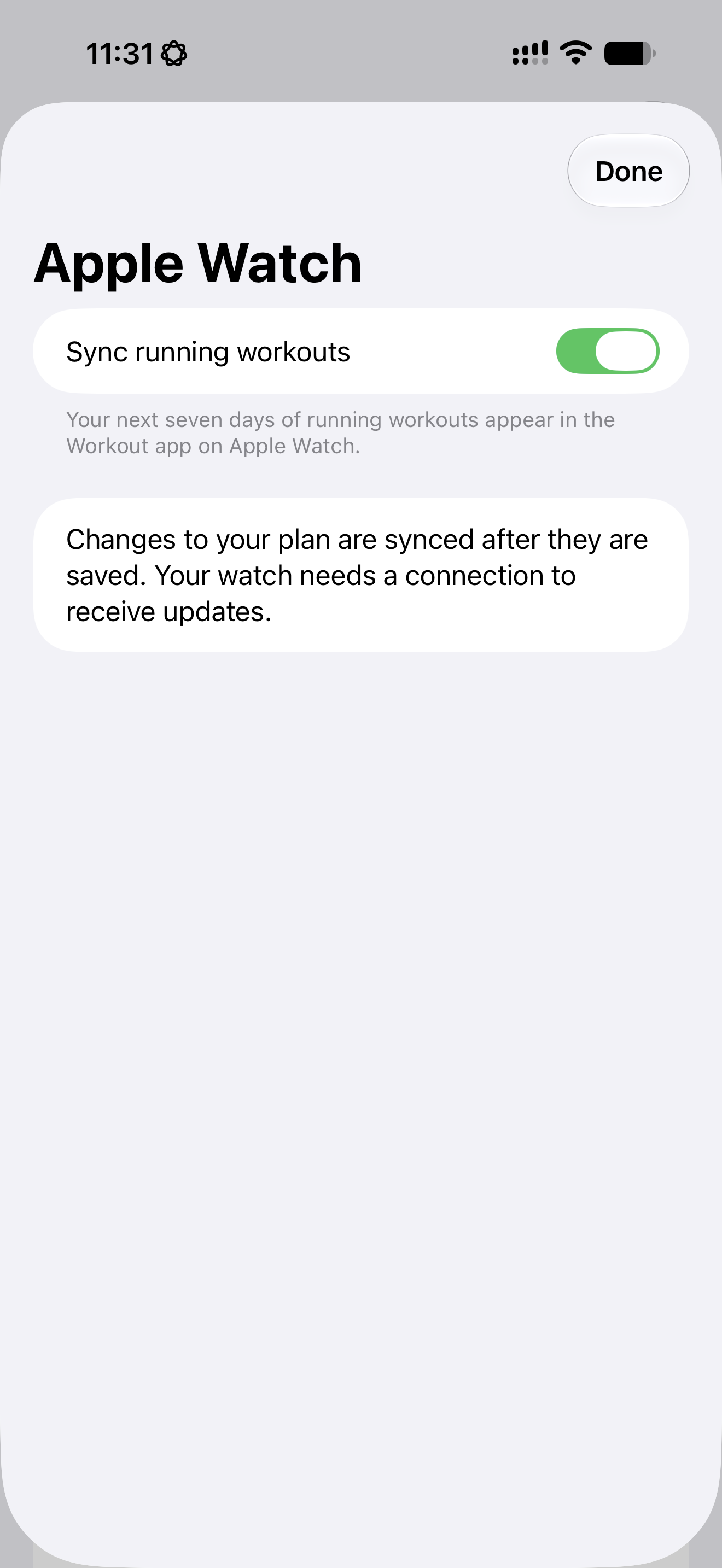
When you’re ready to run, open Workout on Apple Watch, find the scheduled Rayvik session and start. Saved changes to your plan are synced too; your watch needs a connection to receive them.
Watch sync currently covers running workouts. Your strength instructions remain in Rayvik, with rounds, repetitions and rest periods laid out on your phone.
Keep talking as the week unfolds
If a session no longer fits, tell your coach. You can talk through a different day, a change in distance, or how the last workout felt. Clear instructions can be carried out directly; when your coach proposes a change, you can discuss it before it is applied.
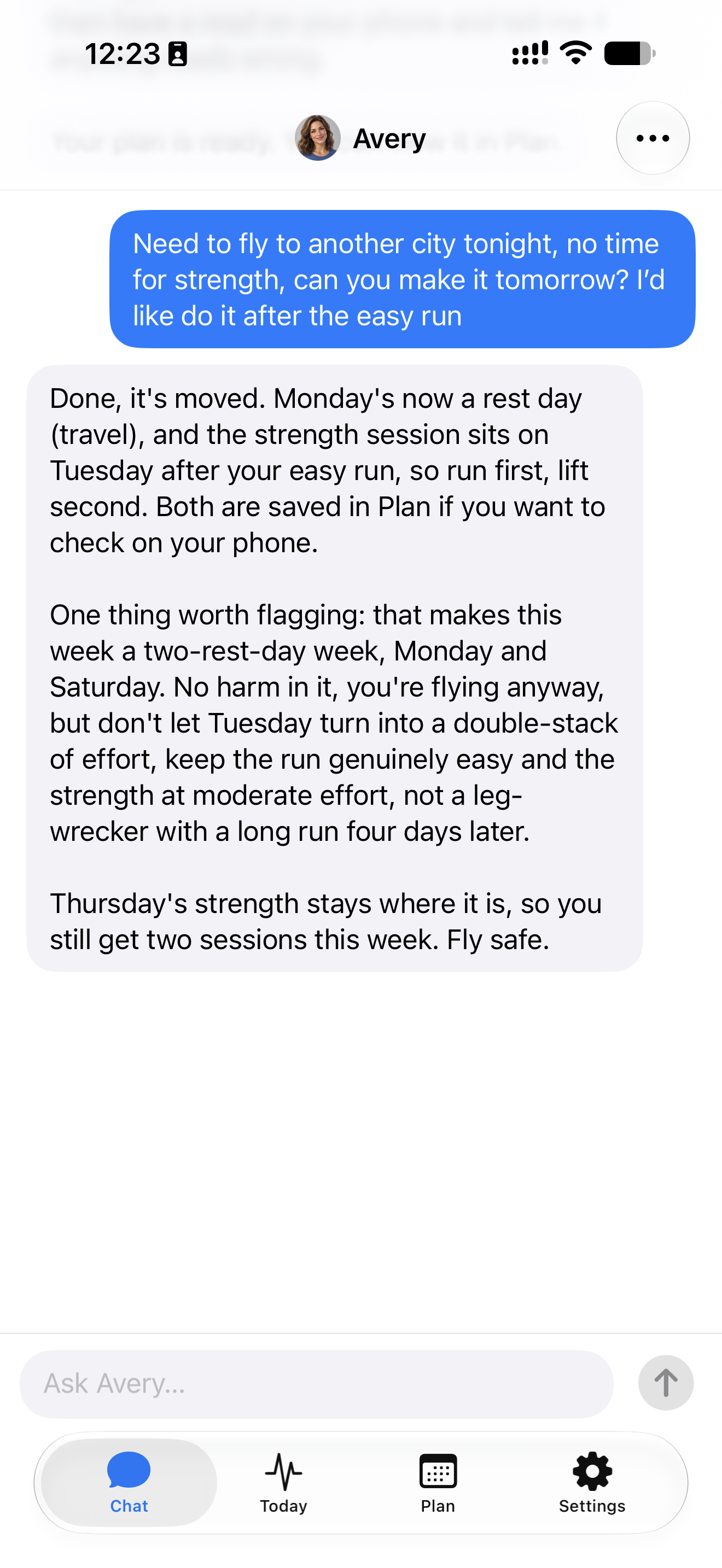
For example, a flight comes up on Monday evening. Kai asks to move strength to Tuesday, after the easy run. Avery moves the session, makes Monday a travel rest day, and explains how to approach the two sessions on Tuesday.
Open Plan again and the change is there: Monday is a rest day, and Tuesday has both the easy run and the strength session.
Try Plan in the beta
Start working with your Rayvik coach. We’re opening Plan gradually to beta testers.
Already testing Rayvik? Get in touch to ask about Plan access.