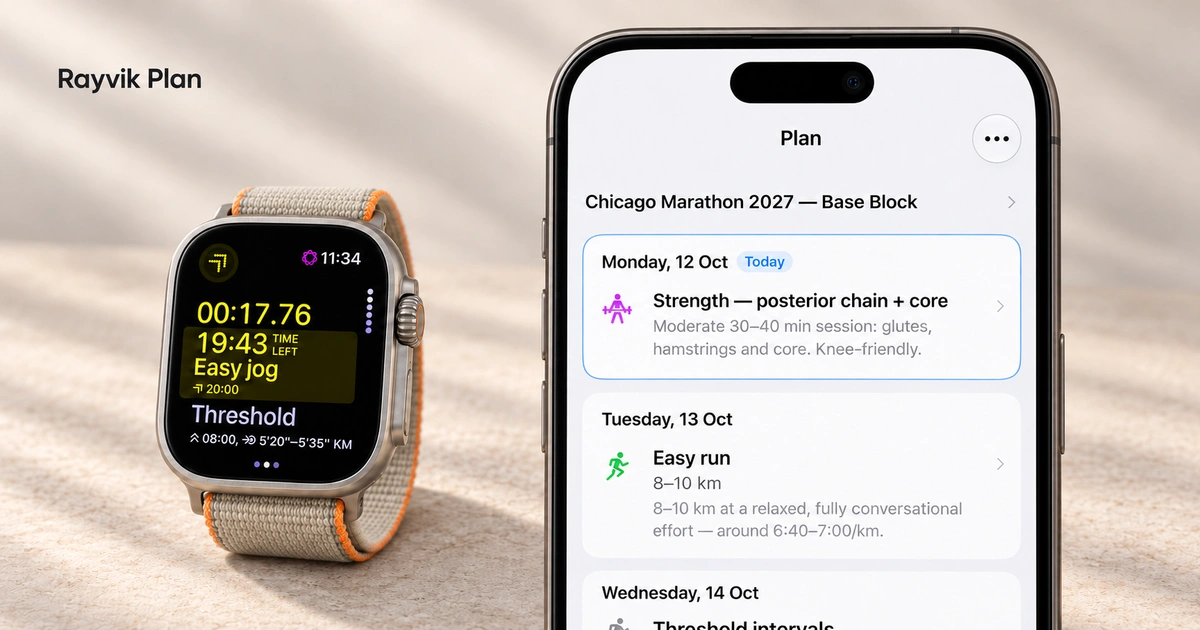
Your Rayvik running plan, now on Garmin
Connect once. Find your next run in Garmin Connect, then follow it on your compatible Garmin watch.

At a glance
- Your plan, automatically synced. Connect once and your upcoming running workouts sync to Garmin Connect.
- Adjust once. Stay in sync. Change a run’s date, interval repeats or target pace in Rayvik. Saved changes sync automatically.
- Today’s run, ready on your wrist. Once your watch syncs, check the session and start your workout right from your wrist.
When we introduced Plan, the idea was simple: build your training week with your coach, then open it when you need to know what to do next. Apple Watch runners could take those sessions to their wrist.
Now you can do that with Garmin too. Your upcoming running workouts sync to Garmin Connect with their scheduled dates and workout steps. Sync your compatible watch, open the day’s session, and you’re ready to run. Need to change the schedule, interval repeats or target pace? Adjust it with your Rayvik coach, and the saved changes sync to Garmin Connect automatically.
Connect once in Settings
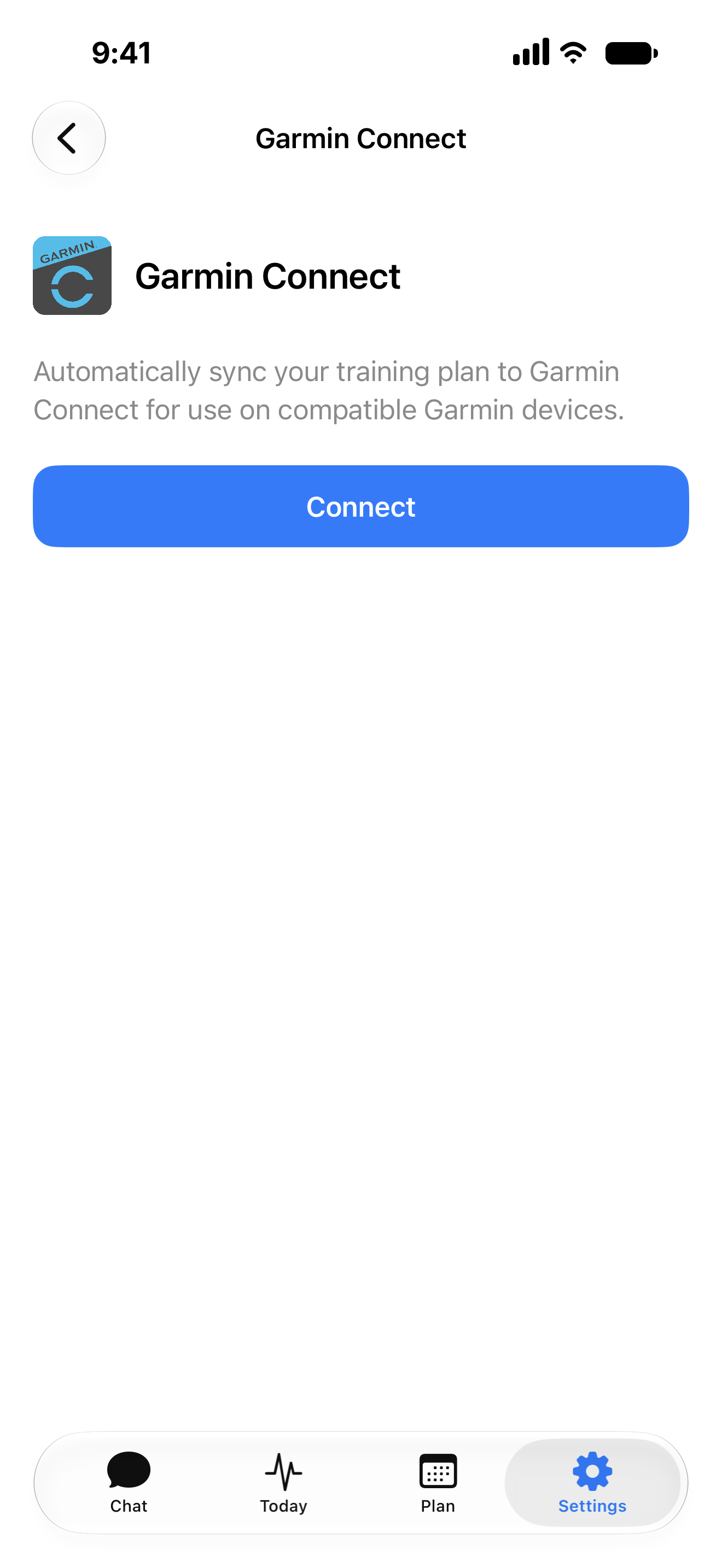
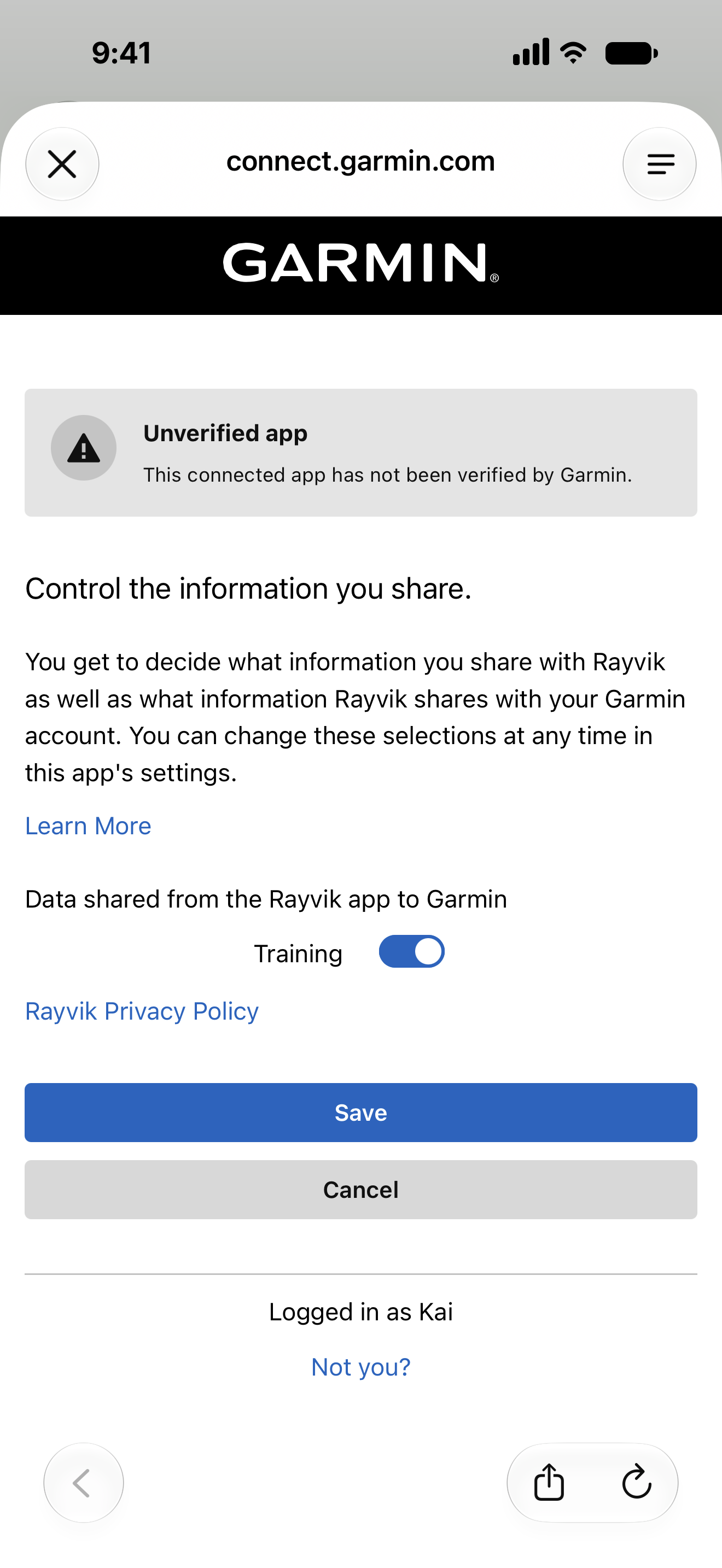
Update Rayvik in TestFlight, then open Settings → Garmin Connect → Connect. Sign in to Garmin, approve the connection, and leave Training enabled on Garmin’s permissions screen. Tap Save to return to Rayvik.
Once connected, your upcoming running workouts sync automatically. You don’t need to send each session separately.
Connect once
Find your run by its date
Open the calendar in Garmin Connect to find your scheduled sessions. A workout sits on the day it belongs to, so you can find today’s run without searching through a library of saved workouts.
Rayvik syncs a rolling seven-day window: today and the next six days. As the days pass, upcoming sessions are added automatically. Your full plan stays in Rayvik.
Find your next run
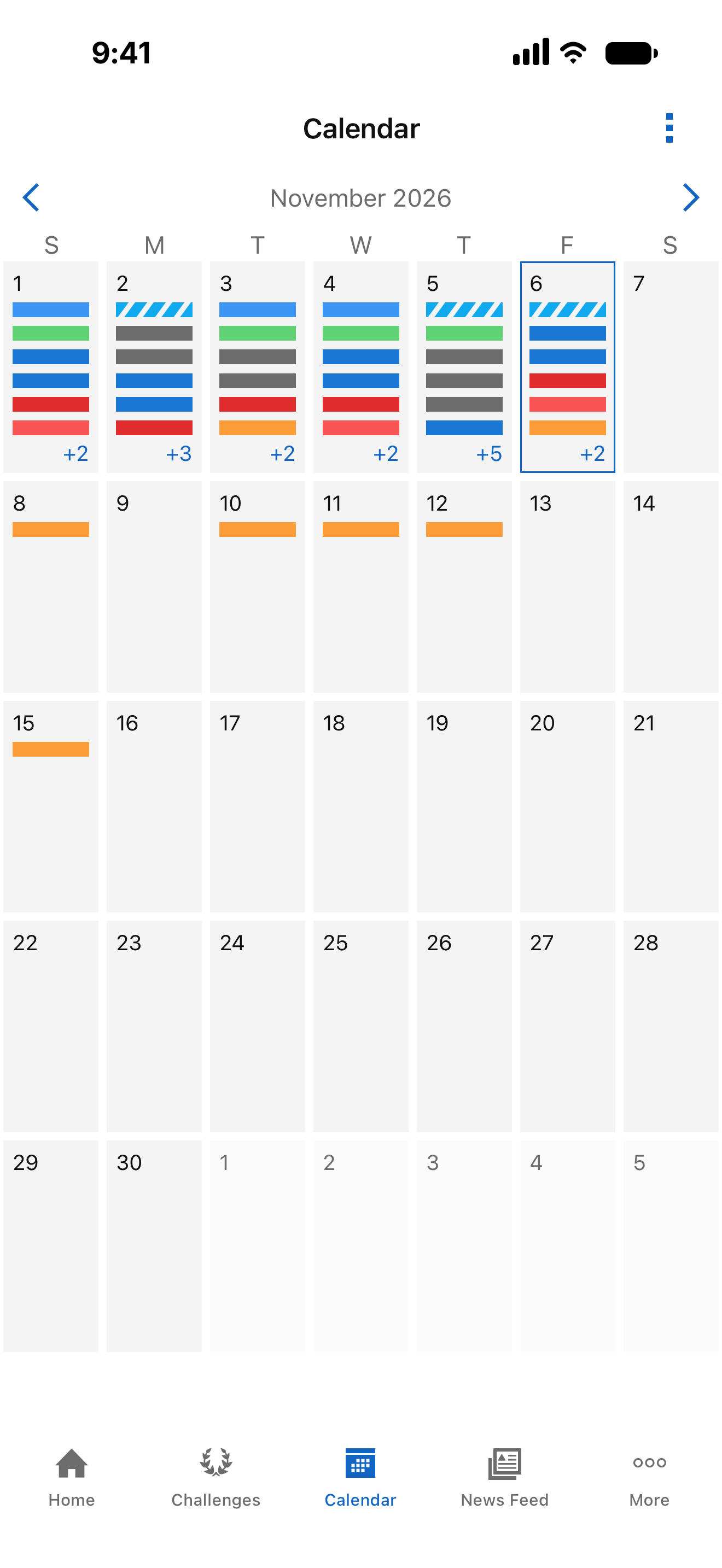
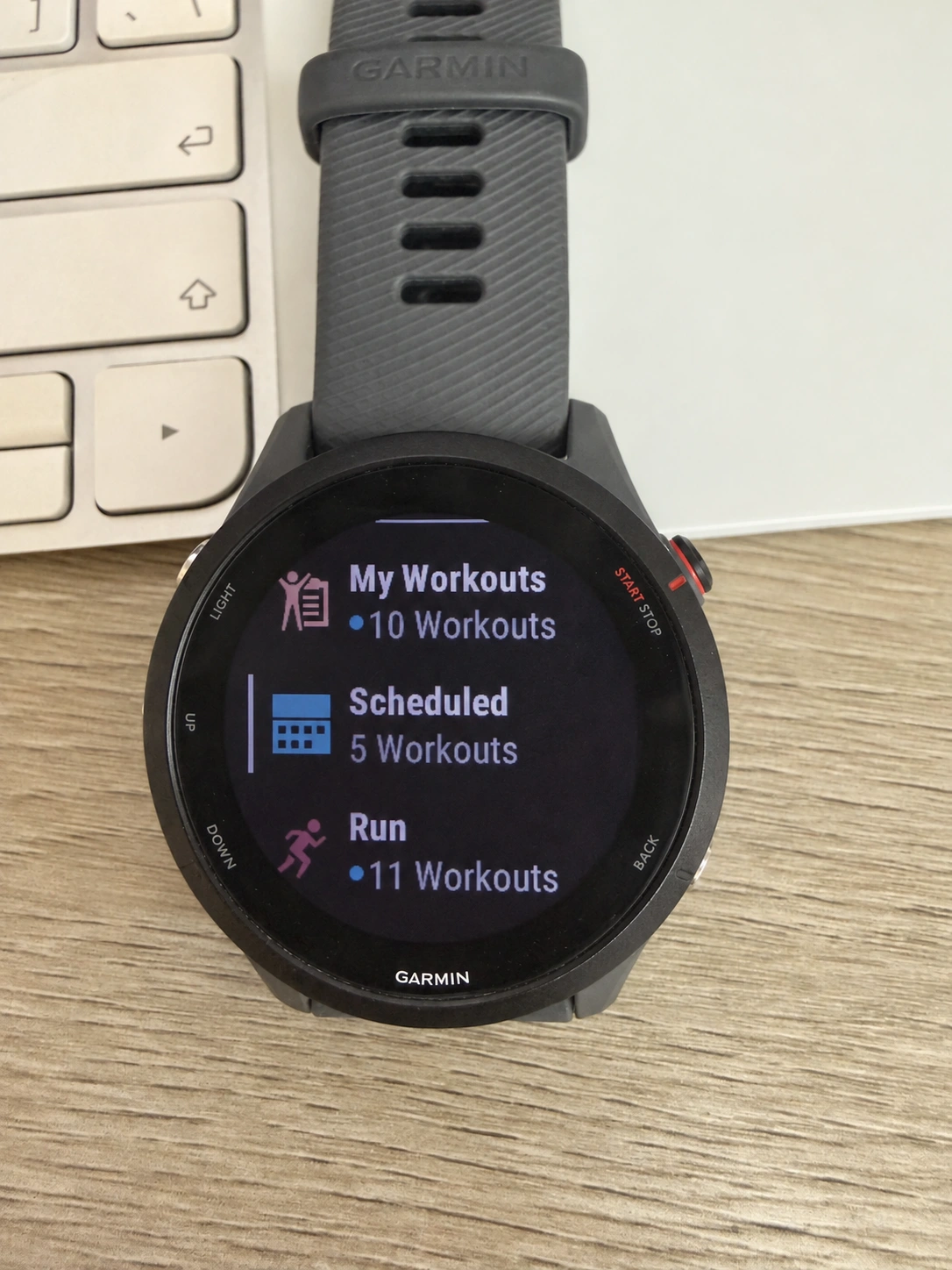
Sync your watch with Garmin Connect before heading out. Menu names and the number of sessions shown vary by device.
The workout goes with you
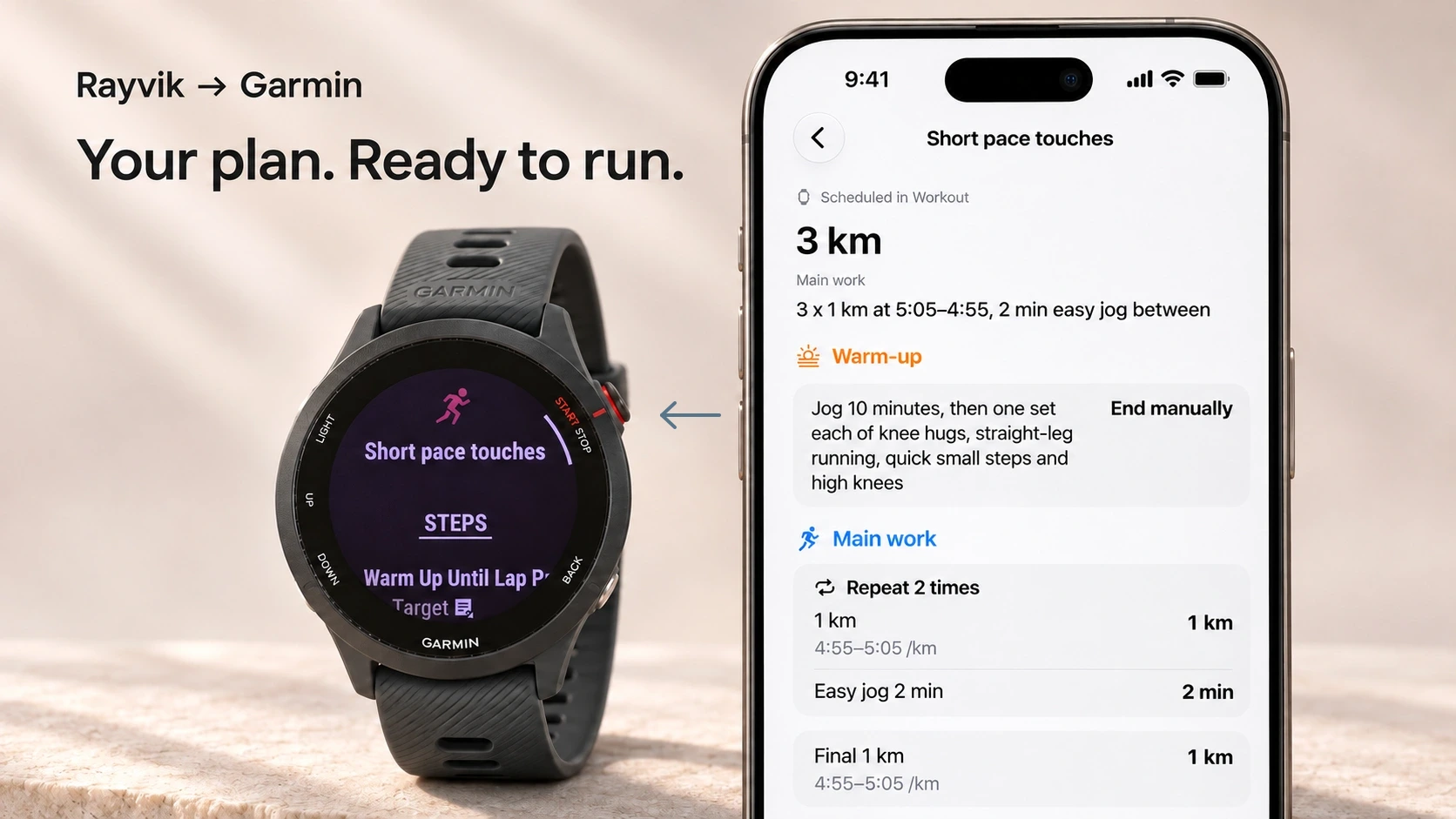
The session shown here, “Short pace touches,” has three one-kilometre efforts at 4:55–5:05 per kilometre, with two-minute easy jogs between them. It starts with a warm-up and ends with a cool-down.
On the watch, you can open the workout and review its steps before starting. Warm-up, work intervals, recoveries and cool-down carry across, along with supported targets from your saved session.
Follow the session on your watch
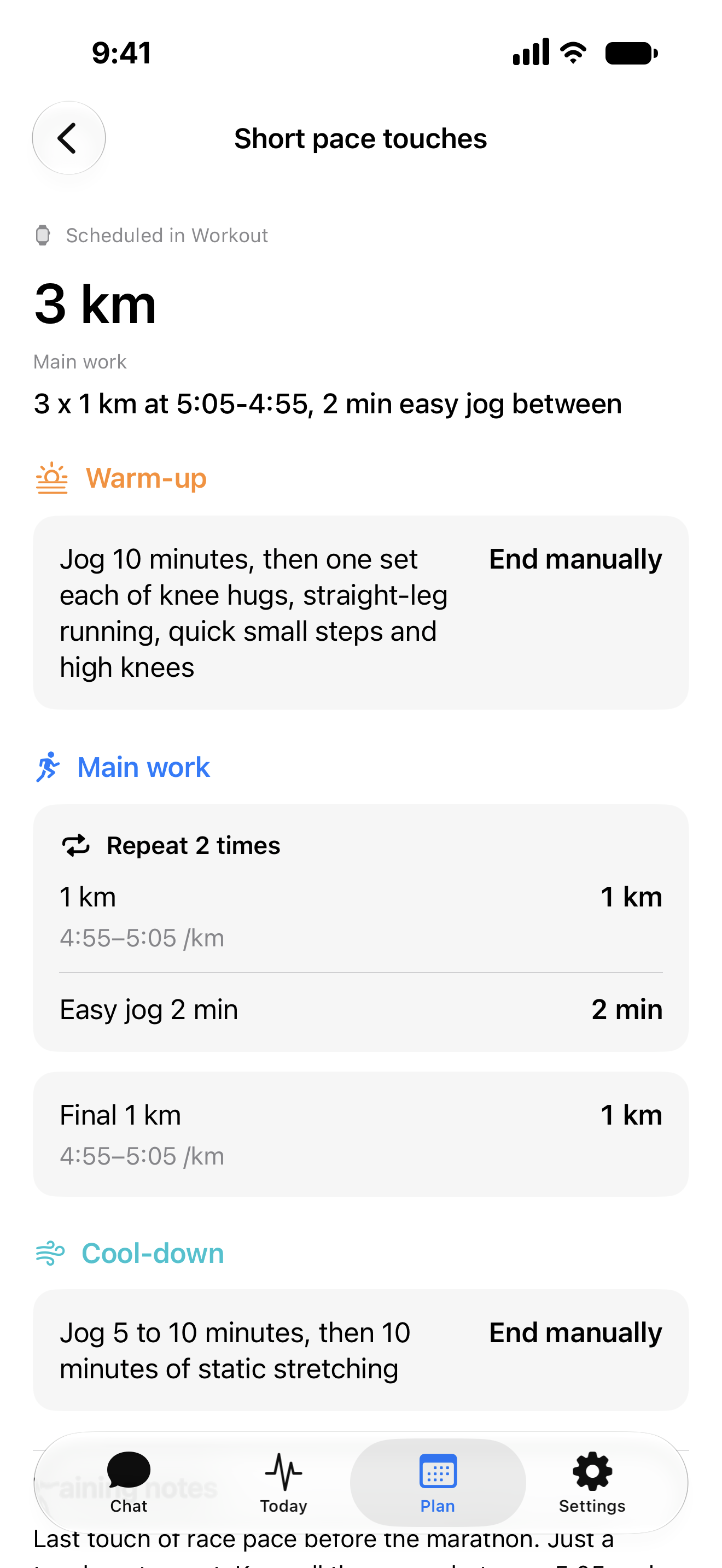
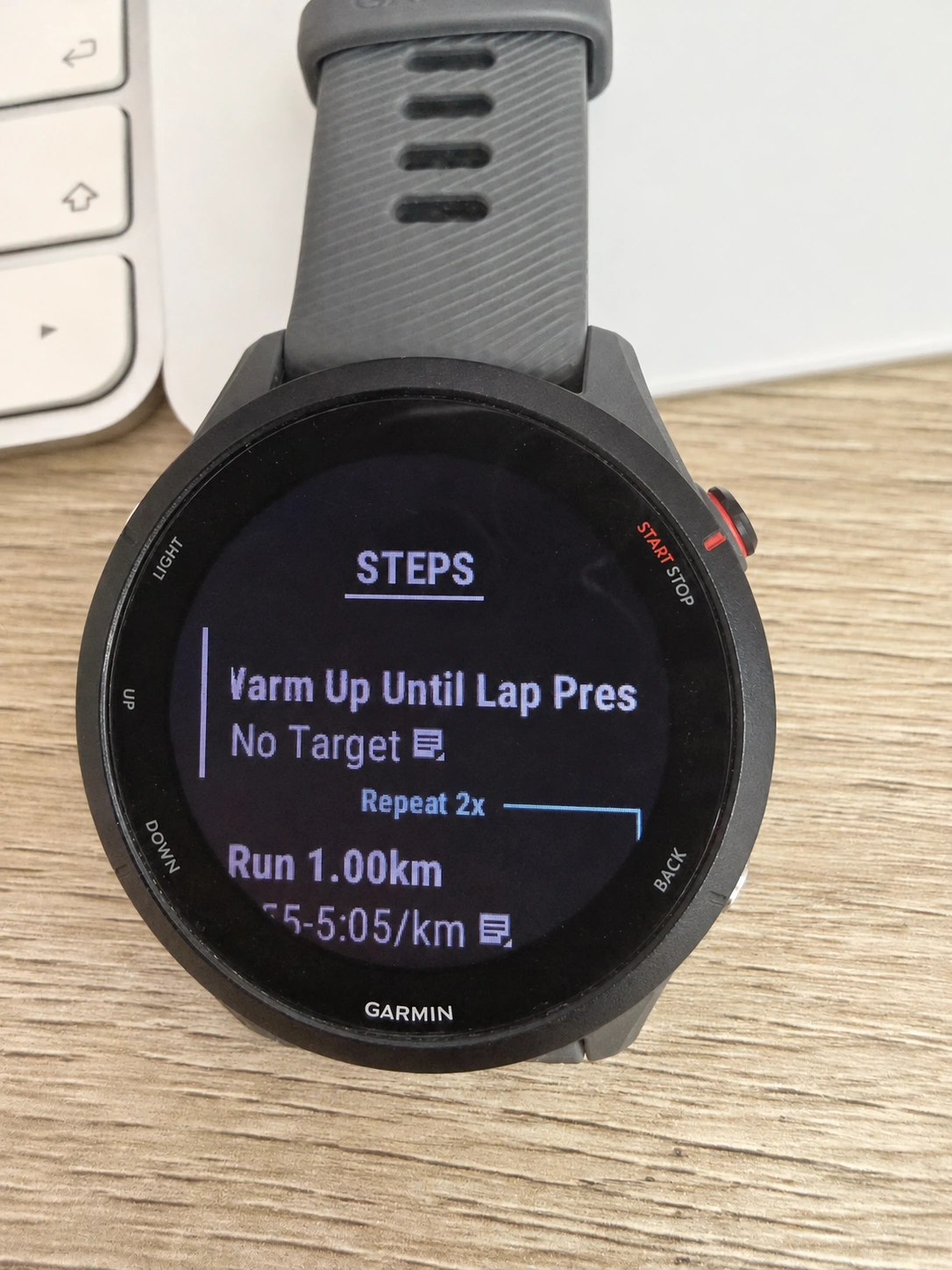
The repeat block covers the first two efforts and their recoveries. The final kilometre follows separately in the saved workout.
Adjust it in Rayvik. Garmin stays in sync.
Your plan can change with your week. Reschedule a run, change the number of interval repeats, or adjust the target pace with your Rayvik coach.
Once those changes are saved to Plan, Rayvik automatically updates the upcoming workout in Garmin Connect. There’s no need to rebuild the session there or send it again manually.
Sync your watch with Garmin Connect before heading out so it has the updated session.
Your running records still come through Apple Health
This Garmin connection sends planned running workouts to Garmin Connect and your compatible watch. Rayvik still reads the running records available in Apple Health for post-run feedback and everyday coaching.
Keep Apple Health connected in Rayvik, and make sure the runs you want your coach to see are available there. This update doesn’t directly import activity or health history from Garmin. Strength-session instructions remain in Rayvik.
Take your next session to Garmin
If you already have Plan access, update Rayvik in TestFlight, connect Garmin in Settings, and check your next running session in the Garmin Connect calendar.