Best running apps for Apple Watch when you want more than data
You like the polish of Apple Watch. You want to run with it. The useful question is which apps help when you wake up, while you are running, and just after you finish.
If you like the polished, familiar experience of Apple Watch and use it for running, you may have already spent an evening comparing apps. One recommendation sends you towards a recovery dashboard. Another promises more metrics. A third says you need a completely different watch.
You can finish that search with a longer list of downloads and still be unsure what to use tomorrow morning.
I like using Apple's Workout app for my own runs. I want the rest of the experience to feel just as straightforward. When I wake up, help me decide how to train. During the run, give me the information I need without getting in the way. Afterwards, help me understand how it went and what to change.
I'm Kai, Rayvik's founder. Those decisions are what we are building around, and they are the lens I use for the recommendations below.
Which Apple Watch running apps would I use?
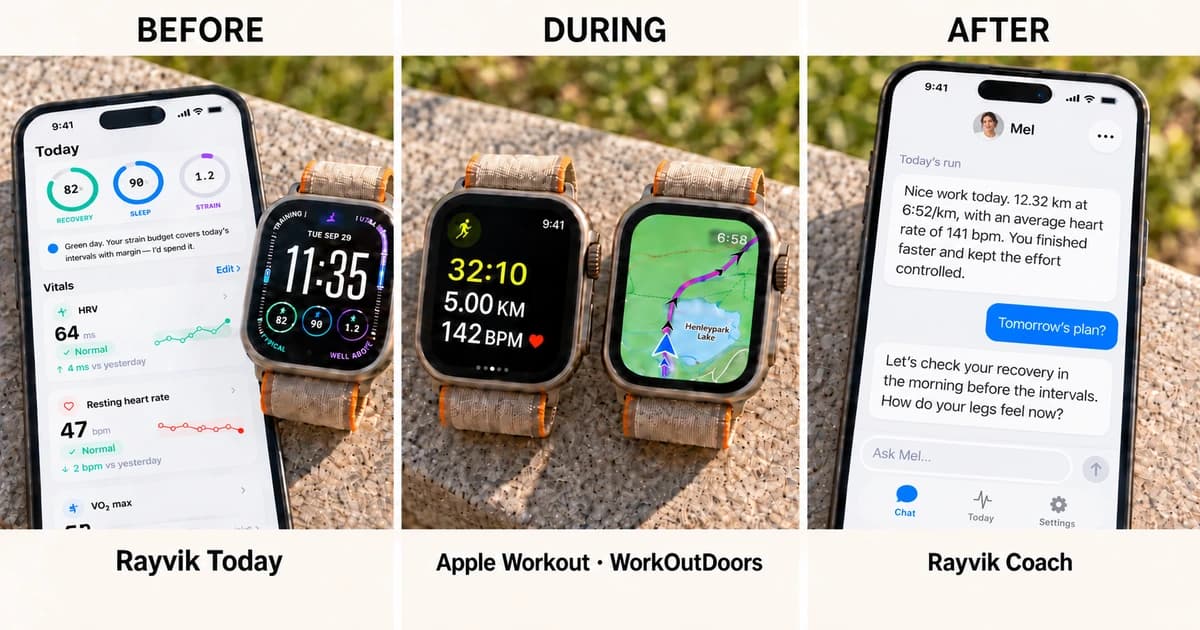
Keep Apple Workout for everyday recording. Consider WorkOutDoors when you need offline maps and more control over the watch screen. Use Rayvik alongside your recordings for Today's guidance, a wrist-based recovery check and coaching feedback after the run syncs.
| MOMENT | THE QUESTION | WHERE I WOULD LOOK |
|---|---|---|
| Before the run | Does today’s session still fit how I am recovering? | Rayvik Today and watch-face recovery scores |
| During the run | Am I running the session I intended? | Apple Workout; WorkOutDoors for maps and customisation |
| After the run | How did that go, and what should change next? | Rayvik coaching feedback and conversation |
Apple has already made the watch a better running companion
Apple deserves credit here. With watchOS 26, the Workout app gained a redesigned layout, and Workout Buddy added personalised spoken encouragement and workout recaps on compatible setups. Custom workouts built in Fitness on iPhone can also sync to the watch. Apple's watchOS 26 overview describes that shift towards a more helpful running experience.
The watchOS 27 generation goes further. Apple's Readiness feature combines activity, vitals and sleep into a daily score with guidance about how to approach the day. It is available on Series 12 and Ultra 4; updating the software on an older supported watch does not add it. Our Apple Watch Readiness compatibility guide explains the distinction.
Those are useful steps. What I still want is continuity. If the morning suggests an easier day, what happens to the session I had planned? Once I finish that adjusted run, what does it mean for the next one?
Before the run, turn the morning check into a decision
You wake up with a session in mind. Before heading out, you want to know how you slept, how you are recovering and whether that session still makes sense.
Depending on your setup, the information may be spread across Fitness, Health and a third-party recovery app. The charts can all be beautifully presented while leaving you to assemble the answer. If two apps disagree, you have another judgment to make before you have even put your shoes on.
I would not choose between them by finding the most encouraging number. Different scores can use different inputs or weight them differently. First check what each assessment covers and whether it reflects the latest available data. Then put it beside the training you actually planned and how you feel.
Today gives you a starting point
Rayvik's Today view brings Recovery, Sleep and Strain together with your training context and a daily recommendation. It is designed for that first decision about how to approach the day. The detail is there when you want to understand the recommendation.
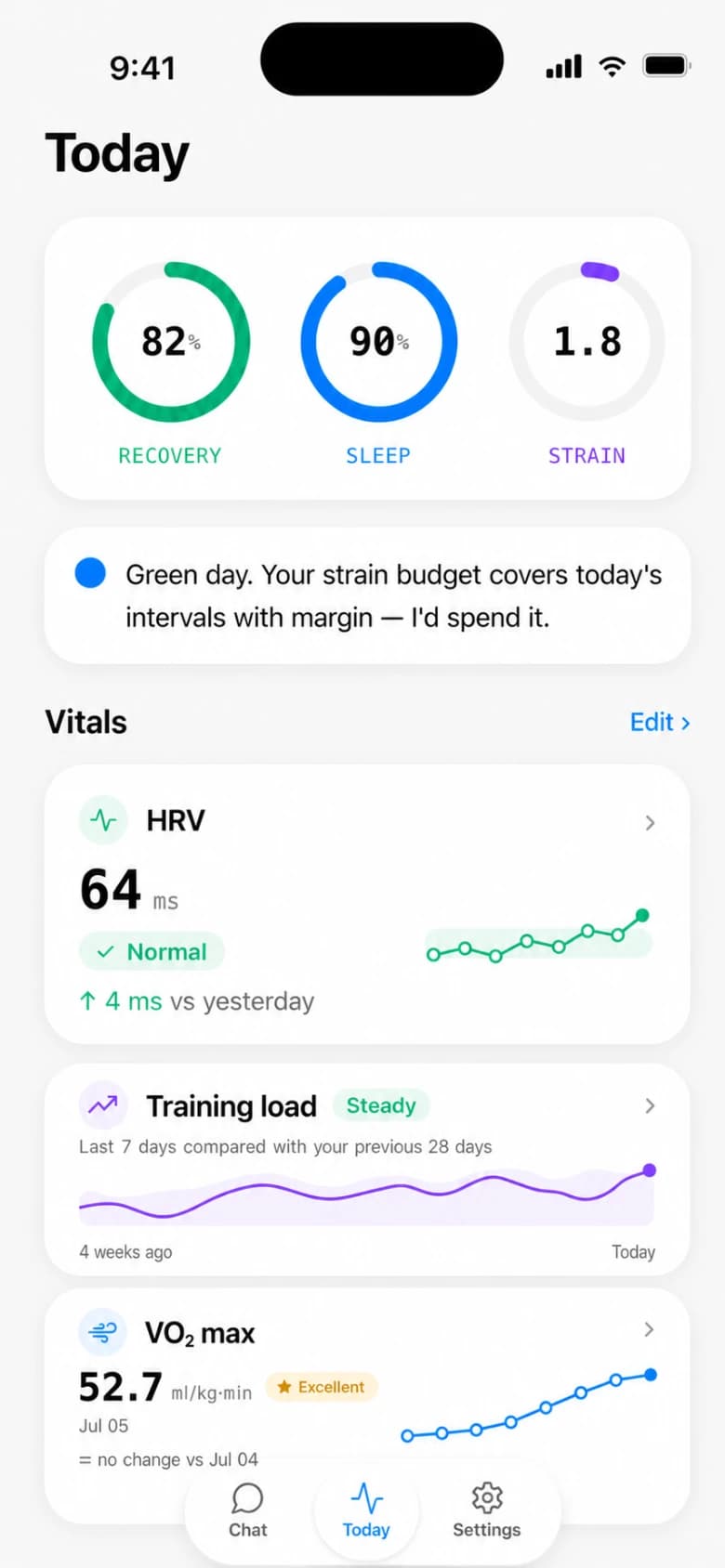
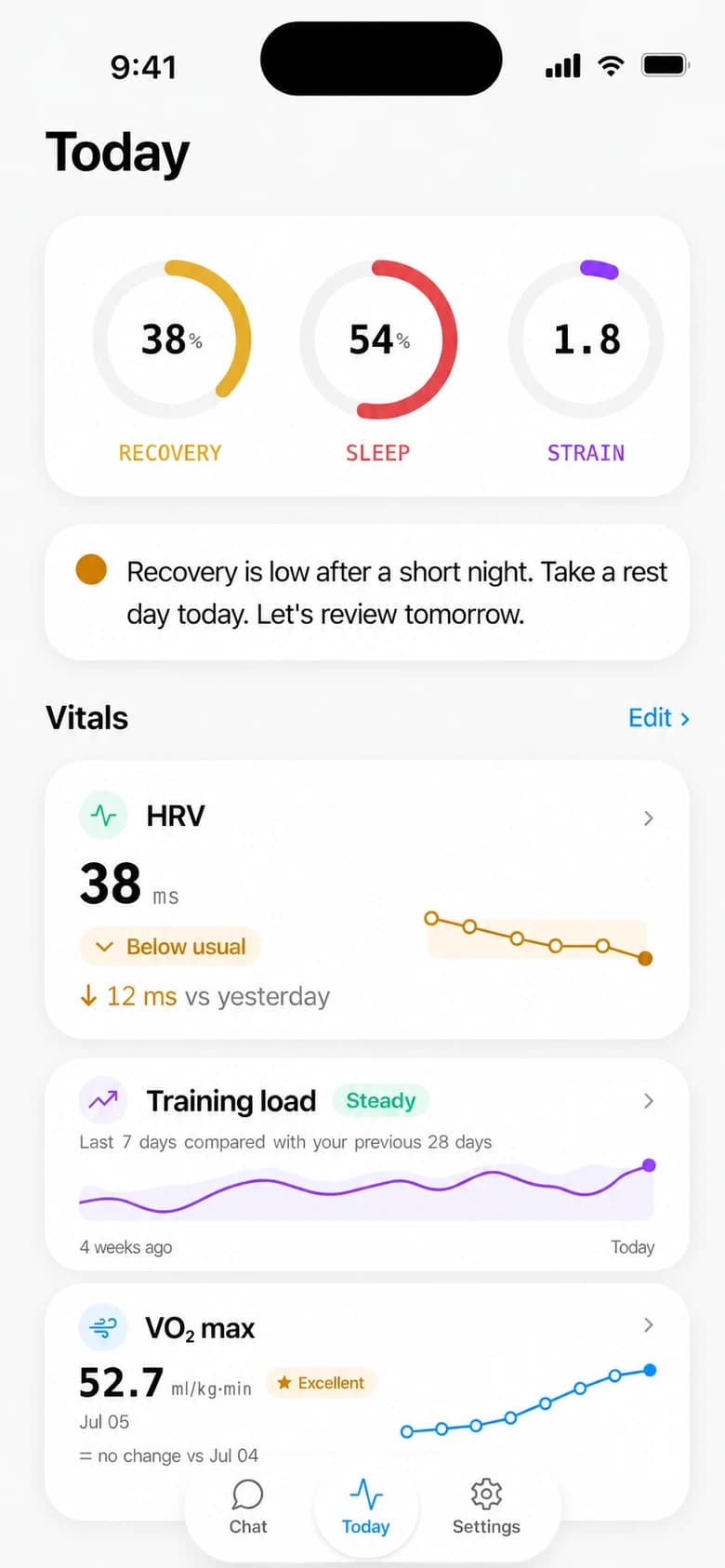
When your day adds another constraint, take it to the coach. You may have only half an hour, or need to move a session around travel. The conversation can bring that into the adjustment alongside the training and recovery picture.
A quick first check on your wrist
Rayvik's Recovery, Sleep and Strain can also appear in compatible slots on your Apple Watch face. You can glance at the latest scores without opening your phone, then tap a ring to check its assessment date in the Watch app.
The watch is the quick check; Today on iPhone gives you the wider view and recommendation. Scores depend on available data and may retain an earlier assessment while an update is pending. Rayvik's Recovery is its own estimate, separate from Apple Readiness.
During the run, keep the watch easy to use
Once you are moving, the questions are immediate. Is your effort where you wanted it? How much of the interval remains? Are you still on the right route? The screen should help you answer quickly and get your attention back to the run.
Apple Workout is my everyday recording choice
I like the native Workout experience and use it for my runs. I would keep it if it already feels comfortable to you. Adding coaching around the run does not require abandoning the recording app you enjoy.
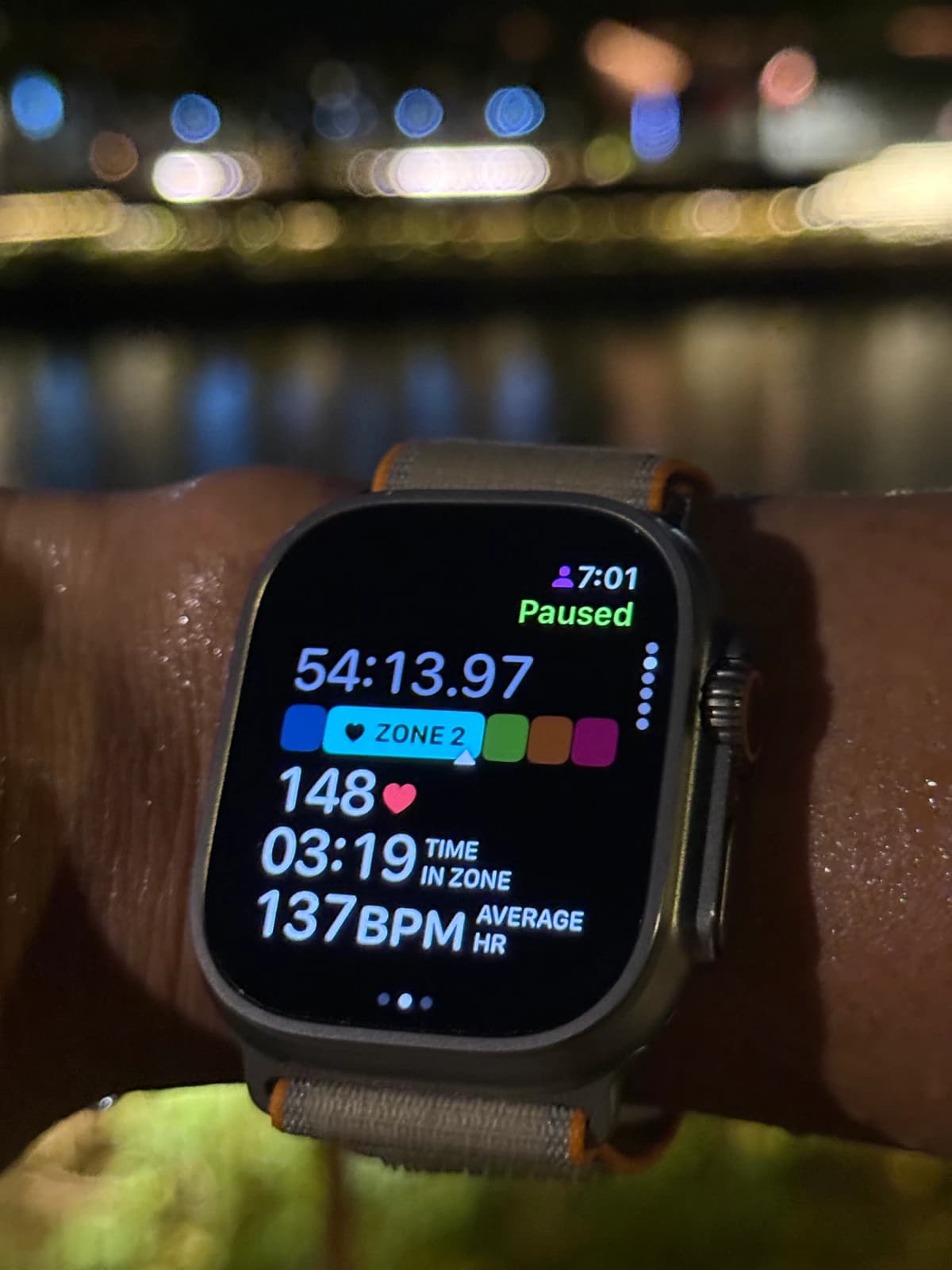
Apple Workout supports custom sessions with warmups, repeated work and recovery intervals, and cooldowns. On supported setups, Fitness on iPhone lets you build those sessions on a larger screen and sync them to the watch. Apple's custom workout guide covers the requirements.
Compatible third-party apps can also sync scheduled workouts to Apple Workout. Check for that support in the training app you choose.
WorkOutDoors earns its place when maps and customisation matter
For trails or unfamiliar routes, WorkOutDoors is worth a look. It offers maps stored on the watch for offline use, imported routes and configurable screens. Those are practical reasons to choose it when the route and the information on your wrist matter more than a minimal setup.
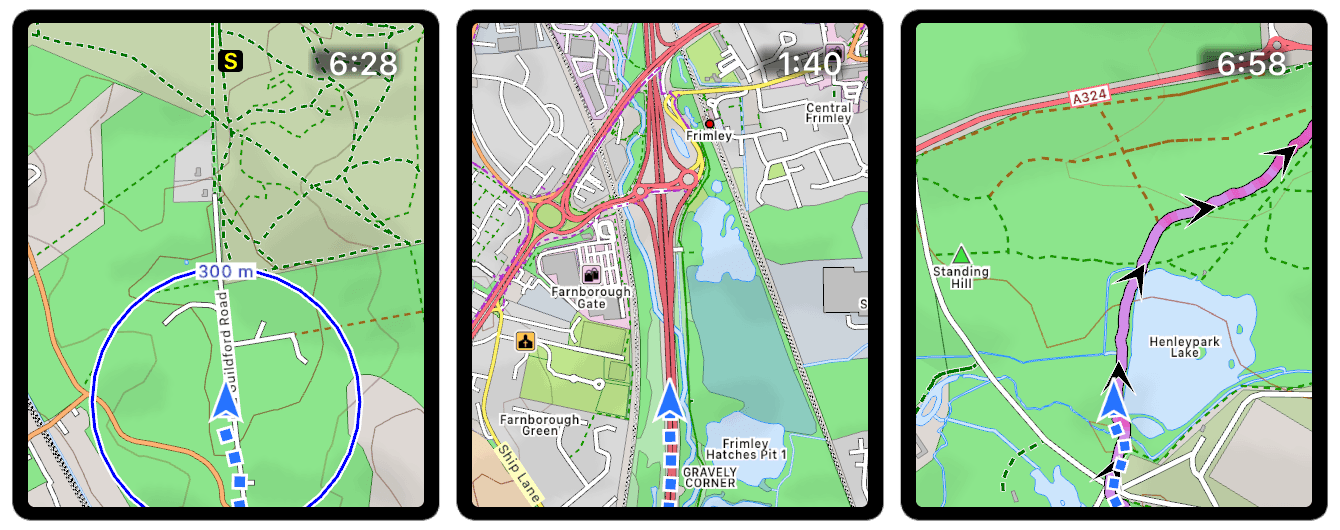
That flexibility asks you to spend time on the settings. Download the maps and learn the controls on a familiar run first. If you mainly run familiar roads and want a quick start, Apple Workout remains my simpler choice.
After the run, explain what happened and what comes next
You press Finish. The immediate question is how that run went against what you meant to do, or against a similar session before it.
A dashboard gives you the record. Interpreting it can take more work. Average heart rate went up. Cadence changed. Ground contact time is different. Which of those deserves your attention, and what should you do about it?
A faster cadence or a lower heart rate alone cannot settle whether a run was better. The session's purpose and the comparison matter. Were you running at a similar pace, on a similar route and in similar conditions? Did the effort feel easier? An easy run and an interval session should be judged against different intentions.
Even the vocabulary creates work. Cadence is your step rate; ground contact time describes how long your foot spends on the ground. Learning those terms can help, but a useful review should explain why a particular change matters to this run before asking you to act on it.
Feedback should feel like someone understood the session
You can send screenshots to ChatGPT or Claude and ask for an interpretation. In a screenshot-based workflow, you still supply the goal, explain the conditions and carry the relevant history into the conversation. Our guide to ChatGPT as a running coach explores that tradeoff.
Apple is improving this moment too. Workout Buddy can recap a session and recognise achievements. What I want from ongoing coaching is for that encouragement to connect with the training intention and the next decision.
The feedback I want is specific to the session. If I started an easy run too fast, tell me how a gentler opening could help. Then ask how the last few kilometres felt. That gives me something to try next time and a chance to add what the watch missed.
The conversation should carry into the next run
After your Apple Watch run syncs through Apple Health, Rayvik can provide post-run feedback and use it in the ongoing coaching conversation. You can ask how the session compares with the plan, explain how it felt and work with the coach on what comes next. Feedback depends on the data available after syncing.
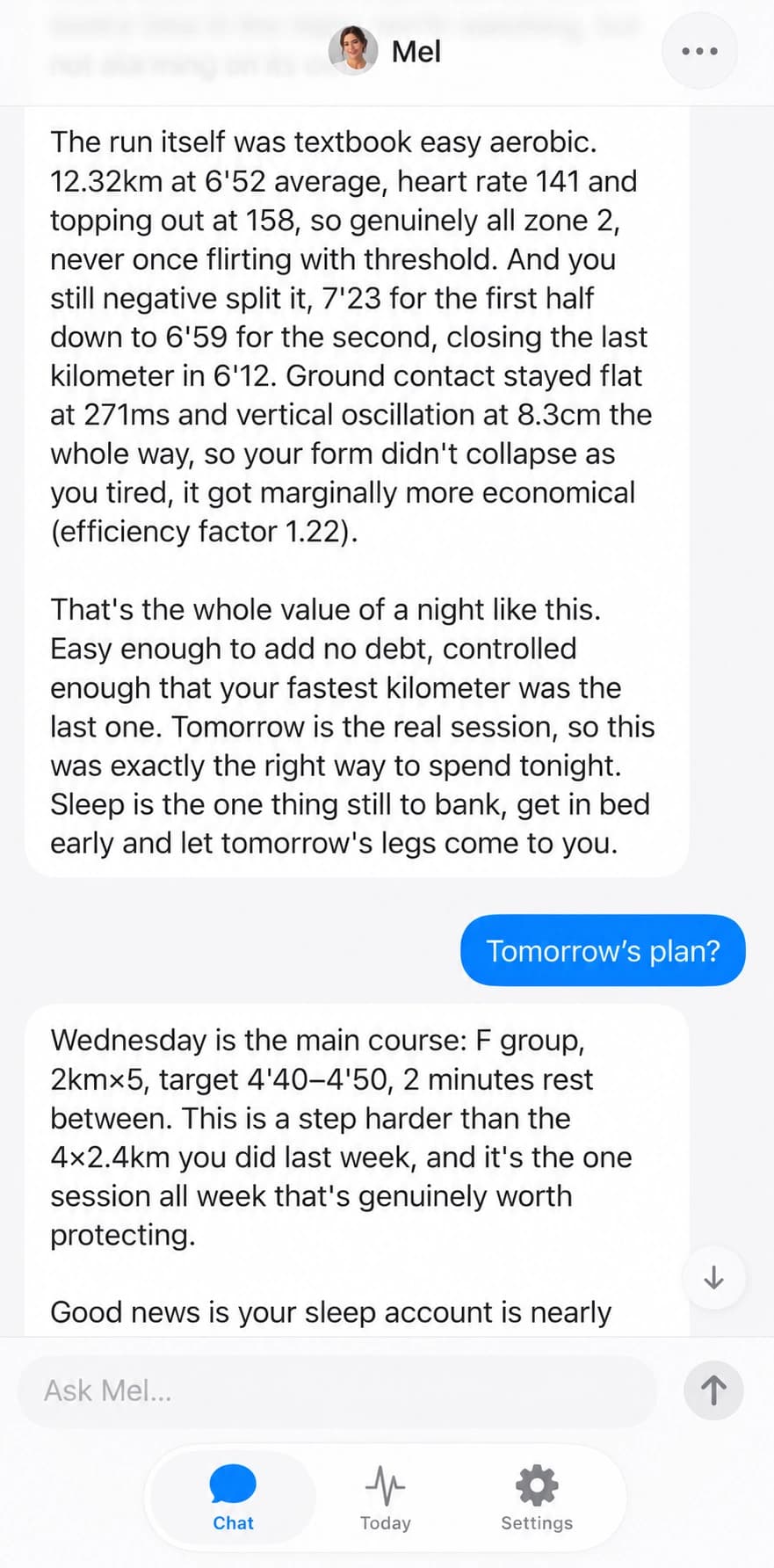
That makes the morning check and the post-run conversation part of the same training week. Recovery can inform a change before you start. The completed session and your feedback can then inform the next adjustment. You keep the familiar recording experience while the coach helps you connect those decisions.
Try it across one ordinary running day
Keep Apple Workout if it already works for you. Connect Rayvik to Apple Health and check Today before your next run. If you use the Watch companion, add the recovery scores you want to see first.
Record the session in one app. Once it has synced, open Rayvik's feedback and tell the coach how it felt. Bring a real question about the next run. That is a more useful way to evaluate the experience than counting how many charts each app has.
Apple Watch running app questions
What is the best running app for Apple Watch?
For recording everyday runs, my preference is Apple Workout. WorkOutDoors is useful when offline maps and custom screens matter. Rayvik, our own app, complements the recording with a morning recovery check, daily guidance and coaching feedback after your run syncs. Choose around the part of your running you want help with.
Is the built-in Apple Workout app enough for running?
For recording and following structured sessions, it may be. Apple Workout supports custom intervals, and compatible apps can sync scheduled workouts to it. You can keep it as your recorder while using another app for recovery, coaching or analysis.
What is the best free running app for Apple Watch?
Apple Workout is included with your watch and is a convenient free choice for recording and custom sessions. Rayvik is free during beta for runners who want daily guidance and coaching around those recordings.
Is Apple Watch Readiness available on every watch with watchOS 27?
No. Apple’s native Readiness feature is limited to Apple Watch Series 12 and Apple Watch Ultra 4. Installing watchOS 27 on another supported model does not add it. Rayvik offers its own Recovery estimate on compatible watches; it does not unlock Apple’s feature.
Is WorkOutDoors worth it for trail running?
WorkOutDoors is worth considering if you want offline maps, imported routes and configurable watch screens. Its flexibility takes some setup. Prepare your maps and learn the controls on a familiar route before relying on it somewhere new.
Can Rayvik work with runs recorded in Apple Workout?
Yes. After an Apple Watch run syncs through Apple Health, Rayvik can use it in your coaching context and provide post-run feedback. Available records and permissions affect what it can assess. Today on iPhone provides the wider training view, while compatible watch faces can show Recovery, Sleep and Strain.
Sources & notes
Kai is a runner and Rayvik's founder. His preference for Apple Workout is based on his own use. The WorkOutDoors recommendation is based on documented capabilities, not a comparative field test. Rayvik is our product and is available in beta.
Product references checked September 29, 2026 include Apple's running guide, watchOS 26 and Workout Buddy, custom workouts in Fitness, Apple workout syncing, Apple Readiness and WorkOutDoors. Rayvik setup and post-run feedback are described in our beta guide.
The cover is an AI-assisted illustration of the three stages, using product references and a representative Apple Workout screen; it is not a captured workout. The watch-face photograph is our own; the Today images are illustrative product previews, and the Mel conversation is a light-theme adaptation of a real screenshot. Example feedback is illustrative. A single metric or score does not by itself establish improved fitness or determine the right workout.